在APKPure安全快速地下载APK
APKPure 使用签名验证功能,确保为您提供无病毒的 Screen Text Widget APK 下载。

装饰并与屏幕文本组件自己的文字美化你的手机屏幕
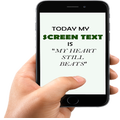
Screen Text Widget App provides you the widget on the screen where you can display you own text (YES, YOUR OWN TEXT, QUOTES, MEMOS, DAILY REMAINDER ETC) or anything that you like to appear on your mobile screen. You can change color of text, size of text with the settings page.
Steps to follow
1. Install the Screen Text App.
2. Go to the widgets
3. Drag the screen Text App icon from widgets to your screen where you like to place it.
4. Warm Welcome screen will appear, Press OK button to continue
5. Your Screen Text will appear on the screen.
6. Just click on the Text on the screen and change the settings.
7. Mission Accomplished
Thanks



感谢您的评分和反馈!
您已经评分了。