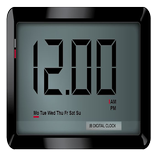
Screen Text Widget

Screen Text Widget

Jb Digital World
Apr 7, 2018
  • 4.8 MB

    Tamanho do arquivo

  • Everyone

  • Android 4.1+

    Android OS

Sobre este Screen Text Widget

Decorar e embelezar sua tela celular com seu próprio texto pela Screen Widget Texto

Screen Text Widget App provides you the widget on the screen where you can display you own text (YES, YOUR OWN TEXT, QUOTES, MEMOS, DAILY REMAINDER ETC) or anything that you like to appear on your mobile screen. You can change color of text, size of text with the settings page.

Steps to follow

1. Install the Screen Text App.

2. Go to the widgets

3. Drag the screen Text App icon from widgets to your screen where you like to place it.

4. Warm Welcome screen will appear, Press OK button to continue

5. Your Screen Text will appear on the screen.

6. Just click on the Text on the screen and change the settings.

7. Mission Accomplished

Thanks

Mostrar mais

Novidades em 1.0 mais recente

Last updated on Apr 7, 2018
Minor bug fixes and improvements. Install or update to the newest version to check it out!
Mostrar mais

Vídeos e capturas de tela

  • Screen Text Widget Para Trailer oficial
  • Screen Text Widget imagem de tela 1
  • Screen Text Widget imagem de tela 2
  • Screen Text Widget imagem de tela 3
  • Screen Text Widget imagem de tela 4
  • Screen Text Widget imagem de tela 5
  • Screen Text Widget imagem de tela 6
  • Screen Text Widget imagem de tela 7

Informações sobre Screen Text Widget APK

Última Versão
1.0
Categoria
Ferramentas
Android OS
Android 4.1+
Tamanho do arquivo
4.8 MB
Desenvolvedor
Jb Digital World
Classificação do Conteúdo
Everyone
Downloads seguros e rápidos de APK no APKPure
O APKPure usa verificação de assinatura para garantir downloads de APK Screen Text Widget sem vírus para você.

Versões Antigas de Screen Text Widget

APKPure ícone

Baixar de Forma Rápida e Segura via APKPure App

Um clique para instalar arquivos XAPK/APK no Android!

Baixar APKPure
thank icon
We use cookies and other technologies on this website to enhance your user experience.
By clicking any link on this page you are giving your consent to our Privacy Policy and Cookies Policy.
Learn More about Policies