







Thanks for your rating and feedback!
You have already rated.


2.0
1 Reviews
11.4 MB
File Size
Everyone
Android 6.0+
Android OS
iGame:Game Keyboard for cheats. A floating keyboard utility for entering cheat codes during gameplay.
Developed by Infinity+, this lightweight tool focuses on fast, in-game access. The standout appeal is its one-tap overlay that lets you bring up a compact keyboard without leaving your current screen. The layout stays simple, includes a Help Corner, and supports switching among installed system keyboards. The iGame:Game Keyboard for cheats APK keeps attention on practical use rather than extras. Below are the core features that matter when you are mid‑mission and need quick entries.
iGame:Game Keyboard for cheats places a small floating icon on top of your screen that stays reachable during play. A quick tap brings up the keyboard so you can type without pausing or swapping apps. The overlay sits out of the way, which helps during quests or timed events where a few seconds matter. It is especially useful when a game expects fast inputs, like enabling a vehicle or toggling weather. If the icon feels intrusive, you can move it to a corner where it won’t block action buttons.
The iGame:Game Keyboard for cheats app opens directly inside supported games, letting you enter cheat codes right where you play. Instead of bouncing to home and back, you keep focus on the on-screen action and type codes in the moment. This flow reduces input mistakes that often happen when switching apps repeatedly. Compatibility depends on the game accepting code inputs, so results vary by title and version. If a game refuses input or the keyboard disappears, a quick overlay reactivation or switching to another installed keyboard can help, and the Help Corner offers additional tips.
Inside iGame:Game Keyboard for cheats, the layout keeps attention on what matters: typing and sending codes. Buttons are easy to read, and there is no clutter around the main input field. The Help Corner provides short guidance and contact options for when something is unclear or not working as expected. If you prefer a different key feel or language layout, the “Change Keyboard” option lets you swap to any keyboard already installed on your device. This flexibility suits players who move between numeric-heavy codes and normal chatting between sessions.
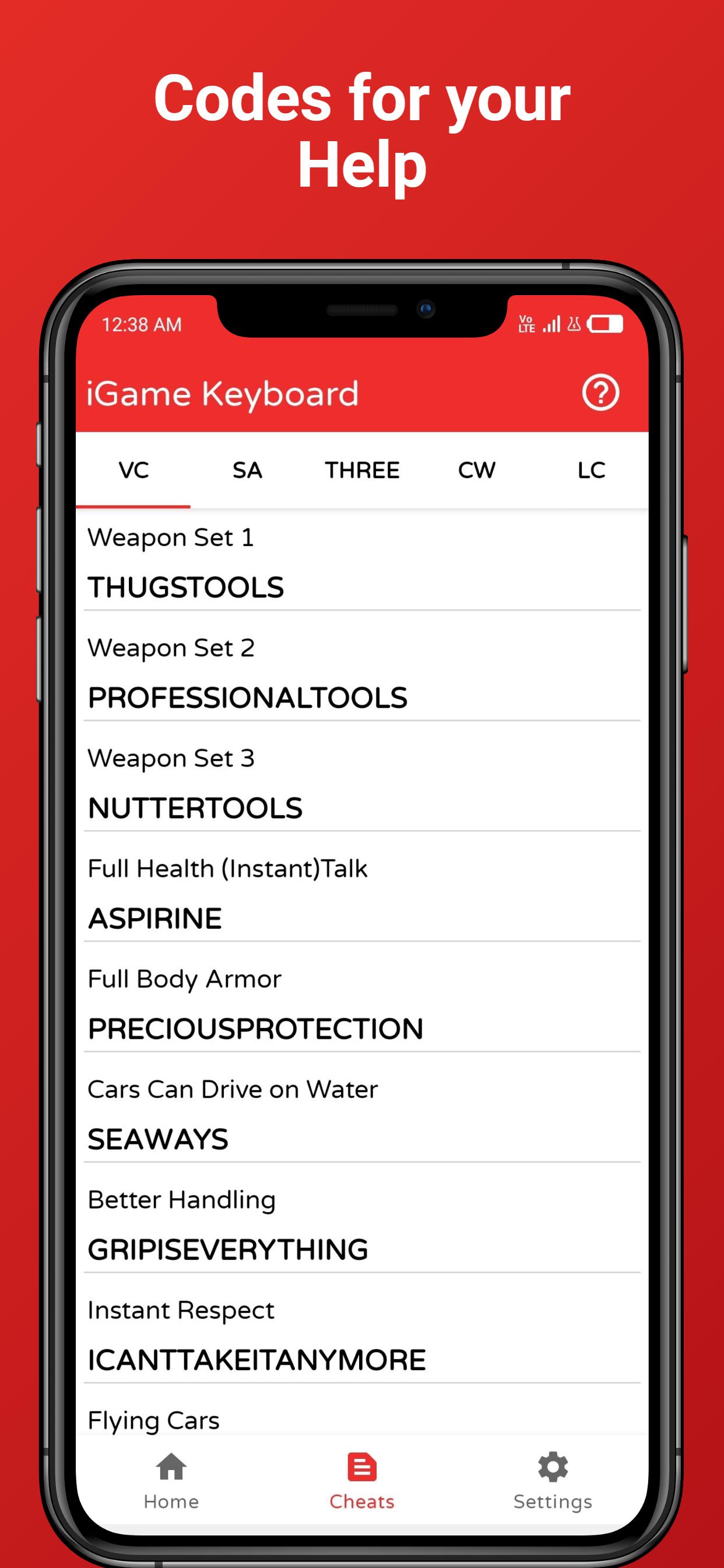
iGame:Game Keyboard for cheats also provides added cheats for supported titles, acting as a quick reference when you cannot remember a sequence. Treat these lists as a handy reminder rather than a guarantee, since code availability can change with game updates or regional differences. Always double-check what your game version supports. Version 4.9 brings compatibility for Android 11, 12, and 13, which helps the overlay work smoothly on recent devices. That broader support reduces the chance of permission conflicts and keeps the experience consistent across newer Android builds.
These points reflect practical use and recent updates observed in iGame:Game Keyboard for cheats. Strengths center on speed and simplicity, while limitations relate to game compatibility and stability in specific titles.
ProsYou can download the iGame:Game Keyboard for cheats latest version APK on APKPure. The file is small, so most downloads finish quickly depending on your connection. APK size may vary by version, so ensure sufficient storage before starting. During setup, your device may request permission to install apps and to display overlays, which is needed for the floating icon.
After installation, open the app and enable the overlay to get started. If planning long sessions, keep the icon positioned where it does not cover on-screen controls. When ready to use codes mid-game, tap the icon and type. For a smooth first run, check Help Corner if the overlay does not appear or a game rejects inputs. If you need it now, download iGame:Game Keyboard for cheats from APKPure and try it with a supported title.





One-click to install XAPK/APK files on Android!
Thanks for your rating and feedback!
You have already rated.