








Thanks for your rating and feedback!
You have already rated.

Game Keyboard Pro apply cheats is an Android utility for opening a keyboard during supported game cheat entry.
Infinity+ focuses this tool on one practical need: keeping keyboard access close while a compatible game is running. It does not add cheats to games or bypass unsupported systems, but it can help players enter existing cheat codes without leaving the game screen. For users searching for a Game Keyboard APK to apply cheats in supported titles, the main functions are straightforward:
The floating icon is the main reason players use Game Keyboard Pro apply cheats. After activation, it stays over the screen so the keyboard can be called up when a supported game reaches a cheat input moment. This is useful in games where leaving the screen can interrupt play or cause the code entry point to disappear.
The experience is simple, but it depends heavily on the game. If the game already accepts cheat codes, tapping the floating icon can bring up the keyboard at the right time. If the game has no cheat input support, the tool cannot create one. That limitation is important because the app works as a keyboard access helper, not as a cheat generator.
Game Keyboard Pro apply cheats keeps its main screen focused on activation, help, and keyboard options. The Activate Keyboard Button is placed as the key starting point, so users do not need to search through several menus before trying it with a game. This makes the app easier to understand for players who only need a quick setup before launching a supported title.
The layout is also helpful when something does not behave as expected. If the floating icon is missing or the keyboard does not appear, the app does not bury the support tools. The simple structure fits short gaming sessions, especially when a player wants to test a code quickly and return to the game without spending much time adjusting settings.
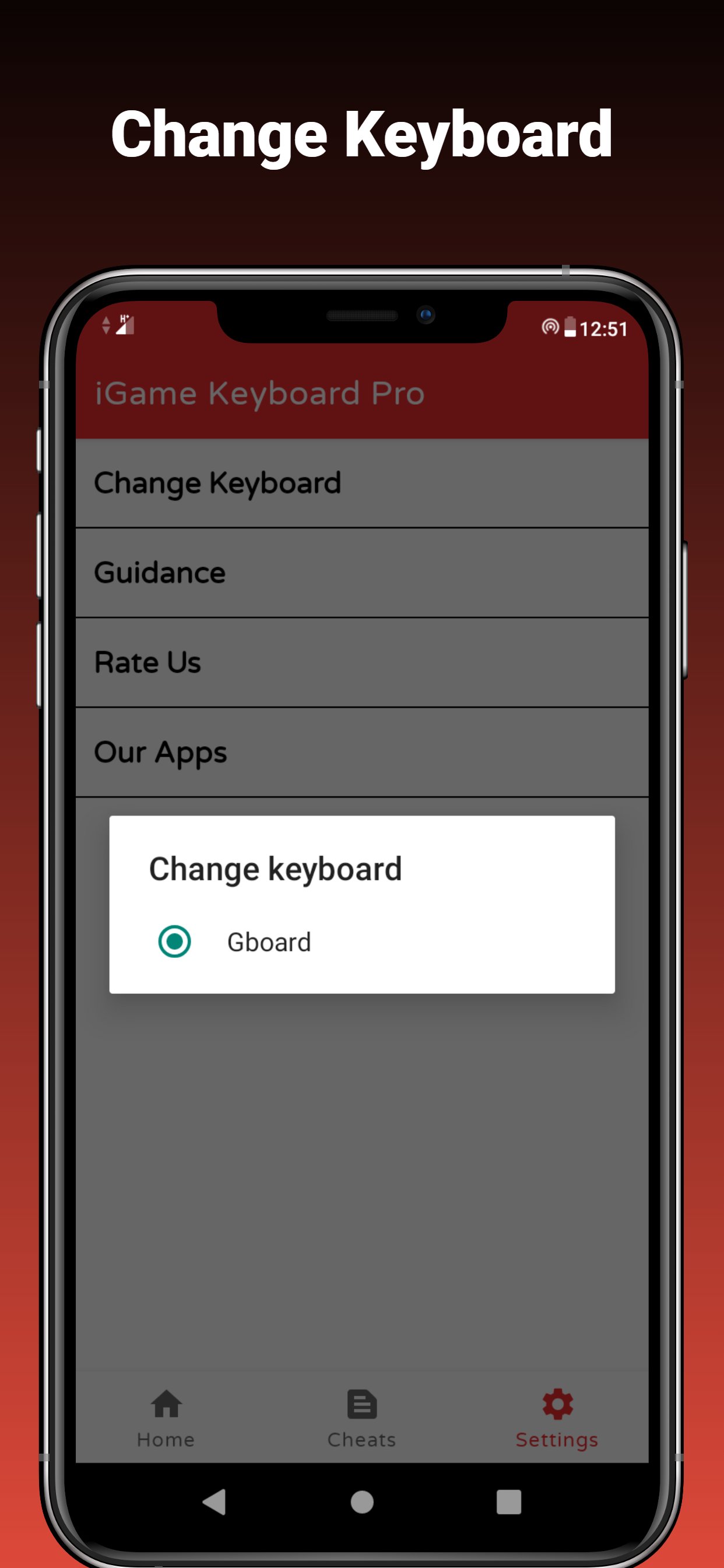
Keyboard switching gives Game Keyboard Pro apply cheats a practical backup when the current keyboard does not display correctly. Android devices can handle keyboards differently, and some games may react better to one installed keyboard than another. The Change Keyboard option lets users try an alternative without treating the problem as a full app failure.
This feature matters most on phones where the keyboard opens slowly, appears in the wrong size, or does not show over the game. Switching keyboards may not solve every issue, especially if the game blocks overlays or reacts badly to input tools. Still, it gives players a reasonable first step before checking Help Corner or contacting the developer.
Recent updates make Game Keyboard Pro apply cheats more useful across different devices and regions. The app now highlights 36 language support, Android 11, Android 12, and Android 13 compatibility, plus bug fixes and layout improvements. These changes are important for a tool that depends on overlays, keyboards, and game behavior working together.
The update notes also mention San and Vice Games code updates, which points to continued maintenance for games where cheat code entry is commonly used. Even with these updates, performance can vary by phone model and game version. If a floating button disappears or a game crashes, using Help Corner and trying another keyboard are sensible first checks.
These points come from the app’s actual purpose, recent update notes, and common user concerns around overlay keyboard tools. Game Keyboard Pro apply cheats is most helpful when expectations stay realistic.
ProsUsers can download the latest Game Keyboard Pro apply cheats APK from APKPure and install it on a compatible Android device. The listed package size is not fixed in the provided details, so download time may vary by version and connection. In most cases, a small utility like this should finish faster than a large game, but keeping a stable connection still helps avoid a broken installation file.
After installation, open the app and use the activation option before launching a supported game. If the current keyboard does not appear correctly, try the Change Keyboard option first. For users searching to download Game Keyboard Pro apply cheats latest version, APKPure provides the current APK so the latest language support, Android compatibility updates, and bug fixes are easier to access.





One-click to install XAPK/APK files on Android!
Thanks for your rating and feedback!
You have already rated.