







Thanks for your rating and feedback!
You have already rated.

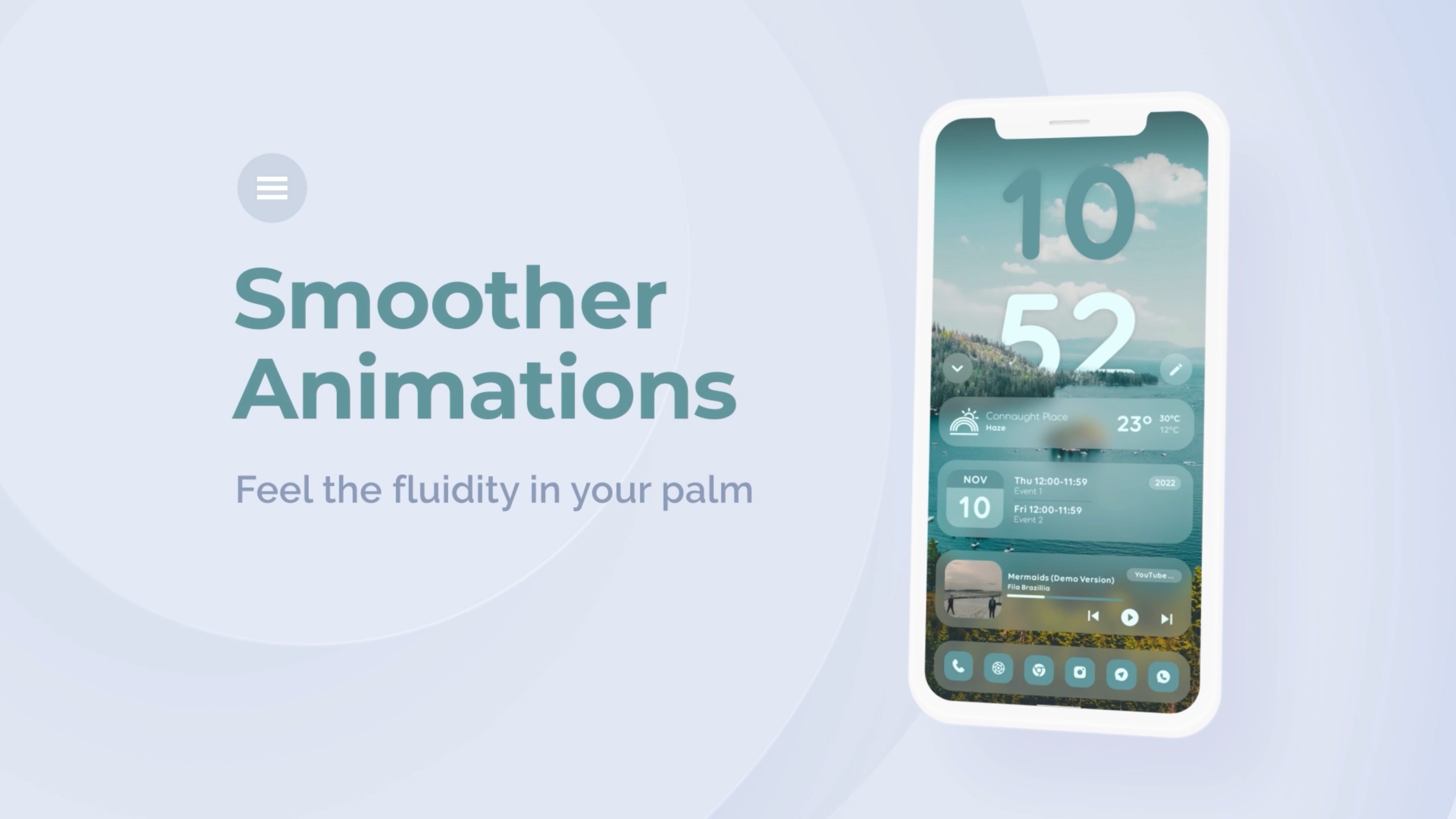
A hybrid of Frost glass UI and Android’s Material You in your palm
Frosted You for KLWP
Customize your Home and Lock screen with a smooth blend of frosted-glass aesthetics and Material You styling using this preset.
Please go through the extensive tutorial if you are facing any difficulties.
Tutorial link: https://youtu.be/mAkdzMrp_pU
Apply this preset once and forget about it.
## IMPORTANT
- Download wallpapers from here:
https://drive.google.com/file/d/1eo-92o3sNzqoSWZq_uDglwaP5q47xF1W/view?usp=sharing
- And extract inside 'Kustom' folder in your root directory
- It should be `/Kustom/wall/1/`
- Add your own wallpapers by adding another folder inside 'wall' folder
- Create a folder named '2' and inside of it, create two folders named 'fg' and 'bg'
- Add background images in 'bg' folder by naming 1.png...2.png and so on
- Add foreground images in 'fg' folder with corresponding names as in 'bg' folder
- Now select no. of wallpapers in this folder and folder no. inside global variable 'images' and enjoy
**Disclaimer:**
This is not a stand-alone app, it requires the KLWP Pro (or KLWP with ads from their website) to be able to import.
## What you need:
- Kustom (KLWP)
- Kustom (KLWP) PRO
- Compatible launcher supported by KLWP (Nova launcher is recommended)
## How to apply:
- Download the wallpapers and extract them as mentioned above
- Download the App
- Open it, tap on the preset
- It will take you to the KLWP app
- Tap on the "SAVE" button on the top right and apply it on the homescreen and the lockscreen
## Current Features
- 30 Depth wallpapers
- New UI to customize everything
- Variable rounded corners
- Dark and light modes based on the system
- Multiple widgets for home and lock screen
- Material You themed icons and clock colors extracted from the current background
- Blurred background for all the widgets
- Expand and collapse widgets
- Change wallpapers by tapping on the button or let it change on a daily basis
- Change roundness globally
- Hide/Unhide widgets
- Change Dock height
- Change bottom margin
- Hide/Unhide dock
- Change saturation and value of accent colours
- Change positions of locks screen widgets and lock button
- Hide unhide lock screen elements separately
## How to customize
- Use the whole new editor or use global variables from the app
- Change wallpaper by tapping on the image icon; wallpaper changes automatically every day as well.
- Change the radius of all the components by changing a single value in Global variables (GV) > "wid R"
- Change font GV>font
- Change the value (Value) and saturation (Sat) of both the accent colours from GV>Colors>Accent1 and Accent2
- Change the homescreen widget's vertical position by changing the value of "home.pos" global variable
- Change the lockscreen widget's vertical position by changing the value of "LS.wid.p" global variable
- Change the lock icon's vertical position by changing the value of "Lock.pos" global variable
- Toggle the visibility of the clock, weather, music, and lock icon on the lockscreen using global variables LS.clock, LS.weath, LS.music, and LS.icon, respectively.
- Change Dock icons from Global Variables>images>icons and choose your png files
- Disable dock icons from global variables to use your launcher's shortcuts
More widgets and wallpapers will be added based on the reviews and feedback.




One-click to install XAPK/APK files on Android!
Thanks for your rating and feedback!
You have already rated.