Safe & Fast APK Downloads on APKPure
APKPure uses signature verification to ensure virus-free TV Screen Mirroring - TV Mirroring APK downloads for you.

2.8 MB
File Size
Everyone
Android 4.2+
Android OS
Screen Mirroring is the most powerful TV app for mirroring and broadcasting
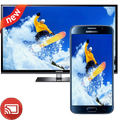
Screen Mirroring is the most powerful TV app for mirroring and broadcasting your Android screen and audio in real time ! Now you can Extend your mobile contents onto your Smart TV and The FRAME TV
Screen Mirroring Assistant will help you to share , display and mirror your android phone or tab's screen on smart TV .
This app is compatible with the most of android devices ( Phone and tablet) .
HOW IT WORKS ?
Please follow below steps to mirror your mobile screen to smart TV :
**The TV must be connected to wifi network same as your phone.
**Download and run Screen Mirroring Assistant App.
**Happy Mirroring :)
If you have enjoyed your experience with this app, rate us on play store.
Please contact us for any issue or feature request



One-click to install XAPK/APK files on Android!

Thanks for your rating and feedback!
You have already rated.