Package Name:com.gzfunshare.rc
Show More


44.6 MB
File Size
Everyone
Android 10.0+
Android OS
Universal TV Remote: Roku, LG, Samsung, Fire TV Remote & Screen Mirroring
📱 The app is designed to work with compatible Roku, Samsung, LG, Fire TV, TCL, Hisense, Sharp and Chromecast devices, as well as other supported smart TVs and streaming devices.
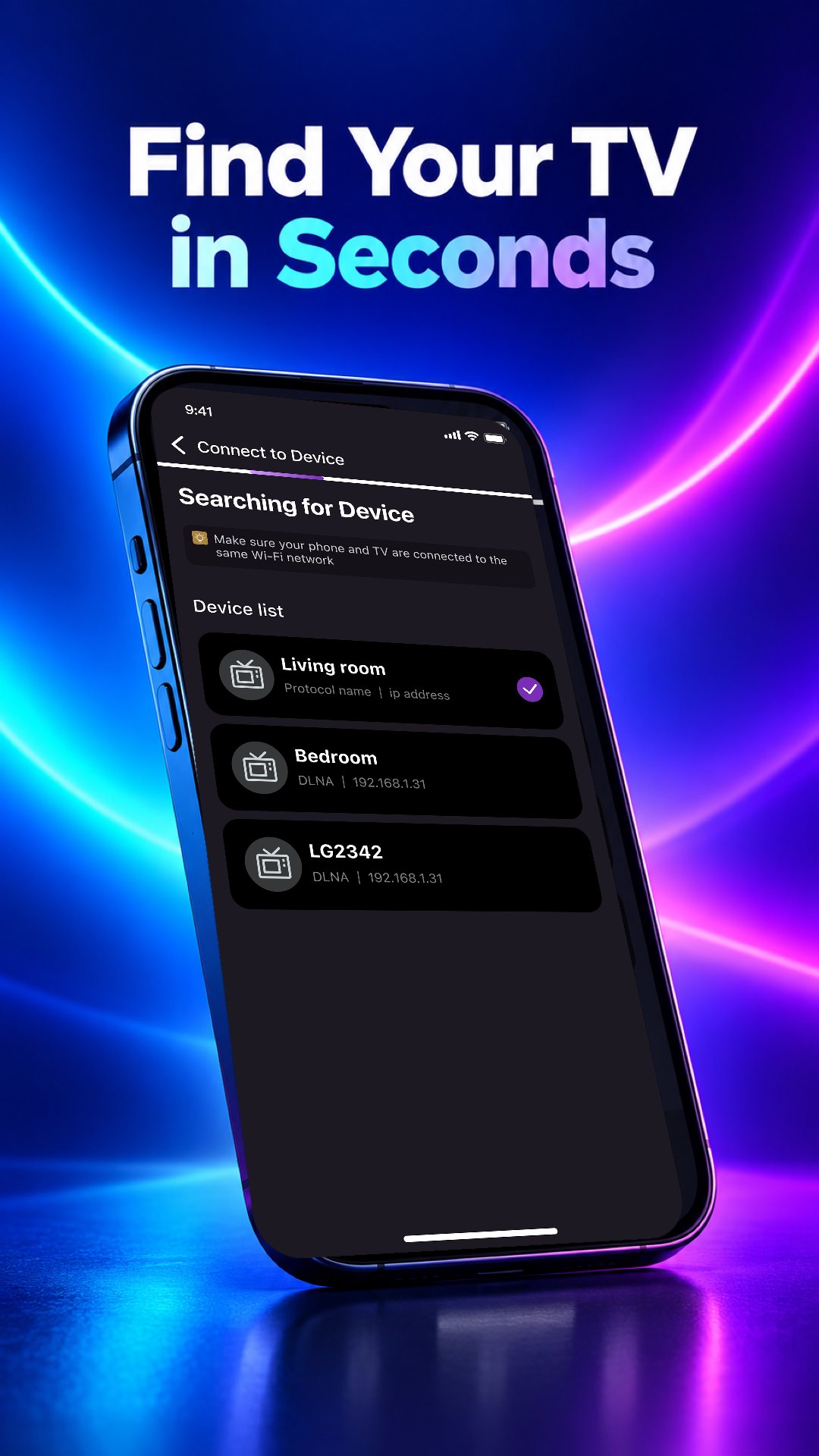
Connect your phone and TV to the same Wi-Fi network, search for available devices and select a device to begin. Some TVs or streaming devices may require you to approve a pairing request before remote controls become available.
TV Remote - Roku & Smart TV provides commonly used remote functions, phone keyboard input, streaming shortcuts and screen mirroring on supported devices. Available features may differ depending on the connected device.
⭐ Key features
🔍 Device discovery
Search for supported TVs and streaming devices connected to the same Wi-Fi network as your phone.
🎛️ Common remote controls
Depending on the connected device, available controls may include power, volume, channels, menu navigation, media playback, fast-forward and rewind.
⌨️ Phone keyboard
Enter search terms, app names and show titles using your phone keyboard when text input is supported by the connected device.
▶️ Streaming shortcuts
Access shortcuts to supported streaming and entertainment apps when available.
🖥️ Screen mirroring
Mirror supported photos, videos and other phone content to compatible TVs and streaming devices. Availability may depend on the device, network and content restrictions.
📺 Supported devices
TV Remote - Roku & Smart TV is designed to work with compatible models and devices from:
• Roku devices and Roku TV
• Samsung Smart TV
• LG Smart TV
• Amazon Fire TV
• TCL Smart TV
• Chromecast
• Other supported smart TVs and streaming devices
Compatibility and available features may vary between models.
🔗 How to connect
1. Connect your phone and TV or streaming device to the same Wi-Fi network.
2. Open TV Remote - Roku & Smart TV and allow access to the local network or nearby devices.
3. Search for available devices.
4. Select a compatible device from the list.
5. Approve the pairing request on your TV if required.
✅ Why choose TV Remote - Roku & Smart TV?
• Use one app with compatible devices from multiple TV brands
• Search for supported devices on your Wi-Fi network
• Use your phone as an alternative when your physical remote is unavailable
• Enter text using your phone keyboard on supported devices
• Cast or mirror supported content to compatible devices
• Access commonly used controls from one interface
🛠️ Troubleshooting
• Check that your phone and TV are connected to the same Wi-Fi network.
• Allow the app to access your local network or nearby devices.
• Approve the connection request on your TV when prompted.
• Restart the app, TV or Wi-Fi router if your device does not appear.
• A stable 2.4 GHz or 5 GHz Wi-Fi connection is recommended.
ℹ️ Compatibility information
Compatibility depends on factors such as the TV or streaming device model, firmware version, mobile device, connection protocol and network configuration.
Available functions—including power, volume, channels, keyboard input, streaming shortcuts and screen mirroring—may differ between devices.
IR-based control requires a phone with a built-in infrared transmitter. For supported Wi-Fi connections, an infrared transmitter is generally not required.
Some devices may require pairing, additional permissions or specific network settings. Protected or DRM-restricted content may not support screen mirroring.
Due to differences between device models and firmware versions, compatibility with every model cannot be guaranteed.
⚠️ Disclaimer
TV Remote - Roku & Smart TV is an independently developed application. It is not affiliated with, endorsed by or sponsored by Roku, Samsung, LG, Amazon, TCL, Hisense, Sharp, Google or any other TV or streaming device manufacturer.
All product names, brands and trademarks are the property of their respective owners.
⬇️ Download TV Remote - Roku & Smart TV to control compatible smart TVs and streaming devices from your phone.





One-click to install XAPK/APK files on Android!

Thanks for your rating and feedback!
You have already rated.