
Package Name:tula.chiapps
Show More

Split expenses easily with friends and family. Fast, simple, and stress‑free.
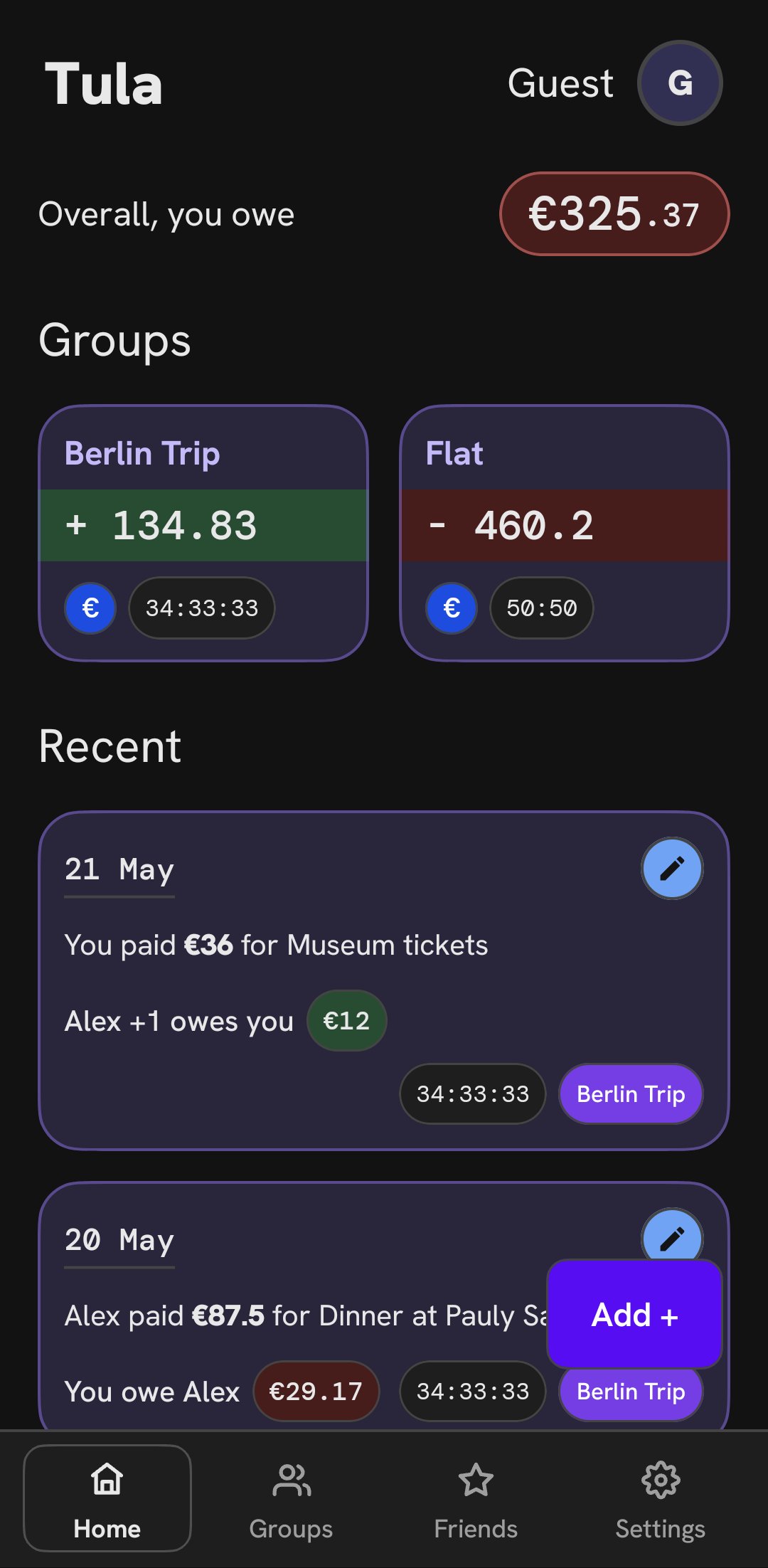
Tula makes splitting expenses simple, fair, and effortless. Add expenses in seconds, choose who paid and who shared, and Tula automatically calculates each person’s balance so you can stop worrying about awkward math. Create groups for trips, roommates, couples, friends, or events—or track one‑on‑one splits—and keep all shared costs neatly organized.
Key Features
Easy Expense Tracking
Add expenses in seconds; choose payer and participants; balances update automatically.
Flexible Splits
Split equally, by percentage, custom ratios, or exact amounts.
Groups & 1‑on‑1 Splitting
Organize costs by group or individual friend.
Clear Balances & One‑Tap Settlements
See exactly who owes whom with a clear breakdown and settle up quickly.
Multiple Categories with Emojis
Tag expenses for food, travel, shopping, bills, entertainment, and more.
Multi‑Currency & Auto Conversion
Support for 30+ currencies; pick a currency per expense with real‑time conversion to the group’s base currency.
Works Offline with Seamless Sync
Add expenses offline; data syncs automatically when you’re back online.
Real‑Time Sync & Live Notifications
Instant updates and alerts when expenses are added, edited, or removed.
Easy Invites
Join via 6‑character codes or deep links.
Google Sign‑In
Secure, fast login with your Google account.
Privacy First
No ads, no tracking, no data mining; your information is used only to run the app.
Creator Controls & Member Management
Group settings, color themes, member roles, and creator‑protected deletion.
Custom Themes & Dark Mode
Vibrant color schemes and automatic dark mode support.
Tula is clean, fast, and intuitive—designed for everyone to keep groups organized and balances clear.





One-click to install XAPK/APK files on Android!

Thanks for your rating and feedback!
You have already rated.