ดาวน์โหลด APK ได้อย่างปลอดภัยและรวดเร็วบน APKPure
APKPure ใช้การตรวจสอบลายเซ็นเพื่อประกันการดาวน์โหลด APK ของ Neon Keyboard ที่ปลอดไวรัสสำหรับคุณ

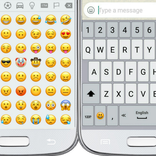
แป้นพิมพ์ที่ปรับแต่งด้วยนีออนธีม (เงาเรืองแสง) และอีโมจิ
● Long press a key for typing the character that appears on its top part.
● Swipe the spacebar from side to side for switching between languages.
● Long press the "Enter" key to get into the keyboard settings.
● Select your theme from many themes of the Neon Keyboard.
● Adjust the size of the keys.
● Change the sound and vibration of typing.
● Select the favorite top and bottom rows of the keyboard.
● Dictionary settings.
● Typing settings.
● Display settings.
● Gestures.
● Emojis



คลิกเพียงครั้งเดียวเพื่อติดตั้งไฟล์ XAPK/APK บน Android!

ขอบคุณสำหรับการให้คะแนนและข้อเสนอแนะของคุณ!
คุณได้ให้คะแนนแล้ว