APKPure에서 안전하고 빠른 APK 다운로드
APKPure는 바이러스 없는 Neon Keyboard APK 다운로드를 위해 서명 확인을 사용합니다.

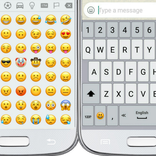
사용자 정의 네온 테마 키보드 (반짝 빛나는) 및 그림 이모티콘.
● Long press a key for typing the character that appears on its top part.
● Swipe the spacebar from side to side for switching between languages.
● Long press the "Enter" key to get into the keyboard settings.
● Select your theme from many themes of the Neon Keyboard.
● Adjust the size of the keys.
● Change the sound and vibration of typing.
● Select the favorite top and bottom rows of the keyboard.
● Dictionary settings.
● Typing settings.
● Display settings.
● Gestures.
● Emojis



등급과 피드백에 감사드립니다!
당신은 이미 평가했습니다.