Speaking Clock - EQ STime Demo

Speaking Clock - EQ STime Demo

EQ Soft
Sep 5, 2015
  • 1.3 MB

    File Size

  • Android 2.1+

    Android OS

About Speaking Clock - EQ STime Demo

Enjoy millions of the latest Android apps, games, music, movies, TV, books, magazines & more. Anytime, anywhere, across your devices.

Control your time!

Now for Android!

The software speaks the current time.

- The WIDGET speaks current time on pressing

- English and Russian voices

- 12/24 time format (12 for English, 24 for Russian)

- Free, no time restrictions.

Full version enhancements:

- Automatic speaking of current time each hour, 30 min, 15 min (can be configured), even if device is in standby mode

- Night hours and night volume: selected hours will be announced with configured night volume.

- Speaking by pressing headset button

Show More

What's new in the latest 1.0.8

Last updated on 2015-09-05
- English voice replaced to male version. Best quality and much louder now.
- Added "oh" sample
Show More

Videos and Screenshots

  • Speaking Clock - EQ STime Demo for Android official Trailer
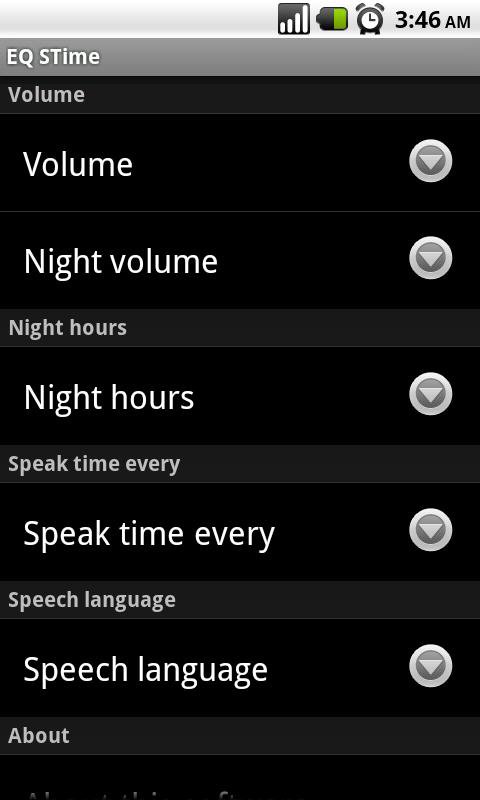
  • Speaking Clock - EQ STime Demo screenshot 1
  • Speaking Clock - EQ STime Demo screenshot 2
  • Speaking Clock - EQ STime Demo screenshot 3
  • Speaking Clock - EQ STime Demo screenshot 4

Speaking Clock - EQ STime Demo APK Information

Latest Version
1.0.8
Android OS
Android 2.1+
File Size
1.3 MB
Developer
EQ Soft
Content Rating
Unrated · Warning – content has not yet been rated. Unrated apps may potentially contain content appropriate for mature audiences only.
Safe & Fast APK Downloads on APKPure
APKPure uses signature verification to ensure virus-free Speaking Clock - EQ STime Demo APK downloads for you.

Old Versions of Speaking Clock - EQ STime Demo

APKPure icon

Super Fast and Safe Downloading via APKPure App

One-click to install XAPK/APK files on Android!

Download APKPure
thank icon
We use cookies and other technologies on this website to enhance your user experience.
By clicking any link on this page you are giving your consent to our Privacy Policy and Cookies Policy.
Learn More about Policies