Package Name:com.stream.remotemic
Show More

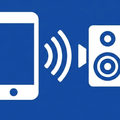
Wireless mic: send your voice to Bluetooth speakers, headphones or a browser.
Turn your Android phone into a wireless microphone. Speak into the phone and your voice comes out where people need to hear it — a Bluetooth speaker or headphones, or any device with a web browser on your Wi-Fi.
LISTEN THROUGH BLUETOOTH
Pair a Bluetooth speaker, headset or headphones and route your microphone straight to it. This is the quickest way to use Remote Mic: the phone becomes the handheld mic and the speaker does the rest — a small PA at an event, a portable speaker across the room, or headphones for someone who needs the talker brought closer.
LISTEN IN A BROWSER OVER WI-FI
The app shows a link and a QR code. Anyone on the same Wi-Fi or LAN opens it in a browser and hears you live — nothing to install on the listening device, and one phone can reach many listeners at once. Useful for a guided tour, a classroom, or a meeting room where people want the audio on their own device.
NO WI-FI? MAKE ONE
Remote Mic can start its own local hotspot and show a QR code to join it, so listeners can still connect where there is no network at all.
RECORD WHAT YOU CAPTURE
Save the same processed audio to the phone as an .m4a recording, and play it back in a full-screen player built for speech: an amplitude view of the whole recording, a draggable silence threshold, and jump-to-next-sound so you can skip past the quiet parts. Handy for lectures, interviews, rehearsals and meeting notes.
SOUND THAT FITS THE ROOM
Pick one capture scenario and the app sets up the microphone and processing for you:
• Speaker nearby — the safe default when the sound plays through a speaker in the same room
• Clear speech — clarity boost and noise reduction for normal talking
• Distant voice — the strongest lift for quiet or far-away speakers
• Music & ambience — the least-processed sound, for music and listening to a room
• Advanced — choose the microphone and processing style yourself
Live gain control, echo cancellation and noise suppression, plus automatic feedback suppression that finds and notches a squeal instead of muting everything.
BUILT FOR REAL SESSIONS
Keeps running with the screen off. A clear LIVE / READY status you can read at a glance. A two-pane layout on tablets and in landscape, handy on a podium. Capture starts and stops on the phone — browser listeners can adjust playback and audio settings, but only the phone can start or stop the microphone.
COMMON USES
• Voice amplifier for a classroom or training room
• Meeting, talk and presentation microphone
• Small events and announcements without renting a PA
• Wireless tour guide audio to visitors' own phones
• Assistive listening — bringing a talker into someone's headphones
• Recording lectures, interviews and rehearsals
• Relaying a voice to a speaker in the next room
HOW IT WORKS
1. Pair a Bluetooth speaker or headphones — or put the listening device on the same Wi-Fi.
2. Tap to start the microphone.
3. Play through Bluetooth, or open the link in a browser.
PRIVACY
Core streaming stays on your own network. No account, no sign-up and no cloud upload for local use. Recordings are stored privately on your phone.
FREE AND PRO
Free includes 15 minutes of capture per day — 90 minutes to start with — and 5 minutes of recording per day. Pro adds:
• Unlimited daily capture
• Password protection for browser sessions on your network
• More recording storage as the tier goes up
• Sharing and export of recordings on the higher tiers
• All future Pro features
Pro is a day, week, month or year pass, or a one-time lifetime unlock. No subscription required.
Make your phone the microphone. Install Remote Mic and be heard.



One-click to install XAPK/APK files on Android!

Thanks for your rating and feedback!
You have already rated.





