Package Name:io.markszente.kicad_editor
Show More


72.8 MB
File Size
Everyone
Android OS
Edit KiCad schematics and PCBs on Android: route, check DRC, export Gerbers.
KiCad Editor is a schematic and PCB editor for KiCad projects on Android phones and tablets. Draw the schematic, route the board, run the electrical and design rule checks, and export the files your fab asks for. It saves the project's own .kicad_sch and .kicad_pcb files the way KiCad writes them, so you can open the project on your desktop and carry on where you left off.
There's nothing to import or convert, and no account to make. Open a project folder with the system file picker, share a zip of a project to the app, or clone it from GitHub, GitLab or Gitea.
Features:
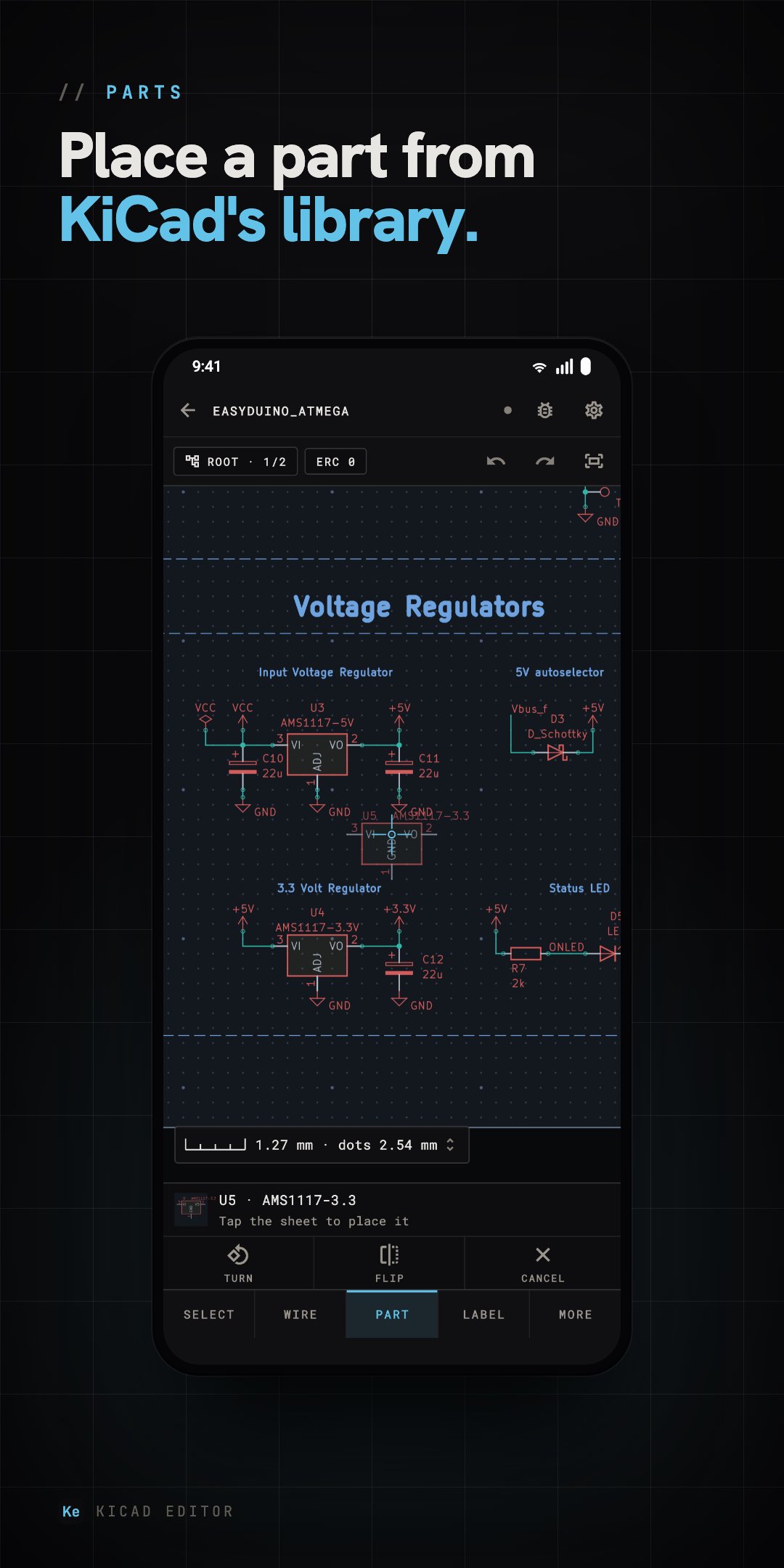
- Schematic editor: place parts from KiCad's own libraries, wire them pin to pin, and add labels, power symbols, buses and hierarchical sheets. Turn, flip, copy, and edit every field KiCad keeps.
- PCB editor: route with walkaround, push and shove or free angle, with a loupe under your finger. Differential pairs, length tuning, vias, copper pours and teardrops.
- Rule checks: the design rule check runs in the background as you edit, and the electrical rules check reads your project's own severities and exclusions. Tap a finding to see it on the board.
- Simulator: run the schematic on ngspice, the engine KiCad's own simulator uses. Operating point, transient, AC and DC sweep, with plots you can pinch, zoom and read with a cursor. Give a part a model from a file, KiCad's SPICE library or a built-in device.
- Update PCB from Schematic: every difference between the schematic and the board, listed before anything changes.
- Made for touch: a loupe under your finger, targets you can hit, a haptic for every pick and drop, and two fingers tapping to undo.
- KiCad's libraries, offline: 22,860 symbols and 15,450 footprints are built in. Install libraries from KiCad's add-on repository, import a part downloaded from Mouser, SnapEDA or Ultra Librarian, or make your own in the symbol and footprint editors.
- Files for the fab: Gerbers, drill files, BOM, position files, and PDFs of the schematic and board, zipped with presets for JLCPCB, PCBWay and OSH Park.
- 3D view: the board with KiCad's 3D part models, from any angle, or on your desk at its real size in AR on supported devices.
- Git built in: commit and push to GitHub, GitLab, Gitea, Forgejo or Codeberg, private repositories included. History shows what each commit changed on the board and the schematic.
- Board Setup and Schematic Setup: stackup, net classes, design rules and every page of KiCad's own dialogs.
- KiCad 8 to 10: a project keeps the file format it was saved in, and a KiCad 8 or 9 one upgrades to KiCad 10's when you choose. KiCad 6 and 7 projects open read-only, and one tap upgrades them to KiCad 10's format.
Try every feature on the two sample designs, an Arduino-style board and a blank one. Editing your own designs requires a KiCad Editor Pro subscription, monthly or yearly, with a 3-day free trial.
Privacy policy: https://www.kicadeditor.com/privacy
KiCad Editor is not affiliated with, or endorsed by, the KiCad project or its contributors. It is its own implementation, checked against KiCad's output on real projects. If something doesn't match KiCad, please tell us at hello@kicadeditor.com.





One-click to install XAPK/APK files on Android!

Thanks for your rating and feedback!
You have already rated.