Scan Date:Feb 25, 2026
Show More


15.5 MB
File Size
Everyone
Android 10.0+
Android OS
Fill and Sign PDF forms containing AcroFields. Save and share created document.
PLEASE READ BEFORE INSTALLING, OR AT LEAST TAKE A LOOK AT THE SCREENSHOTS
The app is not intended to work with read-only PDF documents. It's purpose is to fill and sign PDF forms containing fillable ***AcroFields***. If your PDF document does not contain those, there is no point in downloading and installing this app.
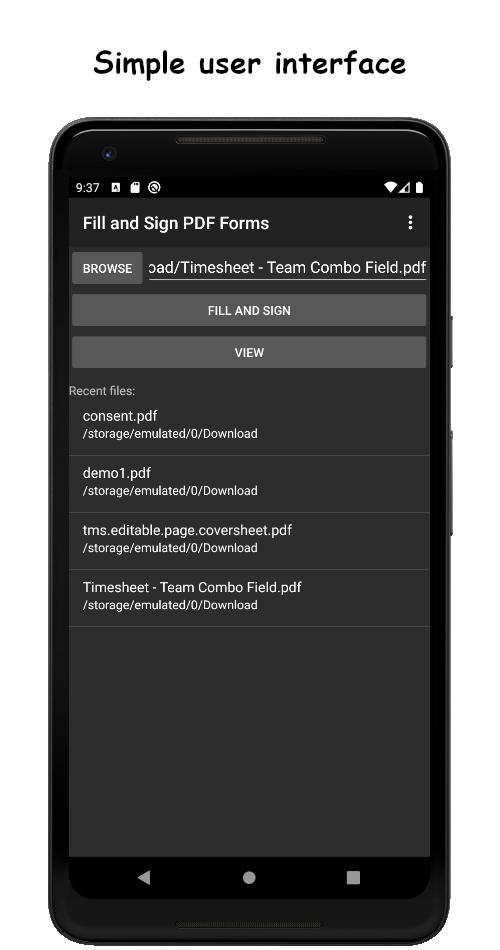
Form fields are extracted from the document and presented in a simple user interface for easy access and filling. For that purpose form fields should be labeled correctly by the form creator. In case they are not, real-time split-screen mode might be of some help, but it depends on the size of your device's screen (see the screenshots). Full-screen read-only form preview is also available.
For signing capabilities you will be prompted for additional library installation, once needed. Less than %5 of Fill and Sign PDF Forms app users need Signature Capture library, and that is one of the reasons why it is distributed separately. Installation is either from the Google Play Store or directly from our server, so it is completely safe.
Except filling and signing, it is possible to attach photos to documents. Input data can be exported and produced documents can be viewed, mailed and shared by different means.
Input PDF documents can be opened directly from your device's file manager or they can be accessed via app's built in file browser.
Output documents in demo/trial mode are watermarked and the app contains ads.
Full app version has no ads and allows you to save documents without a watermark. It also allows you to export your input data to json and to access the app's API (for 3rd party app integration). For API details, see the product web page.
*** In order to improve the app we need your feedback ***
* Contact the support email instead of leaving 'it does not work' comment. Comments like that do not help us make a better app. They will be marked as spam. We also assume that you have read the description before installing the app.
* Request and vote for missing features on our support forum here: http://bit.ly/e3Tq2h
* If you are interested in becoming our beta tester, having an access to the latest app versions even before they get released publicly and, of course, providing us feedback, contact the support email.
* For custom tailored business applications contact the support email.
Important notes:
* check boxes are supported but most of PDF viewers on Android devices do not display them correctly. Selected check boxes *are* present in output PDF document which can be checked with Adobe Acrobat Reader on PC.
* If you need a tool to create PDF forms, Adobe Acrobat, Microsoft Office and free Open/Libre Office have that functionality.



One-click to install XAPK/APK files on Android!

Thanks for your rating and feedback!
You have already rated.