

















Thanks for your rating and feedback!
You have already rated.

Elements KWGT is a paid Android widget pack made for KWGT Pro home screen setups.
Droid Beauty offers Elements KWGT latest version for users who want a cleaner screen with ready-made minimalist widgets. Its main appeal is the large collection of polished presets that show time, date, system details, and other useful information without forcing users to design each layout from zero. If you want to download Elements KWGT for a more organized Android home screen, these are the main points to know:
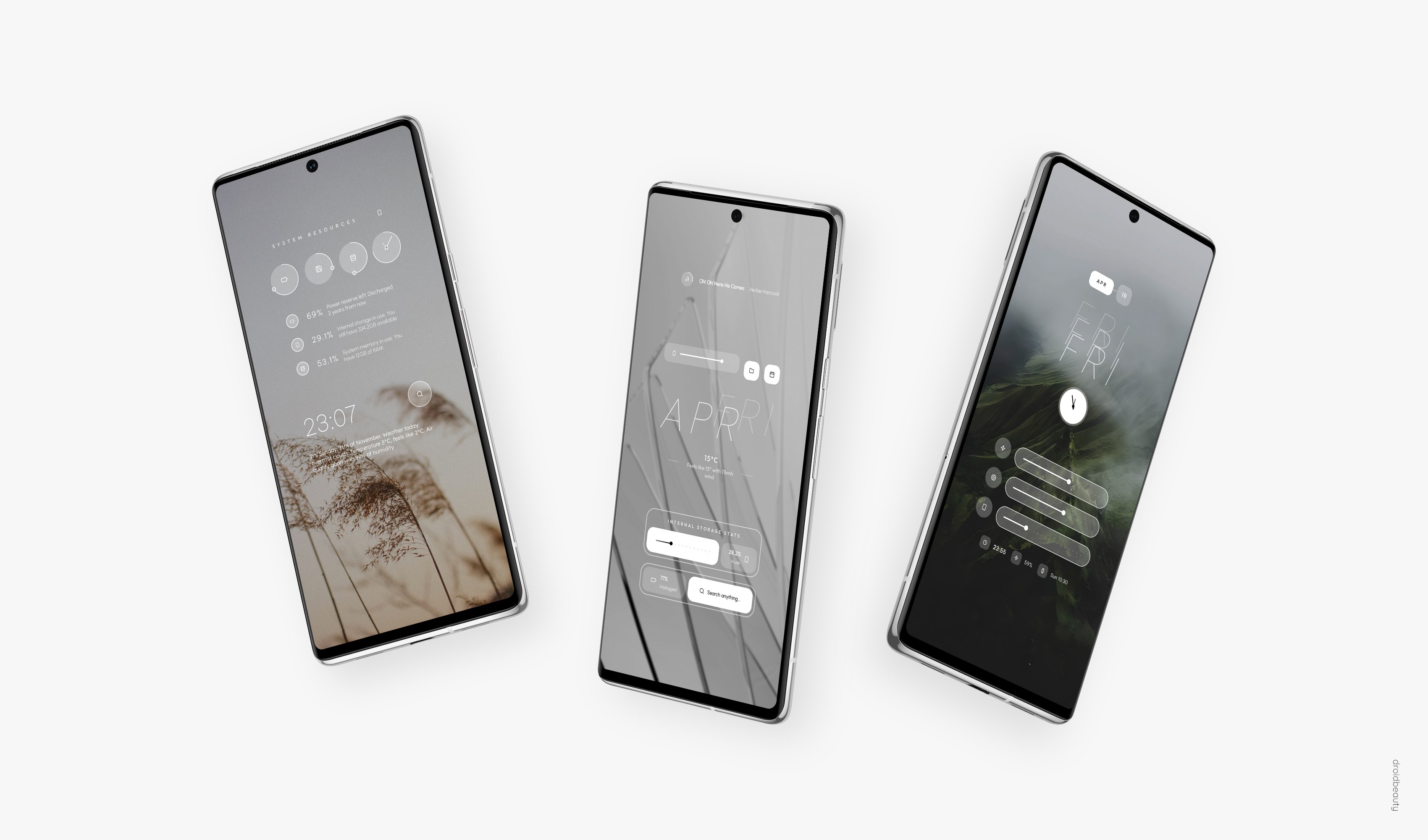
Elements KWGT focuses on clean Android widgets that add useful information without making the home screen feel crowded. The current 14.6.2 update lists 250 widgets in total, which gives users more room to choose between compact clocks, date layouts, system information panels, and decorative information blocks.
The collection works best for users who like a tidy home screen but still want visible details at a glance. A simple clock widget can sit above daily app shortcuts, while a system-style preset can show useful device information on a secondary screen. Because the pack is built for KWGT Pro, the widgets are presets rather than normal app icons or launcher tools.
Elements KWGT makes color adjustment one of its most practical strengths. Users can change colors through the KWGT editor to better match wallpapers, icons, or a wider phone theme. This helps the same preset feel different across dark, light, pastel, or high-contrast setups.
The color tools are useful because they avoid the need to rebuild a widget from scratch. For example, a user can keep the same date layout but shift the accent color to match a new wallpaper. The result is a more personal home screen while keeping the original structure of the preset intact.
Elements KWGT includes selected widgets with switch-based layout options, which makes small design changes easier inside the editor. These switches are helpful when a preset offers more than one visual arrangement, since users can test a different look without searching for a completely separate widget.
Screen fit may still need adjustment on some devices, especially when using different launcher grids or display sizes. If a widget appears too large or too small, the Layer setting in KWGT can resize it so the design sits better on the home screen. This keeps customization flexible, though users who want deep editing should remember that some locked elements may limit saving after heavier changes.
Elements KWGT is designed for users who already have Kustom KWGT with KWGT Pro access. It is not a standalone widget editor, so opening the pack by itself will not replace the KWGT setup process. The expected workflow is to add a KWGT widget space on the home screen, open the editor, and load a preset from the pack.
Inside KWGT, the sidebar menu includes the Load Preset area where the widget pack appears. After selecting a preset, saving applies it to the home screen. This process is simple for existing KWGT users, but beginners should prepare KWGT Pro first to avoid confusion after installation.
These points reflect how Elements KWGT performs as a paid widget pack for users who value clean design and practical customization.
ProsYou can download the latest Elements KWGT APK from APKPure and use it with KWGT Pro to load the included presets. The APK listing may show little or no file size information, so it is still wise to keep some free storage available before installation, especially if your device already has many widget packs and themes installed.
After installation, open KWGT rather than treating the pack as a normal standalone app. From there, load an Elements KWGT preset, save it, and adjust its scale if it does not fit your launcher layout. For the best result, choose a wallpaper first, then tune the widget colors so the home screen looks consistent.





One-click to install XAPK/APK files on Android!
Thanks for your rating and feedback!
You have already rated.