Dark Emui-11 Theme for Huawei

Dark Emui-11 Theme for Huawei

  • Everyone

  • 4.4 and up

    Android OS

About Dark Emui-11 Theme for Huawei

This theme project is made for huawei and honor phone users

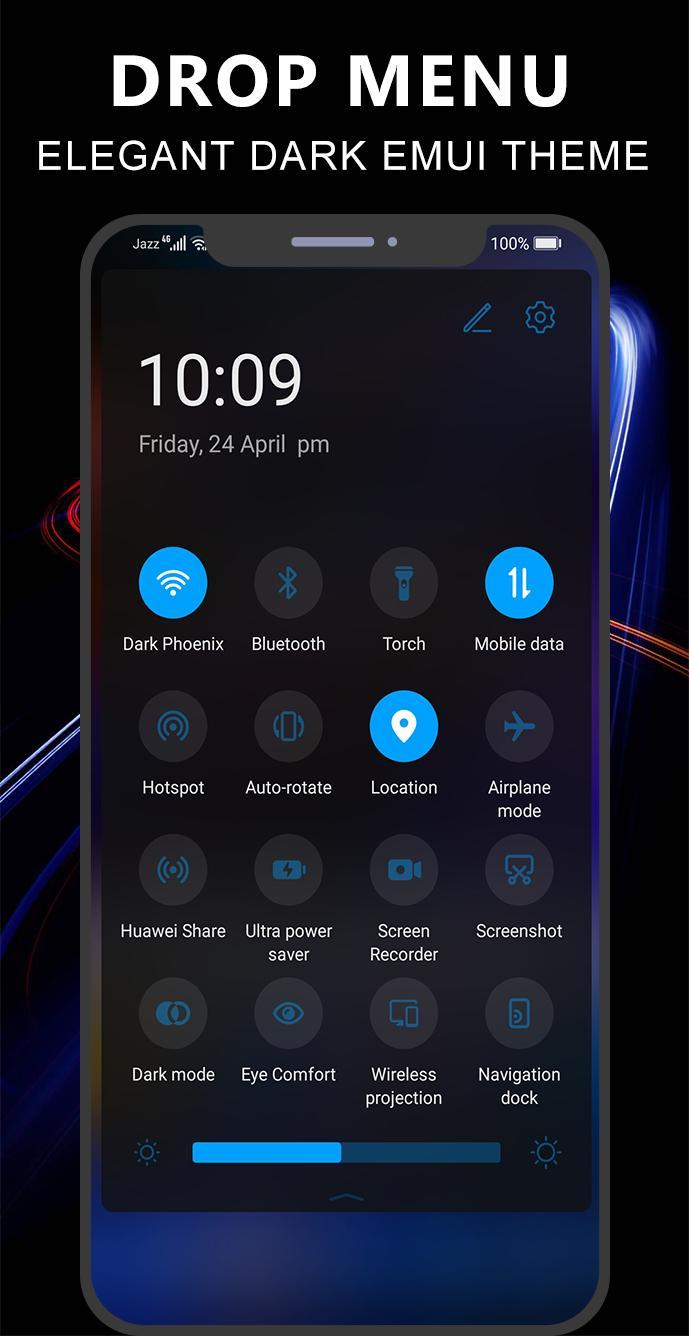
This theme is made for those who wants to decorate his phone with Awesome dark look which is based on new and upcoming user interface emui 11. this theme is specially made with attractive icons pack and wallpapers. Battery saving is the major benefit of this theme.

Note: if you are using emui 10, then kindly enable dark mode before/after applying this theme.

Compatible with Emui :

emui 5

emui 8

emui 9

emui 9.1

emui 10

How it works:

1- Install Application

2- Open App and Click on Apply Theme Button

3- Click on your required emui based button

4- Go to Theme manager app

5- In Me Tab, select Themes and select this Theme and Apply it.

Show More

What's new in the latest 1.0

Last updated on Apr 25, 2020
Minor bug fixes and improvements. Install or update to the newest version to check it out!
Show More

Videos and Screenshots

  • Dark Emui-11 Theme for Huawei poster
  • Dark Emui-11 Theme for Huawei screenshot 1
  • Dark Emui-11 Theme for Huawei screenshot 2
  • Dark Emui-11 Theme for Huawei screenshot 3
  • Dark Emui-11 Theme for Huawei screenshot 4
  • Dark Emui-11 Theme for Huawei screenshot 5
  • Dark Emui-11 Theme for Huawei screenshot 6
  • Dark Emui-11 Theme for Huawei screenshot 7

Dark Emui-11 Theme for Huawei APK Information

Latest Version
1.0
Android OS
4.4 and up+
Content Rating
Everyone
Safe & Fast APK Downloads on APKPure
APKPure uses signature verification to ensure virus-free Dark Emui-11 Theme for Huawei APK downloads for you.
APKPure icon

Super Fast and Safe Downloading via APKPure App

One-click to install XAPK/APK files on Android!

Download APKPure
thank icon
We use cookies and other technologies on this website to enhance your user experience.
By clicking any link on this page you are giving your consent to our Privacy Policy and Cookies Policy.
Learn More about Policies