









Thanks for your rating and feedback!
You have already rated.

CVTz50 is an Android CVT diagnostics app for supported Nissan and Jatco CVT vehicles.
CVTz50, the developer, focuses on one main need: showing CVT data that basic car scanner apps often miss. With a compatible ELM327 Bluetooth or WiFi adapter, users can check transmission condition before service decisions. The CVTz50 latest version also supports selected adjustment tools, which makes these features worth reviewing first.
Diagnostic code support is the main reason many Nissan CVT owners use CVTz50. The app can read stored CVT trouble codes and engine DTCs, then clear them when the issue has already been checked or repaired. This is useful after a workshop visit, a fluid service, or a warning light that needs closer inspection with more CVT-specific detail.
The controls stay direct enough for garage use. A user can open the CVT or engine code screen, review stored results, and use a long press with confirmation before erasing codes. That confirmation step helps avoid accidental clearing. Code clearing should still be treated carefully, because removing a code does not repair the cause behind it.
Live monitoring gives drivers a closer look at how the transmission behaves during real driving. CVTz50 can show fluid temperature, pressures, gear ratio, step motor position, and torque converter lockup. These values matter when checking heat buildup in traffic, watching behavior on hills, or comparing normal cruising with stop-and-go driving.
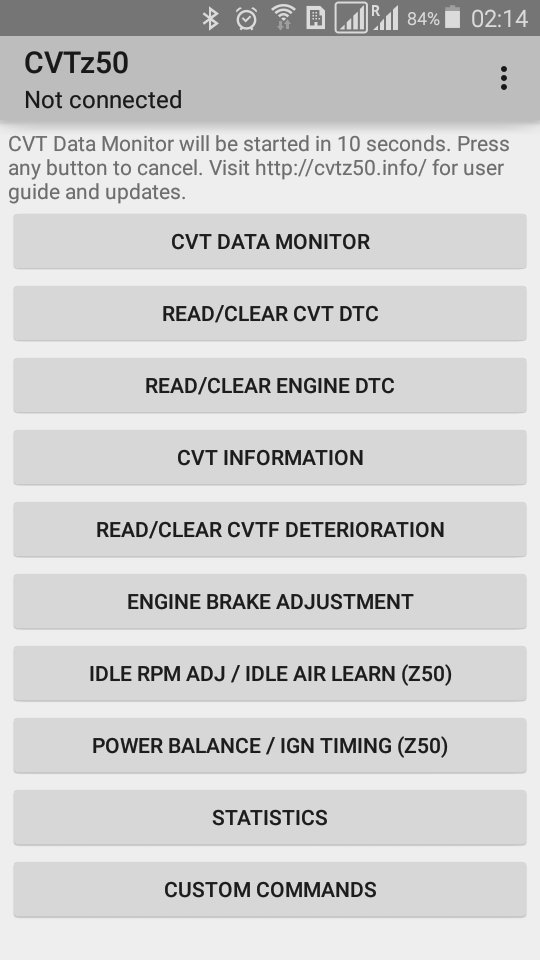
The `CVT Data Monitor` screen starts live monitoring, and the app can also enter monitor mode automatically after launch if no button is pressed. In monitor mode, tapping a parameter name or value opens a recent chart, with vehicle speed shown for comparison. This makes short test drives easier to read, especially when trying to connect a vibration, hesitation, or heat change with a visible CVT value.
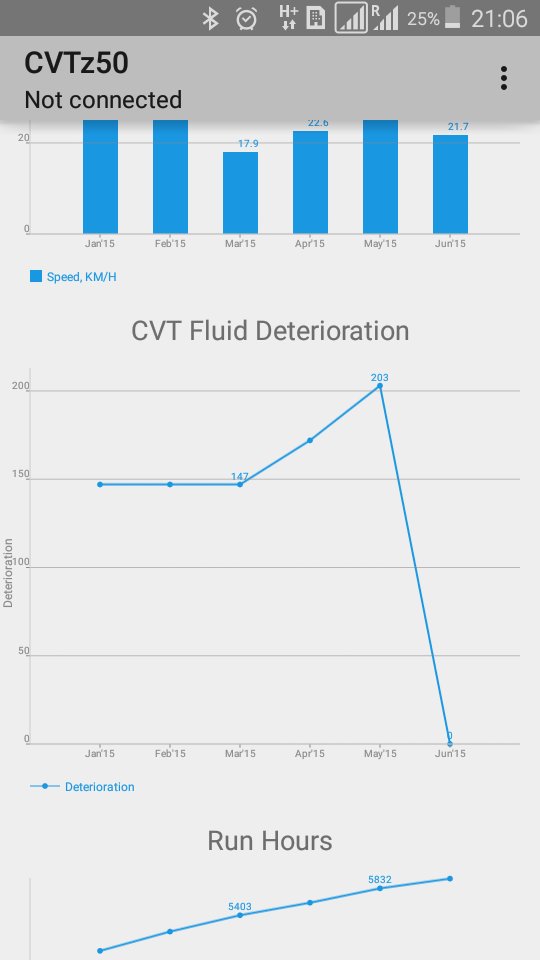
The fluid deterioration counter helps users follow CVT fluid condition more realistically than mileage alone. CVTz50 reads this counter and can reset it after a CVT fluid replacement. This matters because CVT fluid condition can be affected by heat, driving style, load, and time spent in demanding conditions.
After service, the counter can be cleared with a long press on the same fluid deterioration function, followed by confirmation. The app also collects monthly statistics for temperature, pressure, mileage, fuel use, run hours, and CVTF deterioration trends. These records can help a driver decide whether a future fluid check is needed sooner, especially for cars used in city traffic or hot weather.
Some supported Nissan-based vehicles can use adjustment functions beyond basic diagnostics. CVTz50 supports engine brake adjustment on compatible models, and selected Nissan vehicles may also support idle RPM, ignition timing adjustment, and idle air volume learning. These tools are more specific than standard OBD features, so compatibility is important before expecting every option to work.
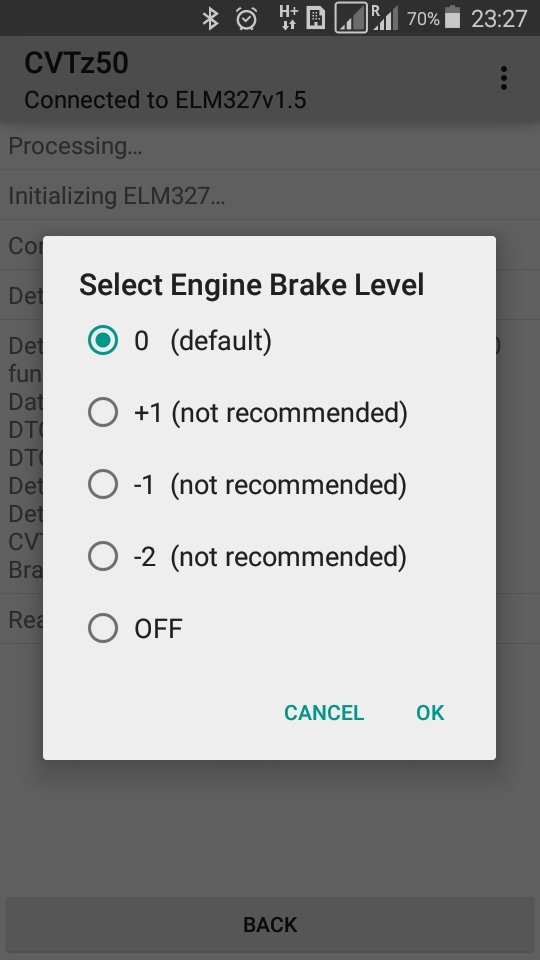
For engine brake adjustment, the app reads the current level, lets the user choose a new level, and applies it after confirmation. Results depend on the vehicle model, CVT control module, and adapter quality. Murano Z50 and Z51 owners may see specific support, while other models may only show the functions their modules allow.
A stable ELM327 adapter is important for accurate diagnostics. CVTz50 works with Bluetooth or WiFi ELM327 adapters, but adapter revision and build quality can affect communication. Revision 1.5 or lower is preferred, while some newer clone adapters may connect poorly or limit available functions.
The settings menu adds useful comfort options without changing the main purpose of the app. Users can enable data logging, voice notifications, themes, and adapter options based on how the car is being checked. The DEMO version is also useful before purchase, because it helps confirm whether the vehicle and adapter can communicate properly.
These points reflect how CVTz50 performs as a CVT-focused diagnostic tool rather than a general car scanner. Its value is strongest when the vehicle and ELM327 adapter are fully compatible.
ProsUsers can download CVTz50 APK from APKPure to install the latest available Android package. Since the listed package size may vary by version and device, download time should usually be short, but it still depends on the current file and network connection.
Before installing, check that the phone runs Android 4.2 or later and that a compatible Bluetooth or WiFi ELM327 adapter is ready. After installation, pairing the adapter and testing communication with the vehicle is the most practical first step. If the connection is unstable, trying a better-quality adapter is often more useful than changing app settings repeatedly.





One-click to install XAPK/APK files on Android!
Thanks for your rating and feedback!
You have already rated.