Remote Camera Client

Remote Camera Client

Takumi Tateishi
2015年11月12日
  • 108.9 KB

    文件大小

  • Everyone

  • Android 2.1+

    Android OS

关于Remote Camera Client

送拍命令“远程摄像机”应用程序接收拍摄的照片。

*You need another device in which "remote camera" installed.

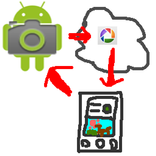
You can shoot with another device's camera and view the picture taken remotely.

How to use

1. Install "remote camera" into another device and keep running the "remote camera" app.

2. Run this app

3. Fill [phone#] field with phone number of the device "remote camera" is running.

4. Fill [keyword] field with the keyword specified in "remote camera" app.

5. Click green camera icon, and wait for a while. It takes few minutes.

6. The picture taken will be shown.

更多

最新版本1.1的更新日志

Last updated on 2015年11月12日
Minor bug fixes and improvements. Install or update to the newest version to check it out!
更多

视频和屏幕截图

  • Remote Camera Client 海报
  • Remote Camera Client 截图 1
  • Remote Camera Client 截图 2

Remote Camera Client APK信息

最新版本
1.1
类别
摄影
Android OS
Android 2.1+
文件大小
108.9 KB
内容分级
Everyone
在APKPure安全快速地下载APK
APKPure 使用签名验证功能,确保为您提供无病毒的 Remote Camera Client APK 下载。

Remote Camera Client历史版本

108.9 KB2015年11月12日
下载
APKPure 图标

在APKPure上极速安全下载应用

一键安装安卓XAPK/APK文件!

下载 APKPure
thank icon
We use cookies and other technologies on this website to enhance your user experience.
By clicking any link on this page you are giving your consent to our Privacy Policy and Cookies Policy.
Learn More about Policies