Safe & Fast APK Downloads on APKPure
APKPure uses signature verification to ensure virus-free clox APK downloads for you.

clock
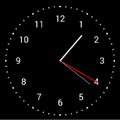
Analogue-styled watches.
You can enable Settings > Developer options > Stay awake to keep your device awake while it is charging.
Depending on your device you may have the option to set the screen timeout to "never" under Settings > Display > Sleep.
Note: If you don't see Developer options in Settings, it may be made available by going to to Settings > About > Build number. Developer options should appear after tapping the build number several times.



One-click to install XAPK/APK files on Android!

Thanks for your rating and feedback!
You have already rated.







