Safe & Fast APK Downloads on APKPure
APKPure uses signature verification to ensure virus-free Blossom Flower Theme APK downloads for you.

4.5 MB
File Size
Everyone
Android 2.3.2+
Android OS
blossom flower theme to unlock apps , use password or pattern , unlock screen
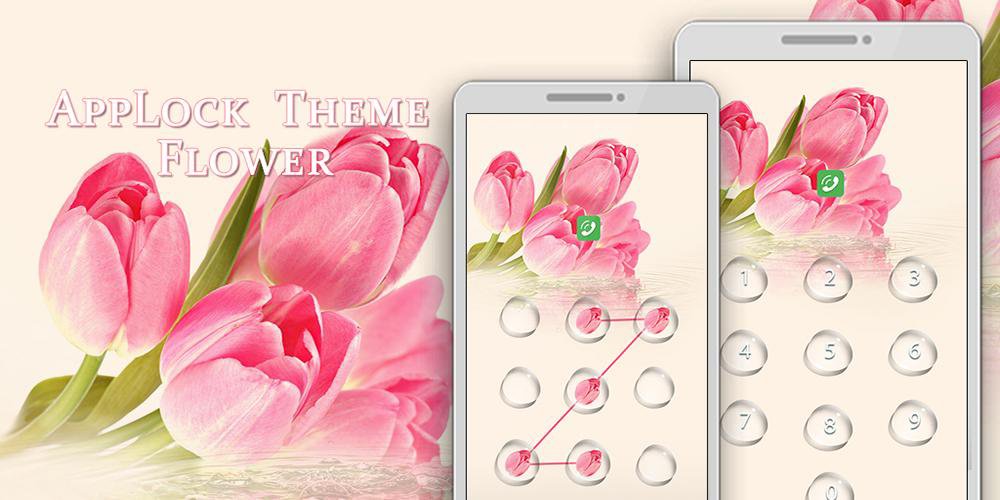
Beautiful blossom flower theme for android to unlock screen . Use password lock and pattern lock to lock apps , secure privacy , lock screen , a beautiful privacy security tool with applock functions . Change app cover into beautiful blossom flower petals.
How to create pattern lock using blossom flower button ?
1.Install its mother app Super AppLock to apply this applock theme .
2.Create pattern lock screen . Draw at least 3 dots to be your pattern image .
3.In super applock theme center , find “ blossom flower “ theme under installed themes tag .
4.Change to password lock screen ( pinpad unlock )?
In applock setting page, tap the second “ reset password “ option .
At the bottom, click the button “ use password “ and shift to password lock screen.
5.How to check the applied lock screen effect ?
Tap the locked apps, for example you lock messenger . After you locked the messenger app, then tap on the messenger app on your screen, then the unlock screen will appear. Then it will ask you to enter password or pattern . More security and privacy for your android phone .
Blossom Flower Theme for applock , beautify your screen , personalize your android outlook .





One-click to install XAPK/APK files on Android!

Thanks for your rating and feedback!
You have already rated.