Package Name:clicker.macro.auto
Show More


13.6 MB
File Size
Everyone
Android 8.0+
Android OS
Automate taps and swipes with customizable timing, cycles, and controls.
⚡ Auto Clicker: Auto Tap & Swipe — Automate Repetitive Touches with Ease!
Tired of repeating the same taps and swipes again and again? Auto Clicker: Auto Tap & Swipe helps you automate repetitive touch actions with customizable intervals, swipe durations, repeat cycles, and multiple touch points.
👆 Set up your actions, choose your timing, save your configuration, and start your automation whenever you need it.
✨ KEY FEATURES
🎯 Single Mode
Create a simple automation for repeating a tap at one selected location.
• Set your preferred click interval
• Choose a timer or number of cycles
• Run continuously with Run Infinite
• Start, pause, and stop your automation
• Use the floating control bar for quick access
🔄 Multi Mode
Create more advanced workflows using multiple touch points and actions.
• Configure multiple tap positions
• Arrange actions into a sequence
• Combine different touch actions
• Customize timing for your workflow
• Save configurations and reuse them later
👆 Auto Tap
Set up repeatable taps with the timing and repeat conditions you choose.
• Custom click intervals
• Multiple tap positions
• Repeat cycles
• Timer-based automation
• Continuous automation when needed
👉 Swipe Automation
Automate swipe gestures with customizable duration.
• Set swipe duration in milliseconds
• Create repeatable swipe actions
• Combine swipes with tap actions
• Adjust the duration according to your workflow
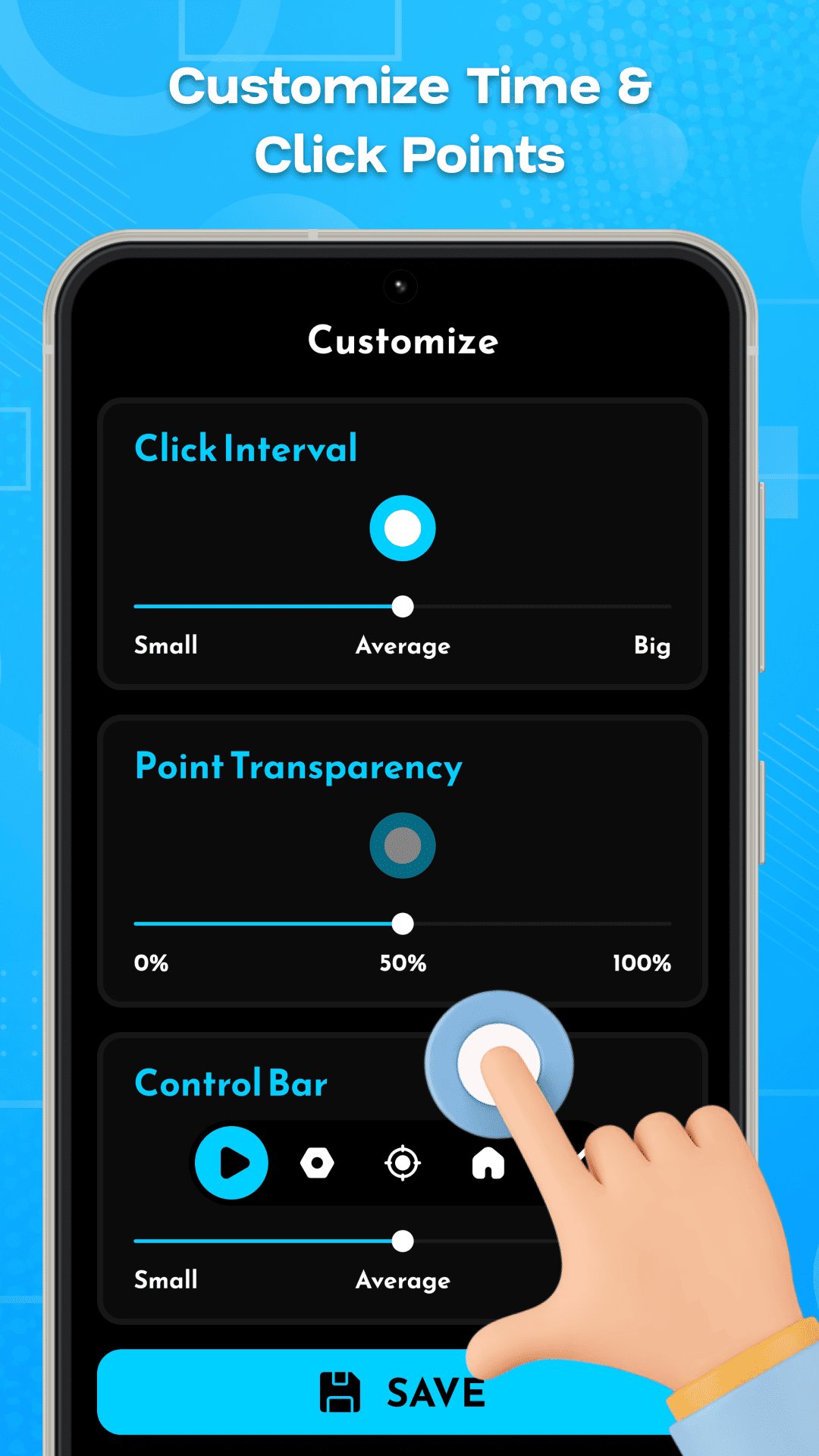
⚙️ CUSTOMIZE YOUR CONTROLS
Make the automation controls fit your preferences.
• 🎚️ Adjust click interval
• 🎯 Customize touch-point transparency
• 🖥️ Keep controls accessible while using other apps
• 💾 Save your preferred configuration
⏱️ FLEXIBLE STOP OPTIONS
Choose exactly when your automation should stop:
♾️ Run Infinite
Keep the automation running until you stop it manually.
⏰ Run Timer
Automatically stop after your selected duration.
🔢 Number of Cycles
Automatically stop after completing your selected number of repetitions.
💾 SAVE & REUSE CONFIGURATIONS
Create your preferred tap and swipe setup once and save it for later.
Your saved configurations make it easy to reuse frequently needed automation workflows without setting everything up again.
🎛️ FLOATING CONTROL BAR
Control your active automation without repeatedly opening the app.
Use the floating controls to:
▶️ Start automation
⏸️ Pause automation
⏹️ Stop automation
🎯 Manage your configured touch actions
🔐 ACCESSIBILITY SERVICE
Auto Clicker: Auto Tap & Swipe uses Android's AccessibilityService API to perform the taps and swipes you configure. Accessibility and overlay permissions are required for automation and floating controls.
The service only performs actions configured and started by you. You can disable it anytime from Android Settings.
🛡️ PRIVACY
We aim to keep your experience simple and transparent. The app does not require account credentials. Please refer to our Privacy Policy for details about data handling and permissions.
📱 HOW TO USE
1️⃣ Choose Single Mode or Multi Mode
2️⃣ Configure taps or swipes
3️⃣ Set timing and repeat options
4️⃣ Customize and save your setup
5️⃣ Start your automation
⚠️ IMPORTANT
Use Auto Clicker for user-configured repetitive touch tasks. You are responsible for ensuring your use complies with the rules and policies of any app, website, game, or service you use.
🚀 Configure it. Save it. Start it when you need it.




One-click to install XAPK/APK files on Android!

Thanks for your rating and feedback!
You have already rated.