









Thanks for your rating and feedback!
You have already rated.

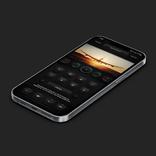
Armor KLWP Theme V2. An animated theme with cool functions and smooth animation.
**** Klwp Pro and any standard android launcher are required.****
Please set the Transition Effect of Nova Launcher (if you are using Nova) to None. This will make the theme run smoother.
*** If the news source is broken, please follow steps in the tutorial video below to see how to change rss source:
https://drive.google.com/folderview?id=1blmat0_bWztBDc3Ymvw3oG7Euzzgngm0
***
Support different aspect ratios.
Please take a look at the video below to see how theme works fully in case you cannot see the promotion video on Play:
https://www.youtube.com/watch?v=cWemry2EDgg
SPECIFICATIONS:
+ 2 pages setup. Therefore, please make sure that you set 2 pages for both your homescreen and Klwp editor. If you have the issue with "Wallpaper is not scrolling", please follow steps in the folder below to see how to fix this as well as how to config Nova settings:
https://drive.google.com/folderview?id=14txRoMj8nxwHkQ_Ij2GPdQp3u2wZSpHt
+ Passcode Protection function helps you to protect your privacy. The default passcode of this theme is: "2468". Please follow steps in the folder below to see how to change this passcode as well as how to replace default app with your own app:
https://drive.google.com/folderview?id=1blmat0_bWztBDc3Ymvw3oG7Euzzgngm0
+ You can log out easily and quickly by touching again the lock widget.
+ The passcode protection will be more useful when you turn off some Gestures in Nova Launcher's settings. It helps you to protect your privacy better ;)
+ Animated "Slide to Unlock" widget provides you a cool way to access your privacy.
+ New Animated Music Visualizer with smooth animation.
+ Animated clock
+ This theme also includes many functional widgets (or pages) such as:
* Applications: Applications icons are designed with many modes such as: Color mode, Black and White mode, Filled icons, Outline icons. You can switch between these modes easily and directly on theme.
* Wallpaper page: you can switch to this page to use your favorite wallpapers. There are 4 built-in wallpapers for you to choose directly on theme. To replace these default wallpapers, just simply look for following globals and change them: pic1, pic2, pic3, pic4.
* Setting pages (and widgets): will let you customize theme's colors, pictures of panels, radius corner of panels, wallpaper modes easily and quickly.
* To change the color of themes, please look for following globals: c1, c2...,c10. And look for following globals to change the gradient colors: gcl1, gcl2, gcl3, gcl4.
* To replace pictures of panels, please look for following globals: ppic1, ppic2, ppic3.
* To replace the default avatar, please look for this global: avatar.
* To make icons look more balance ( applied because we are using different phone models with different aspect ratios), please look for this global to change its width: iconwid
* Notification widget: help you to manage your notifications conveniently.
* News page, Weather page, Music page are also functional.
NOTE:
* Please make sure that this theme is installed on your phone to make widgets fully displayed.
Finally, thank you very much for your reading and watching. If you have any questions about using this theme or my other packages, please email me any time at: dshdinh.klwpthemes@gmail.com, I will respond you quickly.
Special thanks to:
+ Frank Monza: the creator of Klwp Editor.
+ Brandon Craft for his codes of Calendar items.
+ Atul Charde, http://istore.graphics, Snapmod for templates.
+ Creators of Pictures from Pinterest.
P.S: Please take a look at the folder below to check for more tutorial. Please note that you can apply these steps to all of my themes because the concept is same.
https://drive.google.com/folderview?id=14Bh4q7ejEXeOnCg4FcDHDoQeEfCOdTXe



One-click to install XAPK/APK files on Android!
Thanks for your rating and feedback!
You have already rated.