Package Name:com.alexander499.zpeedometer
Show More

11.2 MB
File Size
Everyone
Android OS
No ads, elegant offline GPS app showing speed, altitude, heading & distance.
NO ADS · NO INTERNET NEEDED · VERY ACCURATE · SLEEK DESIGN
Meet Zpeedometer — a beautifully designed, highly-customisable GPS speedometer app crafted to make every drive clearer and more engaging. Whether you’re cruising in a car, riding a bike, operating a boat or simply curious about your journey, Zpeedometer gives you real-time insights on speed, altitude, distance and heading — all on your phone, no dashboard required.
🚗 What it does
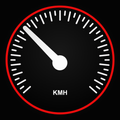
- Displays your current speed in a large, easy-to-read analog/digital gauge, blending realism with minimalism.
- Shows altitude and a compass that smoothly tracks your heading.
- Records your distance travelled.
- Works entirely offline: no internet needed, just GPS.
- Offers full customisation: choose themes, accent colours, hide or show UI elements, enable night-glow mode, set the max speed on the gauge, and add your own label.
- Supports both metric and imperial units — km/h, mph, m/s even knots for boating.
- Lets you set custom speed warnings/alerts to notify you when you exceed your chosen limit.
- Ad-free — no distractions, just pure focus on the drive.
♥️ Why you’ll love it
Your phone already knows a lot about your movement — Zpeedometer simply unlocks that potential. If your vehicle’s dashboard is broken or you simply want a cleaner, modern interface, this app turns your device into a sleek instrument panel. The minimalist design is easy to glance at while driving, and the customisation ensures it fits your style and vehicle type.
👍 Ideal for:
- Drivers who want a personal, polished alternative to the car’s built-in display.
- Cyclists or e-bike riders wanting to monitor speed and altitude.
- Boaters who need knots and heading info.
- Anyone who drives in areas with weak mobile data — since the app functions offline.
🎈 Highlights:
- Real‐time speed, altitude, heading & distance tracking.
- Fully customisable UI: themes, colours, fonts, max value, hidden elements.
- Speed alerts you can configure while driving.
- Metric & imperial unit support.
- Works offline.
- Ad-free experience.
- Made in Germany with care.
⁉️ Frequently asked questions:
- Do I need internet? No — only GPS is required.
- Which devices are supported? Most modern Android phones.
- Can I change units? Yes — switch between km/h, mph, m/s, knots.
- Can I customise the display? Absolutely: themes, colours, labels, show/hide - elements and more.
- Can I set speed warnings? Yes — fully configurable alerts for when you exceed your specified limit.
- Are there ads? None. It’s completely ad-free.
Take the guesswork out of your drive. With Zpeedometer, you just enjoy the road — the app handles the rest. Have a safe and stylish trip!



One-click to install XAPK/APK files on Android!

Thanks for your rating and feedback!
You have already rated.