
Package Name:com.akingi.wifi
Show More

Share every file of your smartphone using a Wi-Fi connection!
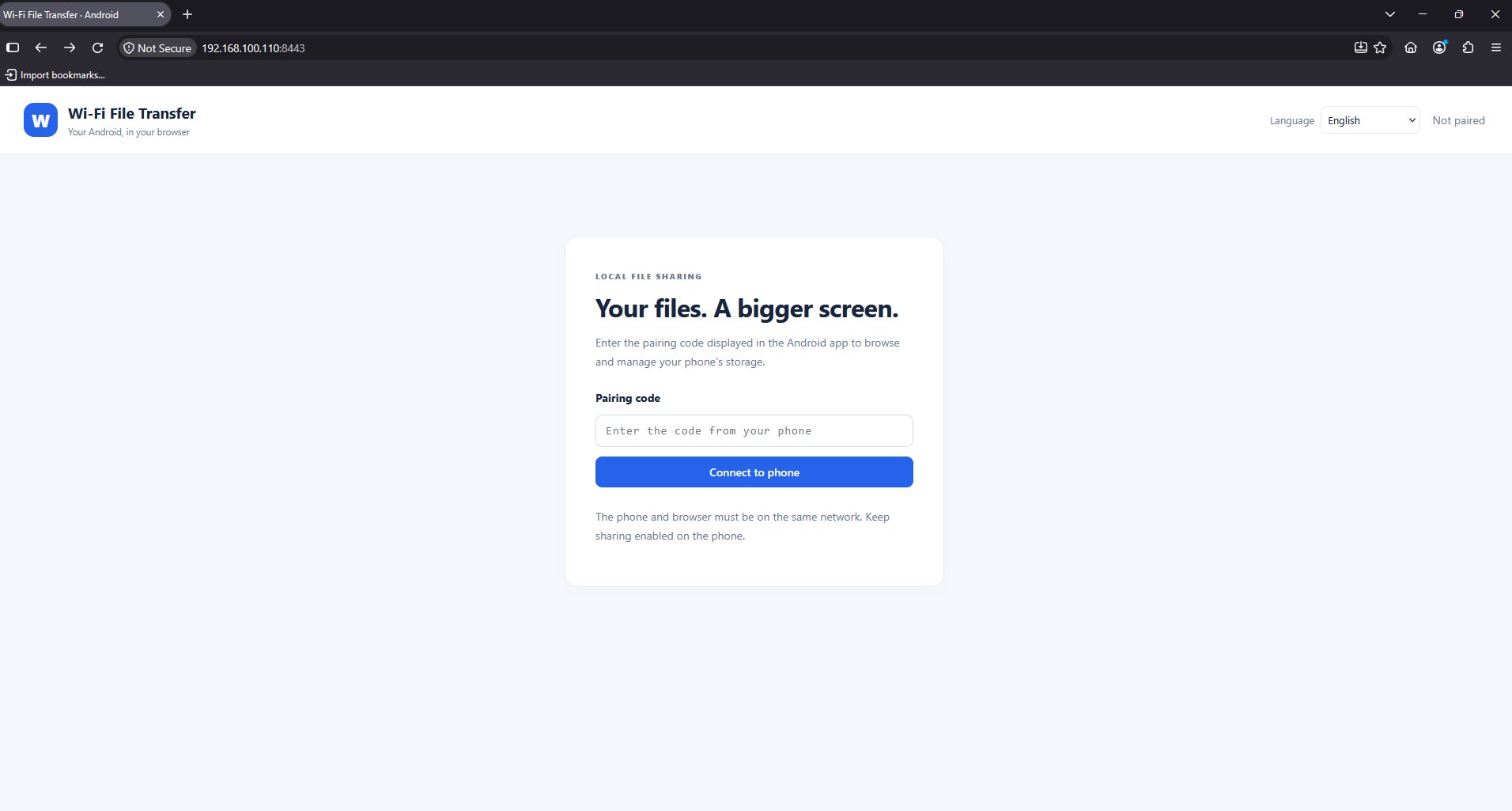
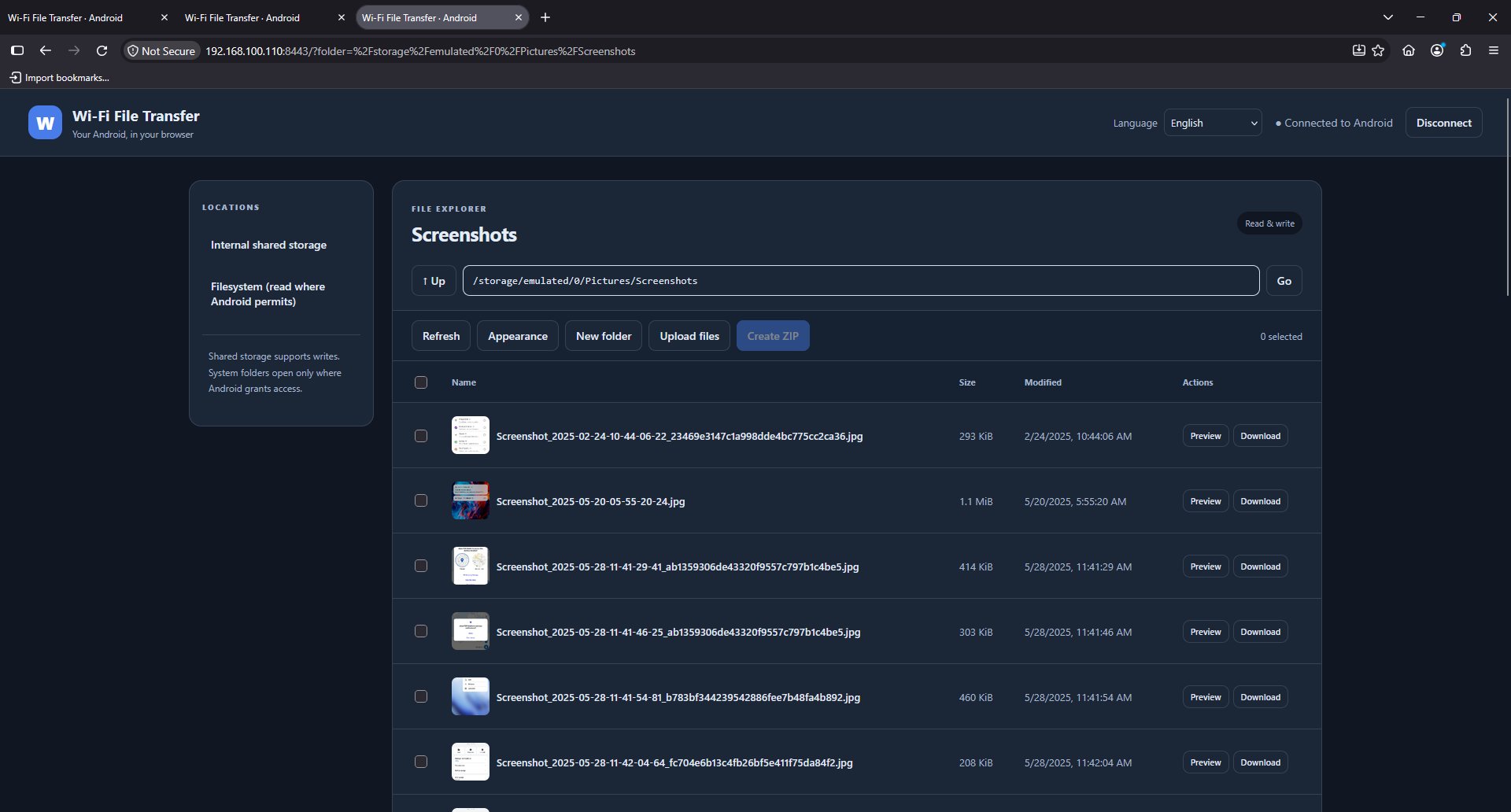
Wi-Fi File Transfer is a simple application created to simplify the communication between your smartphone and other devices (desktop PC or even other smartphones/tablets). How many times did you want to see a photo or a video taken by the camera of your Android device on a computer or a notebook, but it was too difficult because of the boring USB cable connections or the drivers installation? From today everything will be easier: just start Wi-Fi File Transfer, connect on a local Wi-Fi hotspot and start the server! In this way every device that will connect to the same Wi-Fi hotspot will be able to communicate with your smartphone using only a browser and the IP:port coordinates given by the app. With its beautiful Bootstrap based material design theme, you’ll be able to navigate between folders, see preview of images, reproduce multimedia video files directly in your browser without having to download them, get locally every file, upload files or whole folders in your smartphone and execute standard file operations. You’ll also be able to see some useful informations about the status of your device.
Here there’s a full list of the available features:
- HTTP based server with a custom listening port;
- share your files with multiple devices simultaneously at the speed of local Wi-Fi wireless connection (~ 50 MB/s in download and ~2-5 MB in upload) ;
- beautiful Bootstrap based material design theme with a responsive HTML5 design;
- ability to get every accessible file from your smartphone with full support for ranges (useful, for example, when you want to reproduce a video/audio multimedia starting from a given part);
- compress files or whole folders in order to easily get them locally as a ZIP file;
- rename or delete files and folders;
- see preview of images in a useful dialog;
- reproduce multimedia video and audio elements directly in your browser;
- upload files/folders from your browser to your smartphone;
- SSL encryption support (HTTPS) to make your sessions secure in public Wi-Fi hotspots;
- user:password authentication ability to restrict the access to your files;
- 100% free, no paid features.
The application has been developed with a WYSIWYG (What-You-See-Is-What-You-Get) philosophy. What does it mean? It simply means that WI-FI File Transfer comes to you as a complete remote file manager, with all the functionalities available and usable by the final user. There are no paid features to unlock and no in-app purchases are required, how other apps do. What you see is really what you get!





One-click to install XAPK/APK files on Android!

Thanks for your rating and feedback!
You have already rated.