Package Name:app.voiceprompter
Show More


16.3 MB
File Size
Everyone
Android OS
Teleprompter app that follows your voice. Record natural videos in fewer takes.
Record natural-looking videos in fewer takes. VoicePrompter is the teleprompter app that follows your voice, so your script scrolls as you speak.
No memorizing, no remote, and no fixed scroll speed to fight. Paste your script, tap Play, and speak naturally. The text waits when you pause, keeps pace when you speed up or slow down, and can follow when you skip ahead or go back.
A teleprompter that listens
Traditional teleprompter apps move at a fixed speed. VoicePrompter uses speech recognition to track the words you say against your full script. Pause to think, improvise, repeat a line, or jump to a new section. The autocue stays with you instead of forcing you to chase the text.
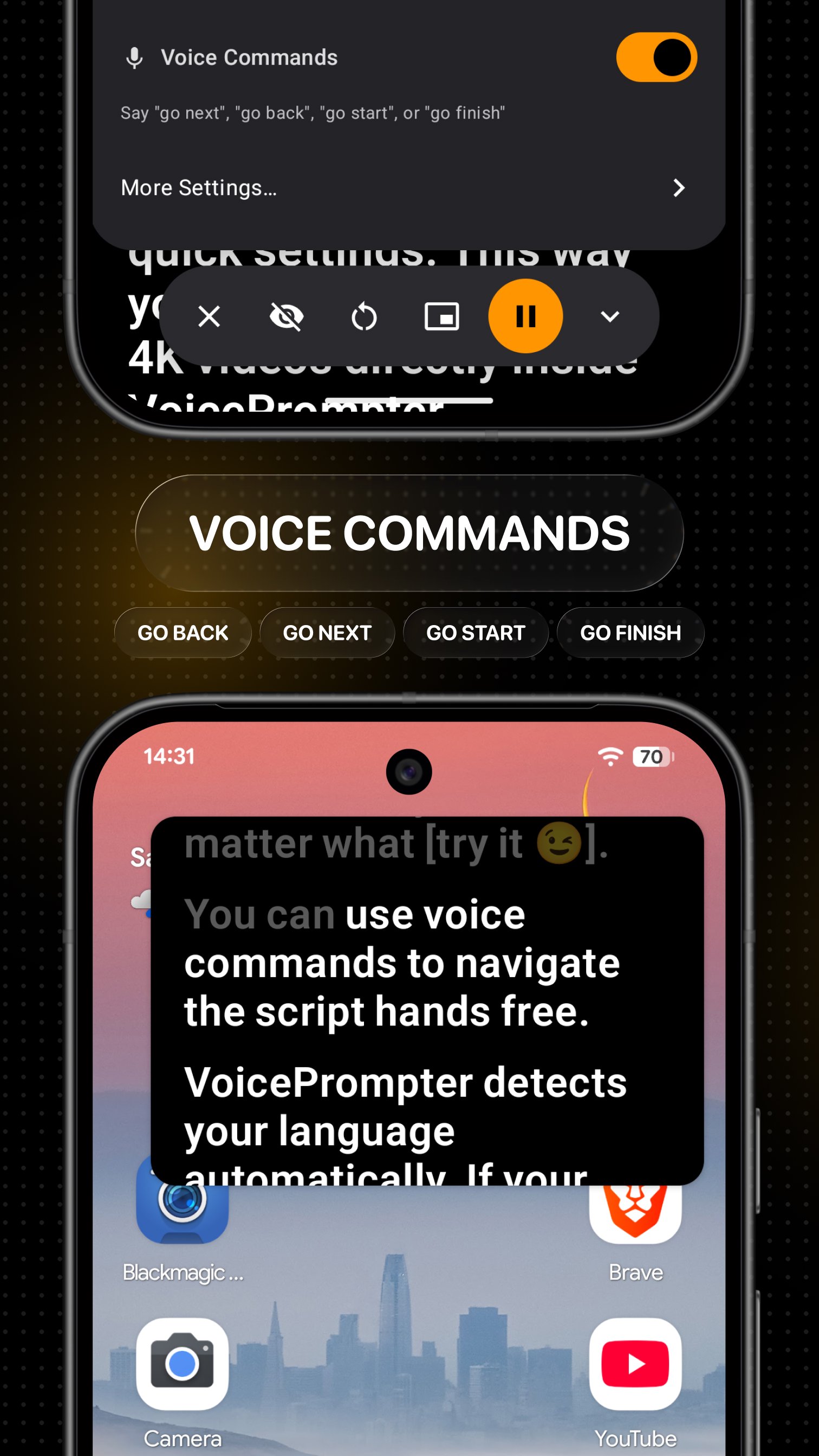
Tap any word to start from that point. Optional backward scrolling can return to an earlier line when you correct yourself. Voice commands give you hands-free control while recording.
Made for video
Use VoicePrompter as a video teleprompter for YouTube videos, TikTok, Instagram Reels, Shorts, live streams, podcasts, tutorials, online courses, product demos, presentations, speeches, and video messages.
• Record inside VoicePrompter with the front or rear camera
• Capture video up to 4K on supported Android devices
• Keep your eyes close to the camera while reading
• Switch between portrait and landscape recording
• Switch between front and rear cameras and available lens options
Floating teleprompter and notes
Open VoicePrompter in Picture-in-Picture and keep a floating teleprompter above your camera or social media app. Read your script while filming with Instagram, TikTok, YouTube, Snapchat, Facebook, your phone camera, or another recording app.
The floating prompter keeps your notes close to the lens, helping you maintain eye contact instead of looking down at a script. Position the window for your recording setup.
Three ways to scroll
• Voice scrolling follows the words you speak and matches your pace
• Sound scrolling moves when it hears you and waits during silence
• Constant-speed scrolling works like a traditional teleprompter
Guided setup helps you try Voice scrolling in teleprompter and video modes. If needed, configure Voice scrolling in Settings, download an offline Vosk model for your language, or switch to Constant scrolling.
Built for comfortable reading
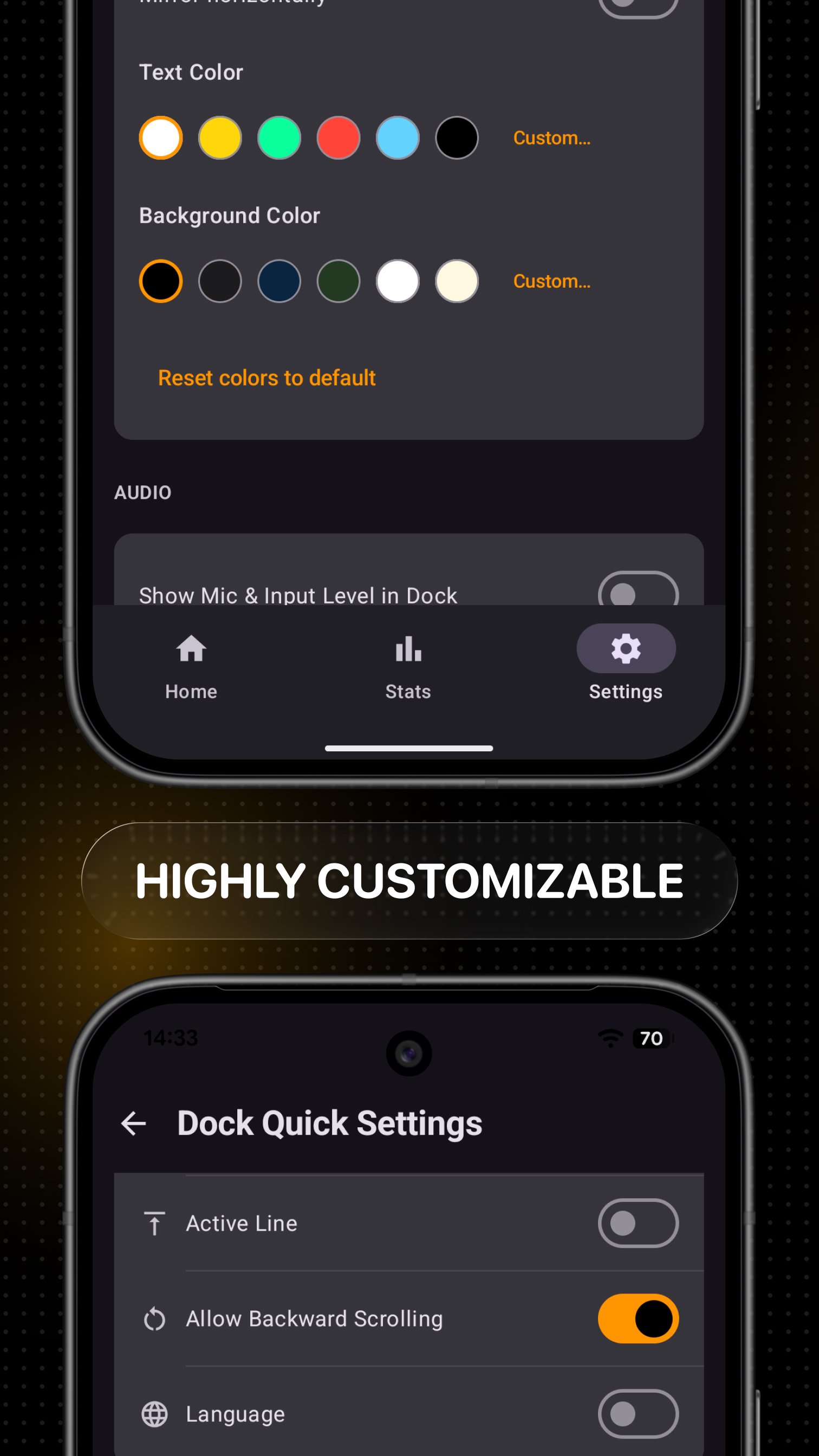
Customize the text size, font, line spacing, margins, colors, alignment, reading position, and scroll behavior. Save presets for different cameras, distances, lighting conditions, or teleprompter rigs.
Mirror the text horizontally or vertically when using a beam-splitter teleprompter or autocue. Add stage directions inside [brackets] so they remain visible without being treated as spoken script text.
Simple script management
Paste a script directly from your clipboard or write it in the app. Your script library stays organized and searchable, with fast access to recent scripts. Scripts are saved locally on your device.
VoicePrompter detects the script language automatically and supports speech recognition in dozens of languages, depending on your Android device and installed recognition services.
Optional accessibility service
VoicePrompter uses AccessibilityService to let Voice and Sound scrolling listen to your microphone while you record video, including with another camera app. It does not read your screen or control other apps. You choose whether to enable it. Constant scrolling works without it. Built-in speech recognition may process audio online through your phone's speech provider; downloaded Vosk models process speech on your device.
Try VoicePrompter
No account is required. Start with the included interactive demo and create up to three custom scripts. VoicePrompter Pro adds unlimited scripts and the complete feature set, with subscription and one-time Lifetime purchase options.
Spend less time memorizing and adjusting scroll speed, and more time speaking to your camera and audience.



One-click to install XAPK/APK files on Android!

Thanks for your rating and feedback!
You have already rated.