Tải APK an toàn và nhanh chóng trên APKPure
APKPure sử dụng xác minh chữ ký để đảm bảo tải APK miễn phí virus cho ezPDF Reader Free Trial.

PDF App - chú thích và điền các mẫu đơn.Lượt TTS, Audio, Video & Animation
"ezPDF Reader Free Trial" is the full trial version of ezPDF Reader. (Check out for 15 days)
♠ ♣ ♦ ♥
We are currently working on a new set of apps for education. Please check out this video - https://youtu.be/GtvZl9LV124
Here are the App links for the Teacher and Student Apps.
Teacher - https://goo.gl/7MW40Q
Student - https://goo.gl/99tQ6y
If you are an educator and interested in this solution, please feel free to contact us, android at unidocs.com.
We have many Multimedia English Storybook apps in Google Play. Here is the free app to try. -
Cinderella - https://goo.gl/pNsRpw
One of the stories from Young Learners Classic Readers.
Come Down Whiskers! - https://goo.gl/18fNG8
One of the stories from Reading Adventure.
♠ ♣ ♦ ♥ ♠ ♣ ♦ ♥ ♠ ♣ ♦ ♥ ♠ ♣ ♦ ♥ ♠ ♣ ♦ ♥ ♠ ♣ ♦ ♥
ezPDF Reader is the best selling, best rated and most commented Multimedia PDF viewer, annotator, form filler with calculations and paperless solution.
User Guide: http://goo.gl/hH7l08
● Other Apps
1. "Cup PDF" - PDF Clipping PDF & Share
2. "ezPDF CLEAR" - The world's first Interactive PDF Test Player for education
● App Review
"Android Apps for Business: 10 Low-Cost Mobile Tools You Should Know About" by eWeek (http://bit.ly/LJTtEH)
"Plenty of PDF readers are available for Android devices, and a number of them are free. But ezPDF is by far the best of the bunch." Daniel A. Begun, author of Amazing Android Apps For Dummies
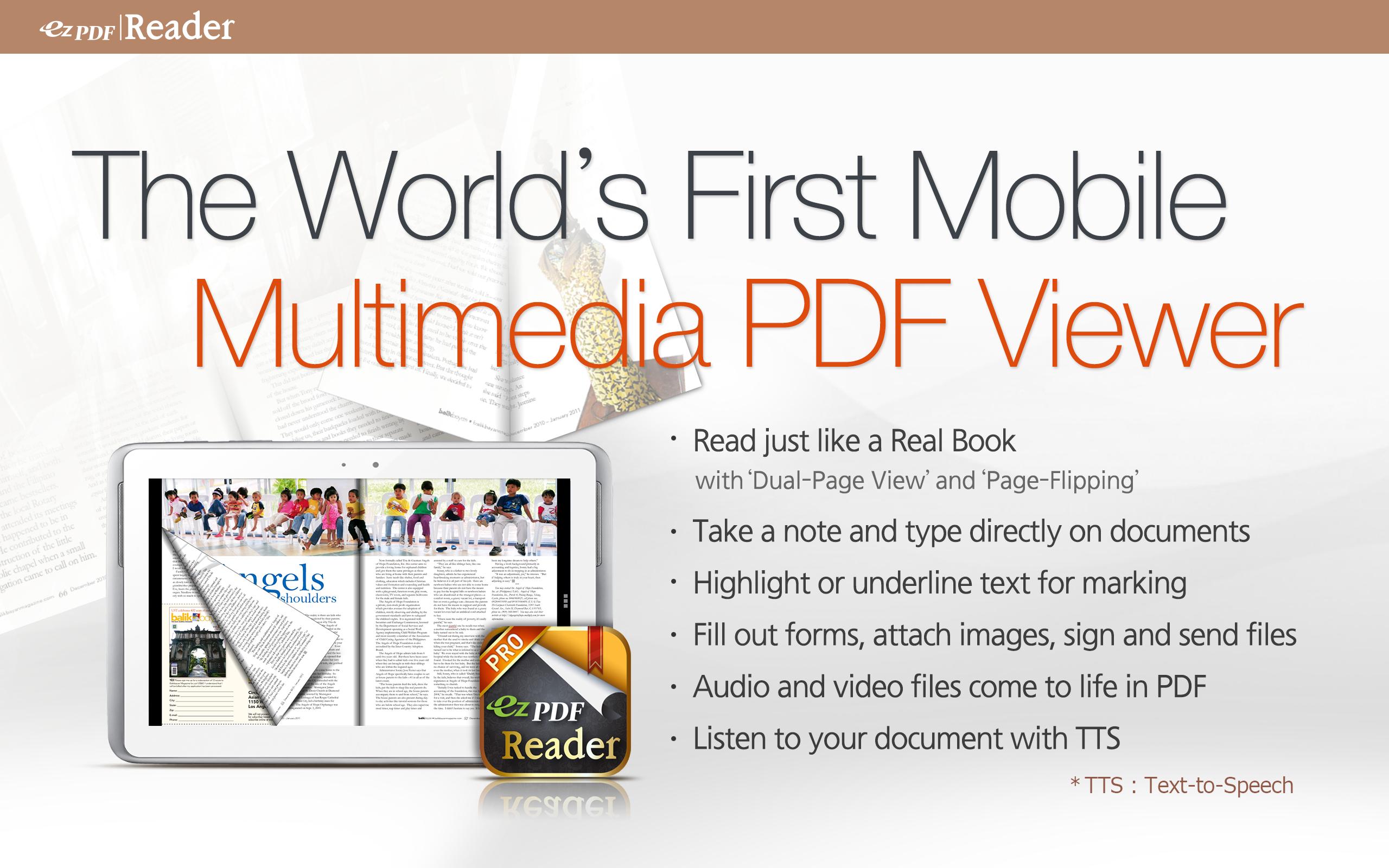
● Customized Viewing with flipping DUAL PAGE VIEW supported!
Documents appear as they would on your PC, but customized to fit your mobile device's screen. Scanned and text based PDFs are all supported, including JPEG2000 and JBIG2 compression. Select Text Reflow, Fit to Text Column, Copy and paste text in PDF view and bookmark as you go or Change Reading Direction to ease reading
● PDF Form Filler
Fill out your PDF form with ezPDF Reader. Sign with freehand, and send via email.
● Multimedia PDF Viewer - Audio, Video, Animation GIF and Read Aloud
Plays multimedia files and animation GIF embedded into PDF. Use Voice Reading feature to have documents read to you with the continuous automatic page-turning feature. (It uses TTS feature from the device features)
● Annotation Features on PDF
The useful tool to add text in text box and sticky notes; highlight, underline, or strikethrough texts; draw rectangles, ovals and freehand drawings. Add memo & append images, change color / thickness, resize and move them around as you like. All these comments are compatible with Adobe® Acrobat®.
● More Features
-Form calculations supported
-Support ePub format
-Text View with reflow function. Night/Day Mode, Change font size and color (text and background)
-Thumbnail image view
-Search (Case sensitive, whole word or part, exact word, and/or operator) and highlighted result
-Auto Fit Zoom for multi-column article or removing white margin
-Crop / Rotate page
-Scroll lock / unlock
-Able to select text in PDF, save to clipboard, web search, share with other apps, check with dictionary (Support ColorDict)
-Support hyperlinks (Go to page within the PDF, PDF to PDF, URL links to webpage)
-Open Standard Password-protected PDF
-Intuitive bookmarking & viewing bookmarks with its description and ribbon & thumbnail image
-Auto Page Turn (secs) or Auto Scroll (up a screen full)
-Table of Contents
-Page navigation with thumbnail scroll images
-Jump to a specific Page No.
-Change reading direction - Arabic, Chinese, Japanese & Hebrew
-Undo & Redo button
-Support Trackball
-Page Turning Effect (Flip) ON/OFF
Tap Toggle Options
-5-point-tap : Annotation Toolbar
-4-point-tap : Notification Bar
-3-point-tap : PDF ←→ Text Reflow
-2-point-tap : Reduces the page to fit the width when enlarged
-1-point-tap : Menu
Please leave your comments, reviews, bug reports, suggestions, volume sales, and other business inquiries to android(at)unidocs.com
twitter.com/ezpdf
facebook.com/ezpdf



Một cú nhấp chuột để cài đặt các tệp XAPK/APK trên Android!

Cảm ơn bạn đã xếp hạng và phản hồi của bạn!
Bạn đã đánh giá.