Scan Date:Oct 30, 2026
Show More


10.0
1 Reviews
32.7 MB
File Size
Everyone
Android 10.0+
Android OS
V2Box is a multi‑protocol V2Ray client and network proxy tool for Android.
Developed by HexaSoftware, V2Box focuses on broad protocol coverage with a stable, privacy‑friendly core. It supports Shadowsocks, V2Ray/VMess/VLESS, Trojan, SSH, Hysteria/Hysteria2, and Reality (Xray), with subscription and JSON import for quick setup. Users looking to download V2Box will find it practical for mixing different provider nodes and configurations. Below is a quick look at the highlights that matter in everyday use.
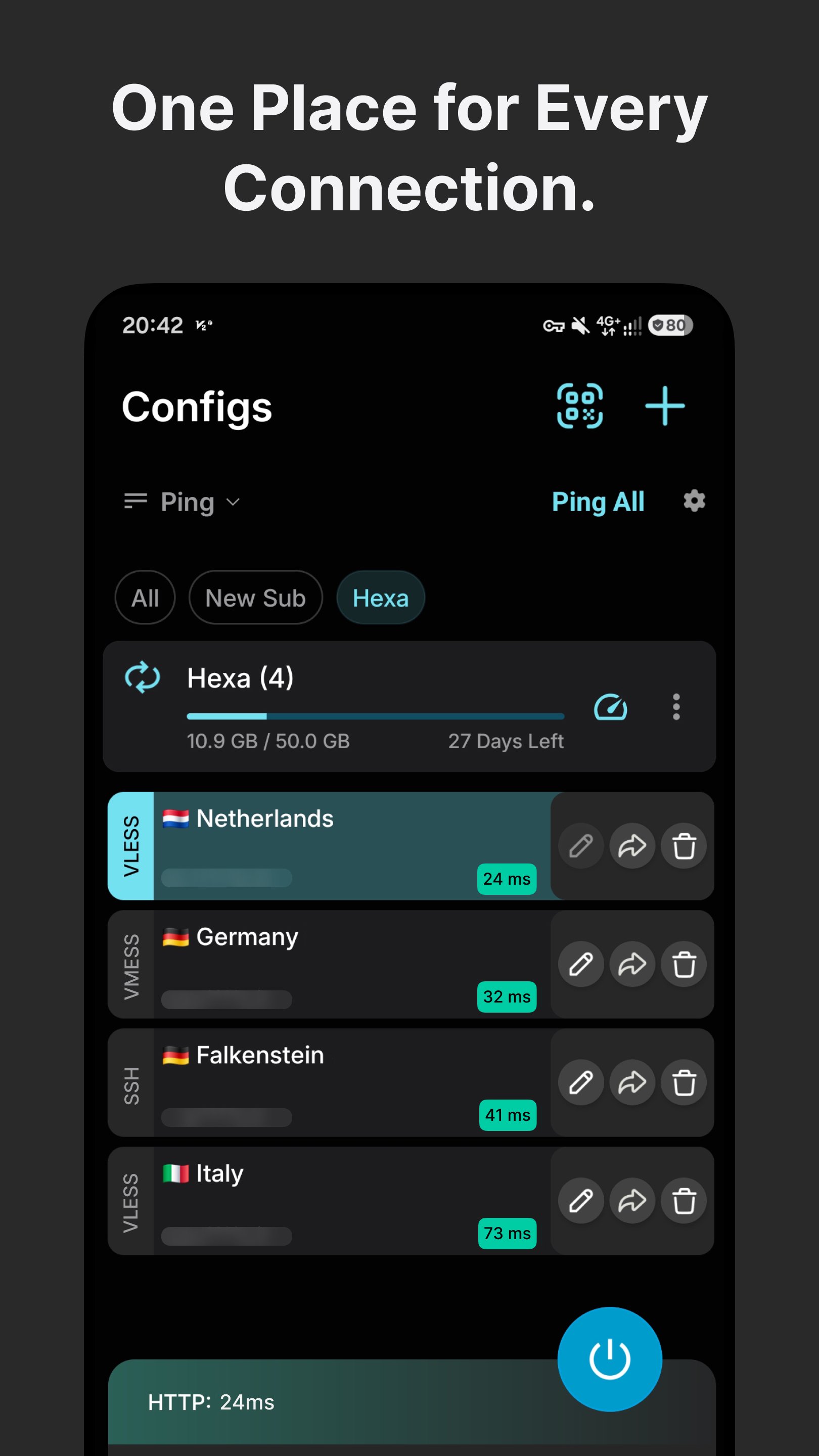
This client supports Shadowsocks, V2Ray/VMess/VLESS, Trojan, SSH, and Hysteria/Hysteria2, plus Reality (Xray), Ping Tunnel, uTLS, and vless vision. Setup stays straightforward: paste a subscription or node URI from the clipboard, or import a JSON profile when providers share detailed configurations.
The V2Box app fits varied provider setups and mixed environments where protocols differ across regions or networks. If you rely on multiple nodes, switching and organizing configurations becomes routine rather than a chore. The one trade‑off is that you still need to find and maintain usable nodes yourself, which can be a learning curve for new users. When a link fails, try an alternative protocol from your provider or re‑import a fresh subscription.
Privacy sits at the center: the app does not save user logs, which helps protect IP information and general activity. It also offers modern encryption options, including AES‑128/192/256‑GCM, Chacha20‑IETF, and xchacha20‑ietf‑poly1305, so providers can match ciphers to performance and security needs in different networks.
The V2Box app is well suited for public Wi‑Fi, where traffic exposure is a daily worry. For most users, sticking to provider‑recommended ciphers is the sensible route, since over‑tweaking can introduce compatibility issues. Keep in mind that privacy depends on how the server is operated; using trustworthy nodes and avoiding unnecessary data sharing remain best practices even with strong encryption in place.
A simple Connect/Disconnect toggle controls the tunnel, and the status area displays tunnel state, upload/download rates, and ping. Live metrics help you spot routing changes, throttling, or congestion within seconds, which is useful when moving between mobile data and public hotspots.
The V2Box app gives a quick feel for stability through in‑app ping, while external checks with Speedtest or similar tools confirm actual throughput. It is normal for speeds to fluctuate based on node capacity, peering, and time of day. If performance dips, rotate to a different protocol offered by your provider, or test alternative routes before settling on a long session like streaming or large downloads.
Some networks require extra flexibility. Settings such as “Allow insecure” and “Allow network from LAN” can help when handling certain non‑TLS configurations. Editing host or “bug” domains and using wildcard tricks improves adaptability on picky carrier networks. In cases where TLS fails, importing or choosing VMess or VLESS non‑TLS profiles may restore compatibility.
The V2Box app offers these options for users who need granular control, but they come with responsibility. Misconfigured wildcards or enabling insecure options without a clear reason can reduce security or break connectivity. A practical approach is to test ping and basic browsing first, then enable special options only when your provider recommends them. Once the route is stable, turn off any unneeded insecure settings.
You can download the latest V2Box APK from APKPure. Download time depends on your network speed and device performance; most users finish within a short window, while larger versions may take longer. The size may vary by version, so ensure sufficient storage before starting.
After installation, open the app, import your subscription or node URI, and run a quick ping check to verify connectivity. If speeds are inconsistent, try a different node and confirm with a third‑party speed test. For a smooth start, have your provider links ready before you download V2Box, and keep an eye on updates to stay current with the V2Box latest version.




One-click to install XAPK/APK files on Android!

Thanks for your rating and feedback!
You have already rated.