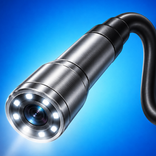
USB Endoscope camera

USB Endoscope camera

kahlochSto
Nov 3, 2026
  • 9.7 MB

    File Size

  • Security
  • Everyone

  • Android 7.0+

    Android OS

About USB Endoscope camera

Simply connect the USB Endoscope camera to your smartphone's USB port.

Simply connect the USB Endoscope camera to your smartphone's USB port. You can only connect USB cameras that support the standard. Your phone must have USB function ,, Fire, etc.).

All Endoscopes Supported:

Chinese endoscopes

Connecting IP Cameras:

Tips:

- Connect both USB Endoscope camera and IP camera

- Listen and record live audio

- Record video to external SD card

- Image zoom up to x10

Choose a public folder (or SD card) to save your videos:

You can save your videos in any public folder both in internal memory and on SD card.

You can use a USB Endoscope camera, any IP camera.

Endoscopic camera application for Android, connect to an endoscopic camera or any other device like a USB camera or endoscope camera, there are many devices that use an external camera like a sewer inspection camera.

Show More

What's new in the latest 2.0

Last updated on Nov 3, 2026
Minor bug fixes and improvements. Install or update to the newest version to check it out!
Show More

Videos and Screenshots

  • USB Endoscope camera poster
  • USB Endoscope camera screenshot 1
  • USB Endoscope camera screenshot 2
  • USB Endoscope camera screenshot 3

USB Endoscope camera APK Information

Latest Version
2.0
Android OS
Android 7.0+
File Size
9.7 MB
Developer
kahlochSto
Available on
Content Rating
Everyone
Security Report
Check Now
Security Check Completed
No Virus
No Spyware
No Malware
No Virus
No Spyware
No Malware
Package Name:com.endos.scopeusb
SHA-256:f3986fe161548768d40f3d0bc010b17d4f7e90e3cf6fd8e62c30fb4abfd21212
SHA-1:e53db78df56508593ea8adbcad1ad3e375a21379
Show More
Verified by: APKPURE

Old Versions of USB Endoscope camera

APKPure icon

Super Fast and Safe Downloading via APKPure App

One-click to install XAPK/APK files on Android!

Download APKPure
thank icon
We use cookies and other technologies on this website to enhance your user experience.
By clicking any link on this page you are giving your consent to our Privacy Policy and Cookies Policy.
Learn More about Policies