









آپ کی درجہ بندی اور آراء کا شکریہ!
آپ پہلے ہی درجہ بندی کر چکے ہیں۔

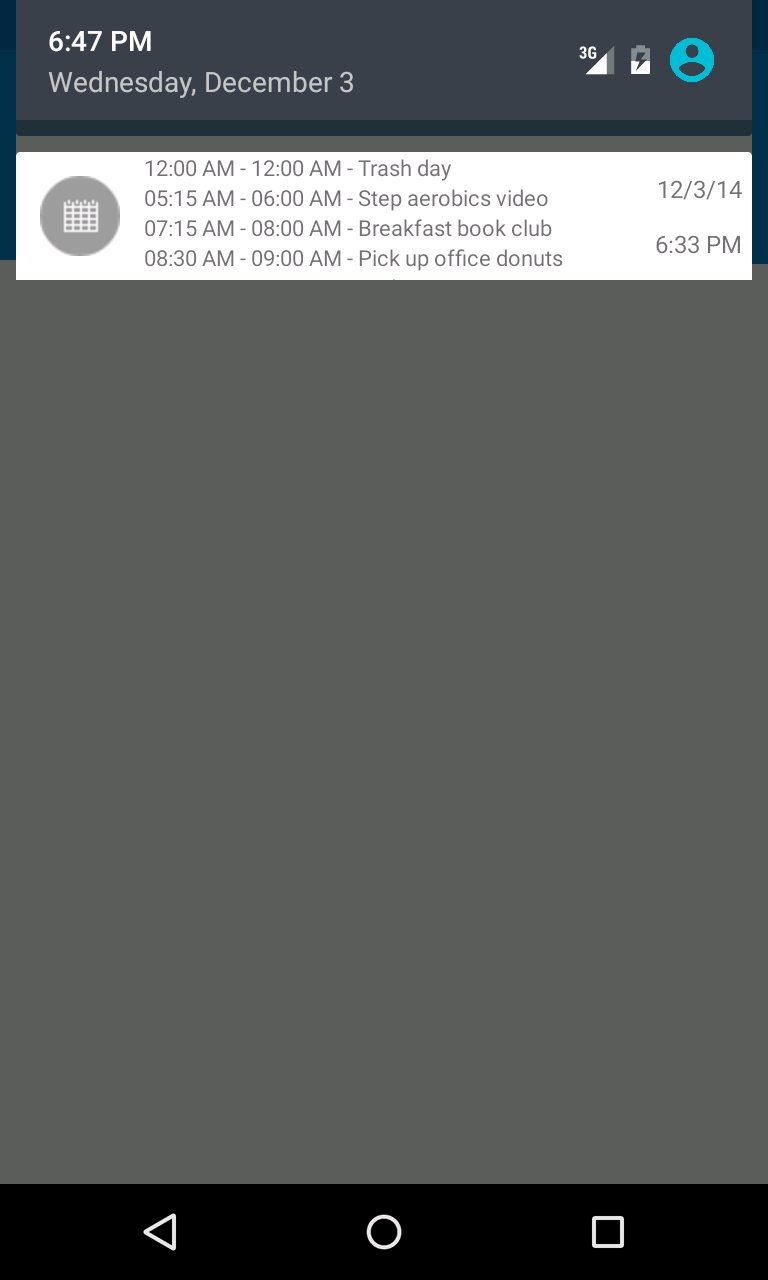
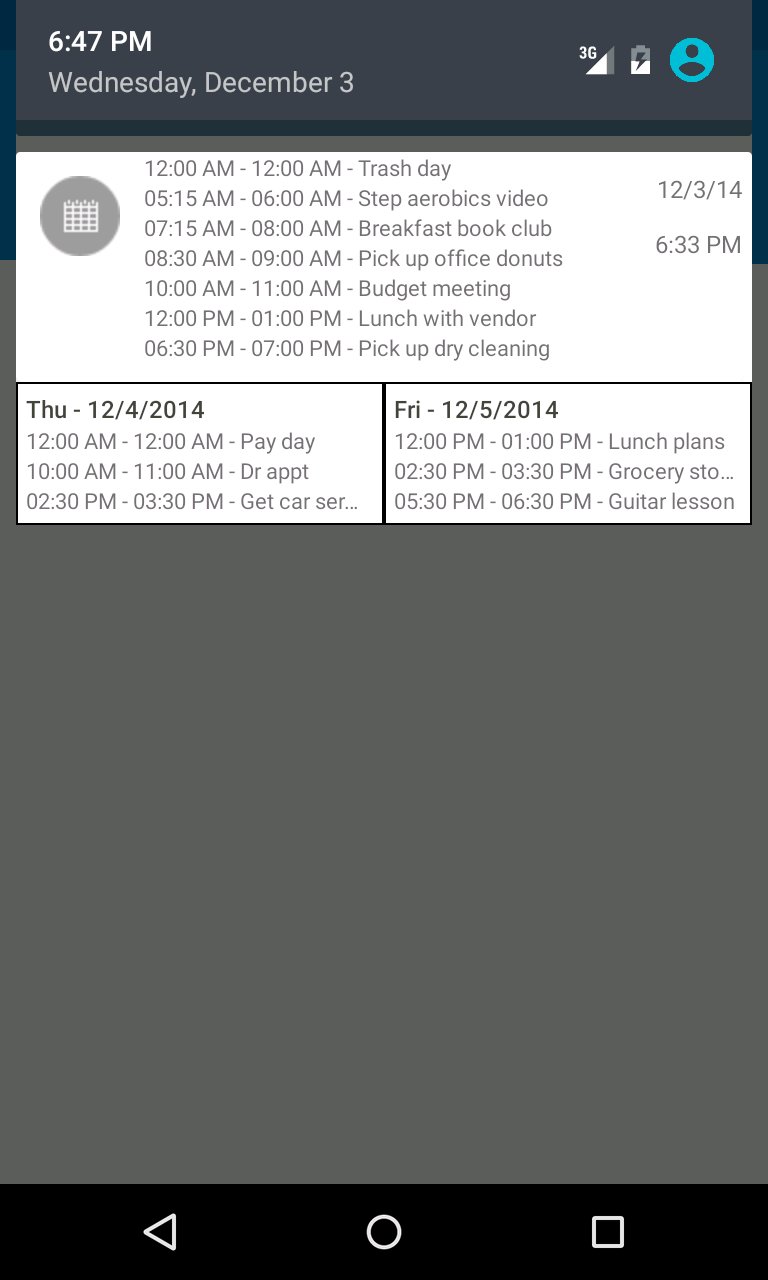
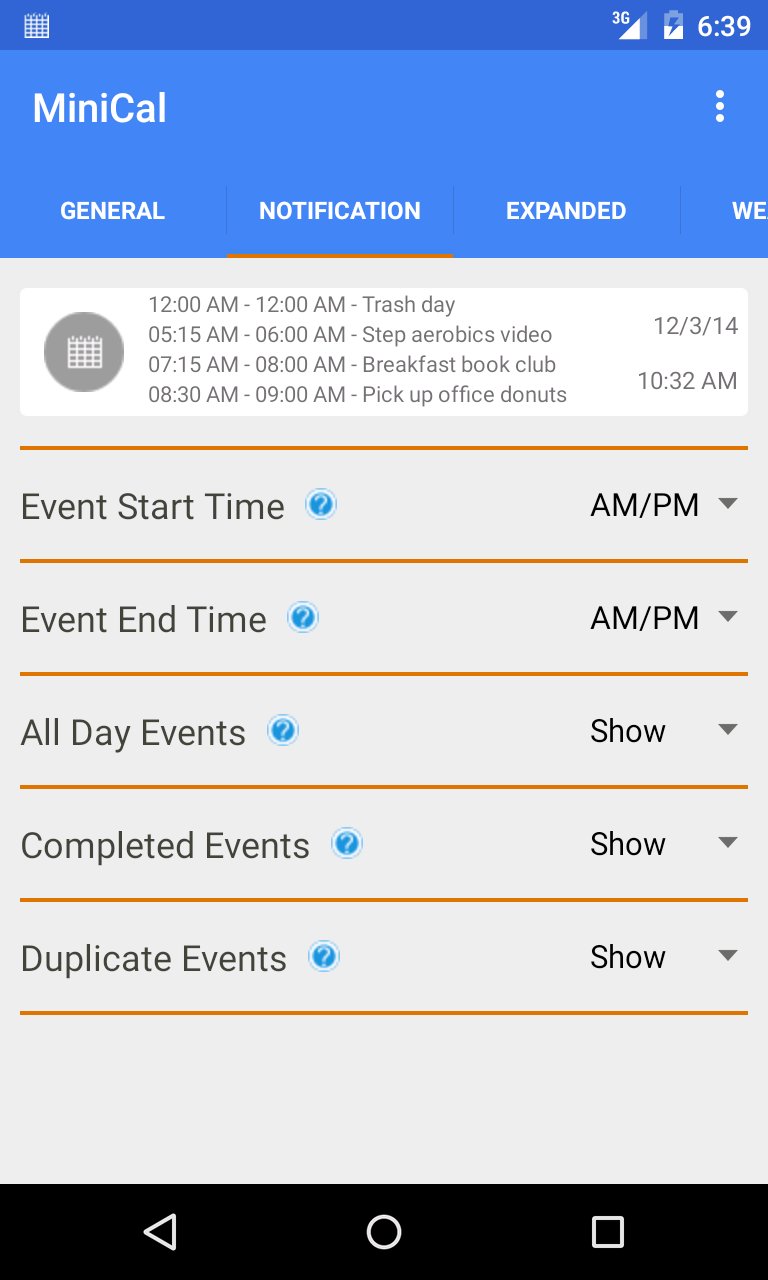
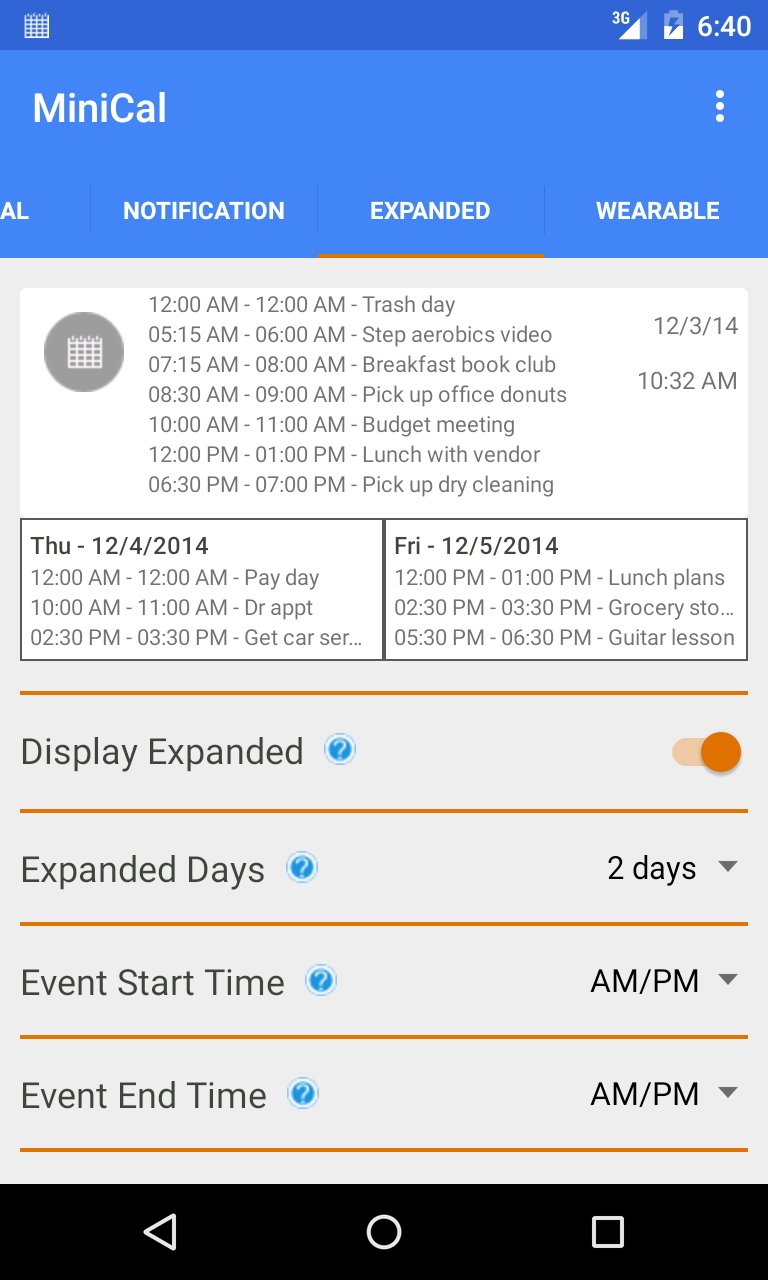
Display a mini version of your calendar in the Android notification drawer.
The Android notification drawer is my favorite place to get all of the quick updates I need. Every morning it's my first stop to check the weather forecast, scan email messages, get important alerts, and now see my calendar itinerary for the day. Having my daily events displayed and updated as a notification is more convenient than I ever realized it could be!
MiniCal isn't the only application to provide this type of functionality but I had a certain look and feel that I wanted to achieve with the notification display and I just couldn't find anything else that came close. I have more updates planned for MiniCal so if there is something that you would like to see or if you find anything that doesn't work for your device, locale, Android version, etc. please let me know.
*** Samsung Galaxy S3 users who receive an error see this link for a possible solution: http://forum.xda-developers.com/galaxy-s3/help/calendar-apps-crashing-saying-t2018110
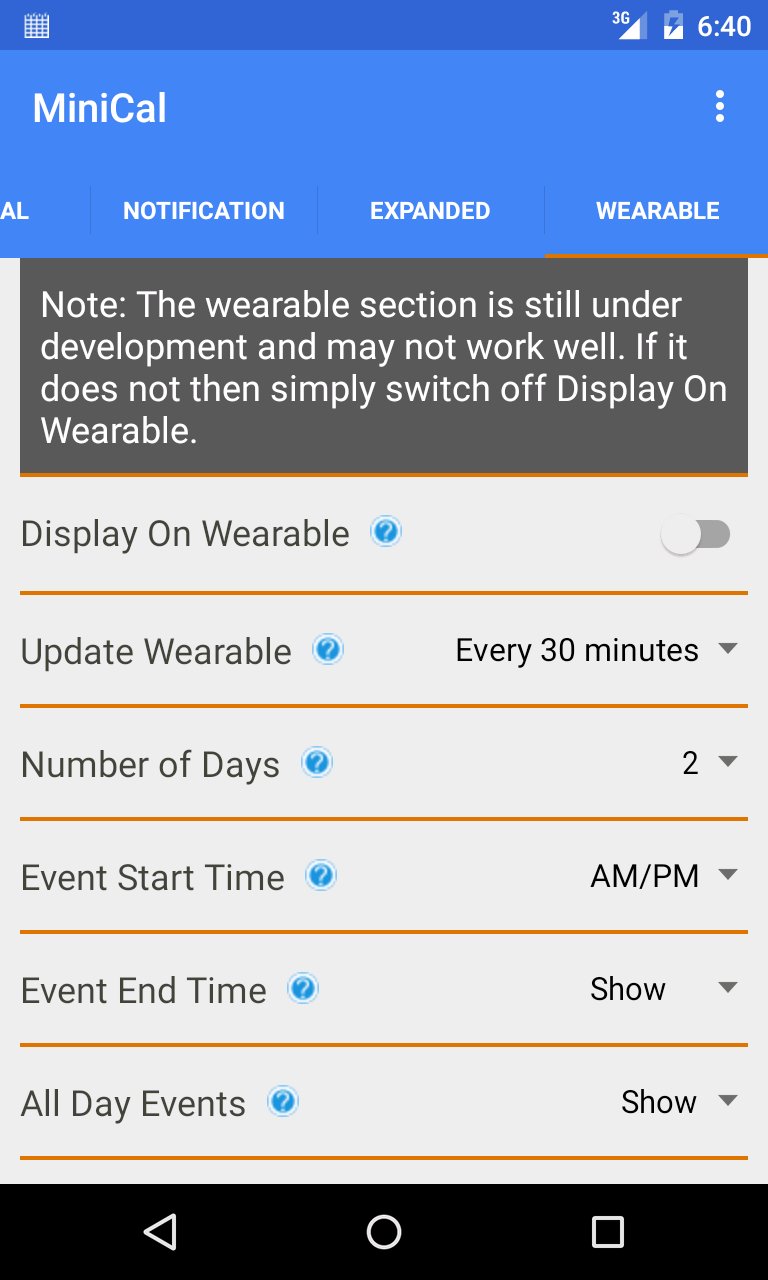
I’m working to support some type of MiniCal calendar display on Android Wear. More on this to come.
To speed development I used the Android Calendar Provider API which unfortunately doesn't support devices prior to Ice Cream Sandwich (Android 4.0). Please note that the expanded calendar display is only available on devices running Jelly Bean (Android 4.1) on up. That is a system limitation with notifications that I cannot do anything about.
Permissions requested by the MiniCal application:
Read calendar events plus confidential information – This permission is necessary for MiniCal to read your calendar and display the items as a notification. MiniCal has no permissions to access the internet or anything outside of your device so be assured that your calendar events are safe and secure.
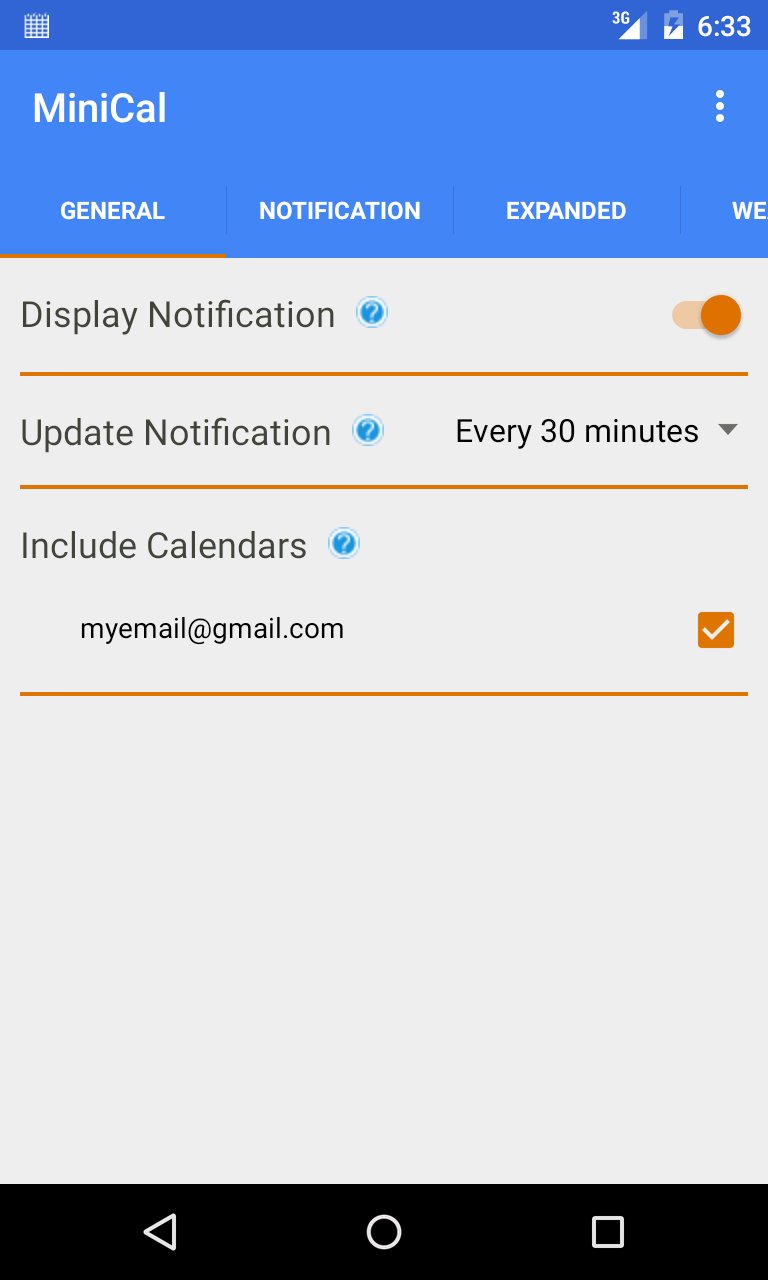
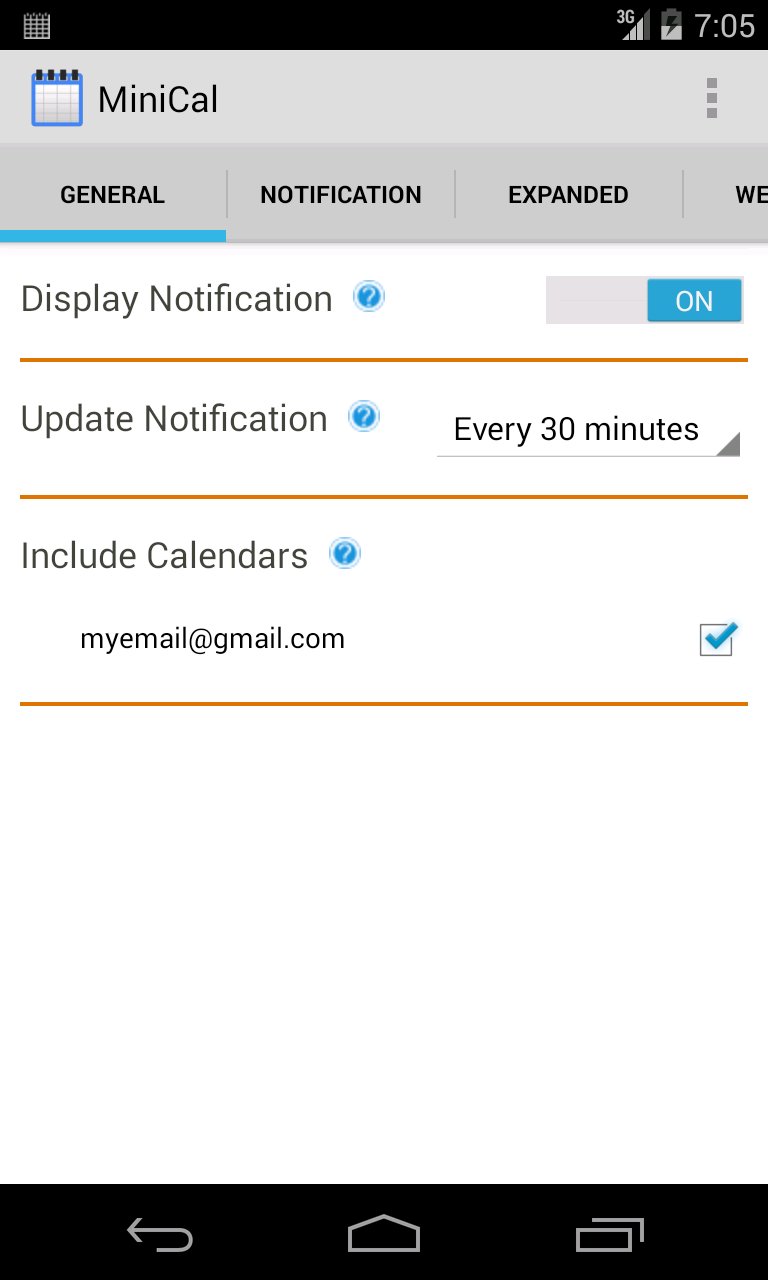
Run at startup – This permission is necessary to enable MiniCal to restart the notification when you reboot your device. This saves you the trouble of re-launching the MiniCal application after a device boot. If you set Display Notifications to OFF in the MiniCal application General settings then MiniCal will not do anything after a device reboot.
For up to date tips and tricks on using MiniCal please visit the Google+ MiniCal Community: https://plus.google.com/u/0/communities/106414857049533369310


Android پر XAPK/APK فائلیںانسٹالکرنےکےلیےایککلککریں!
آپ کی درجہ بندی اور آراء کا شکریہ!
آپ پہلے ہی درجہ بندی کر چکے ہیں۔