Package Name:com.arm.vpn
Show More


54.1 MB
File Size
Everyone
Android 8.0+
Android OS
Secure VPN proxy for public Wi-Fi. Hide your IP in one tap, no sign-up needed.
Unicorn VPN is a simple, private VPN for Android. Tap Connect and your internet traffic travels through an encrypted tunnel to our server in the United States or in Germany. Your real IP address stays hidden, and your connection on cafe, airport and hotel Wi-Fi is protected. There is no account to create and nothing to set up.
WHAT YOU GET
• One tap to connect, one tap to disconnect
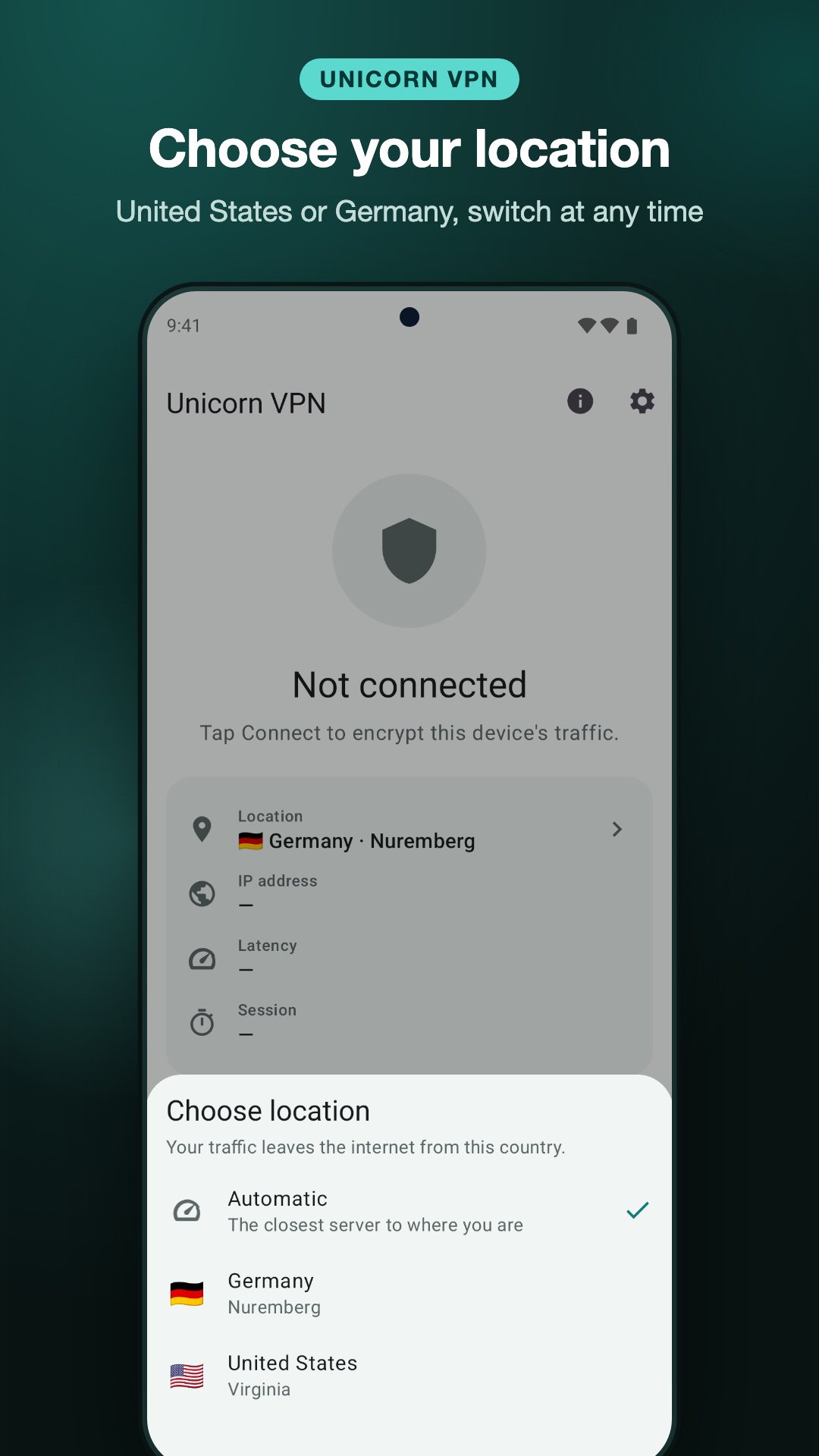
• Choose your location: Automatic, United States or Germany, and switch at any time
• Your IP address is hidden from the websites and apps you use
• Encrypted connection on public Wi-Fi hotspots and mobile data
• An alert when your phone joins an unencrypted Wi-Fi network, with one tap to get protected
• A Quick Settings tile and a weekly summary of your protected time
• A modern VPN protocol (VLESS with Reality over TLS 1.3) that is quick enough for video calls and streaming
• Connection details at a glance: server, IP address and latency
• No sign-up, no email, no password
• A calm, minimal design in light and dark mode
PRIVACY
We do not log the websites you visit, the apps you use, your DNS queries or the content of your traffic. The app gives your device a random connection identifier; there is no account and no name or email. You can delete your data from the app at any time under Settings. The full privacy policy is at getunicornvpn.com/privacy.
HOW IT WORKS
Unicorn VPN uses Android's VpnService to create an encrypted tunnel from your device to our VPN server. All of your device's internet traffic goes through that tunnel while you are connected, and a notification shows that the VPN is on. The app does not read, change or filter your traffic, and it does not block or alter ads in other apps.
ADS AND SESSIONS
Unicorn VPN is supported by ads from Google AdMob, so there is nothing to buy and no subscription. Each session lasts up to 3 hours and you can reconnect at any time. If you like, you can watch a short video ad to make your next sessions longer.
WHERE IT WORKS
Unicorn VPN is offered in the United States, Puerto Rico, Canada, Mexico, Chile, Australia, New Zealand, Japan, South Korea, Taiwan, Singapore, Israel, Armenia, Nepal, the United Kingdom, Switzerland and the countries of the European Union and the European Economic Area. It is not available in and does not work from Russia, Belarus or other countries outside this list.
SUPPORT
Questions or problems? Write to support@getunicornvpn.com — a person reads every message.




One-click to install XAPK/APK files on Android!

Thanks for your rating and feedback!
You have already rated.