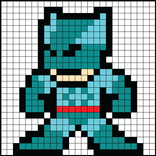
Pixel Painter - Make Pixel Art

Pixel Painter - Make Pixel Art

DroidX Studio
2026年08月29日
  • 21.4 MB

    文件大小

  • 安全
  • Everyone

  • Android 10.0+

    Android OS

關於Pixel Painter - Make Pixel Art

隨時隨地創作令人驚嘆的像素藝術。

PixelArt 是一款有趣且直觀的應用程序,用於隨時隨地創建像素藝術。

無論您是初學者還是經驗豐富的像素藝術家,此應用程式都提供了完美的工具來將您的數位藝術變為現實。

Pixel Painter 是一款面向藝術家和遊戲玩家的全新像素藝術編輯器。

逐一顏色地填滿方塊,創造出美麗的藝術作品。

Pixel Studio 專為喜歡像素的熱情藝術愛好者而設計。

輕鬆製作像素藝術,然後分享您的藝術作品,甚至關注其他創作了自己的像素藝術作品的人。

Pixel Brush 是像素藝術創作者,可幫助您學習新的嗜好並創建商品。

與按數位著色應用程式不同,您可以創建自己的 8 位元藝術並使用它來創建商品。

這款適合兒童和成人的繪畫應用程式 Pixel Art 可幫助您學習繪畫藝術。

您可以繪製 8 位元、16 位元圖形等,分享到社群並獲得回饋。

使用全新像素著色應用程式 Pixel Tap 放鬆身心,告別壓力。

Pixel Art 是一款很棒的 NFT 藝術創作應用。

🎨 特點:

✔ 預先定義的畫布尺寸 – 從多個畫布尺寸(例如 8x8、16x16、24x24)中進行選擇來開始您的藝術作品。

✔ 簡單的像素繪圖 – 點擊或拖曳即可輕鬆放置像素。

✔ 顏色選擇器 – 從可自訂的調色板中進行選擇,以創建充滿活力的設計。

✔ 撤銷/重做 – 犯了錯誤?快速撤消或重做您最後的操作。

✔ 匯出和分享 – 將您的作品儲存為 PNG 或直接與朋友分享。

✔ 網格切換 – 啟用/停用網格線以提高精確度。

✔ 填滿工具 – 用單一顏色快速填滿大面積區域。

🖌 使用方法:

打開應用程式並選擇畫布尺寸。

從調色板中選擇一種顏色。

透過點擊或拖曳網格開始繪圖。

使用填充、撤消或縮放等工具可以更好地進行控制。

完成後儲存或分享您的傑作!

非常適合遊戲設計師、數位藝術家或任何喜歡復古風格創意的人。

立即下載並開始像素化!

更多

最新版本1.0.2的更新日誌

Last updated on 2026年08月29日
Minor bug fixes and improvements. Install or update to the newest version to check it out!
更多

視頻和屏幕截圖

  • Pixel Painter - Make Pixel Art 海報
  • Pixel Painter - Make Pixel Art 截圖 1
  • Pixel Painter - Make Pixel Art 截圖 2
  • Pixel Painter - Make Pixel Art 截圖 3
  • Pixel Painter - Make Pixel Art 截圖 4
  • Pixel Painter - Make Pixel Art 截圖 5
  • Pixel Painter - Make Pixel Art 截圖 6
  • Pixel Painter - Make Pixel Art 截圖 7

Pixel Painter - Make Pixel Art APK信息

最新版本
1.0.2
Android OS
Android 10.0+
文件大小
21.4 MB
開發者
DroidX Studio
Available on
內容分級
Everyone
安全報告
立即檢查
安全檢查已完成
無病毒
無間諜軟體
無惡意軟體
無病毒
無間諜軟體
無惡意軟體
套件名稱:com.obrastudio.pixelpainter
SHA-256:fc02dea7ead9cf2578698372cfa703e21346bc3c0fbac258e5977b6de3724031
SHA-1:9cfdba06345a5d41a5cdb1c1269e09ebd7efaf15
顯示更多
驗證者: APKPURE

Pixel Painter - Make Pixel Art歷史版本

APKPure 圖標

在APKPure極速安全下載應用程式

一鍵安裝安卓XAPK/APK文件!

下載 APKPure
thank icon
We use cookies and other technologies on this website to enhance your user experience.
By clicking any link on this page you are giving your consent to our Privacy Policy and Cookies Policy.
Learn More about Policies