
在APKPure安全快速地下載APK
APKPure 使用簽章驗證功能,確保為您提供無病毒的 FS Player (Video and Audio) APK 下載。

喜歡看你的電影,視頻和聽音樂是免費的。沒有廣告!
With Full Screen Player you can enjoy every single pixel on your screen and trim any black spaces from your movies and videos.
FS Player is a multi-function application that supports both audio and video files
★ FS Player is FREE and will never contain ads in next updates!
★ Supports all popular video formats
3G2, 3GP, 3GP2, 3GPP, AMV, ASF, AVI, DIVX, DV, F4V, FLV, GVI, GXF, ISO, M1V, M2V, M2T, M2TS, M3U8, MKV, MOV, MP2, MP2V, MP4, MP4V, MPE, MPEG, MPEG1, MPEG2, MPEG4, MPG, MPV2, MTS, MTV, MXF, MXG, NSV, NUV, OGM, OGX, PS, REC, RM, RMVB, TOD, TS, TTS, VOB, VRO, WEBM, WM, WMV, ...etc
★ Supports all popular audio formats
3GA, A52, AAC, AC3, ADT, ADTS, AIF, AIFC, AIFF, AMR, AOB, APE, AWB, CAF, DTS, FLAC, IT, M4A, M4P, MID, MKA, MLP, MOD, MPA, MP1, MP2, MP3, MPC, MPGA, OGA, OGG, OMA, OPUS, RA, RAM, RMI, S3M, SPX, TTA, VOC, VQF, W64, WAV, WMA, ....etc
★ Features
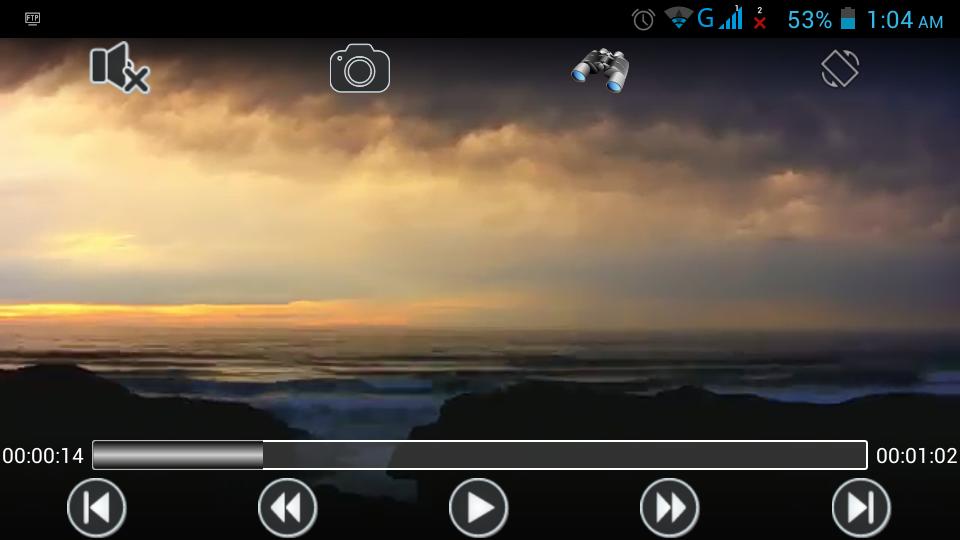
✔ Zoom Manager provides there different zoom modes (Full Screen/Keep Aspects/Custom). Custom mode allows you to increase and decrease height/width of videos to trim any black spaces
✔ Screenshot button enables you to capture screenshots of any scene easily
✔ Smart volume control by swiping up/down on the right side of the screen
✔ Smart brightness control by swiping up/down on the left side of the screen
✔ Manual seek forward/backward by swiping from left to right or right to left
✔ Automatic seek forward/backward feature up to 16X
✔ Mute/Unmute toggle button to handle audio raises quickly
✔ Change orientation portrait/landscape with single touch
✔ File Manager to view, filter and search for media files
✔ Records your recently viewed media in history so you can access them quickly
✔ Supports live streaming
✔ Supports HD videos
✔ Friendly interface
✔ Unlike other apps on the market this app requires only 2 permissions (Control brightness and Read files)
Our service is up and ready for any suggestions or ideas for update.
Enjoy !.
★ Please note that this app is created by Nerdit corporation and doesn't represent any other app in the market (FS Player stands for Full Screen Player)
★ Credits for graphics
- Double-J designs (http://www.doublejdesign.co.uk)
- Mazenl77
- Akmal Ibn Marmoh (http://caeszer.deviantart.com/)
- IconShock (http://www.iconshock.com)
- adamwhitcroft.com
- Jorge Rhor (http://rhor.deviantart.com)
- DryIcons (http://dryicons.com)
- Popcic
- VisualPharm (http://icons8.com)
- Don Whitaker (http://MotherNatureVideos.com)
Note: If you want to change how your name is displayed in credits, you can contact us through nerdit.x@gmail.com
v1.2
- Screenshot Functionality
v1.1
-Enhanced Audio Control



感謝您的評分和反饋!
您已經評分了。