在APKPure安全快速地下載APK
APKPure 使用簽章驗證功能,確保為您提供無病毒的 Control Center - iOS 11 & Android Panel APK 下載。

4.1 MB
文件大小
Everyone
Android 4.2+
Android OS
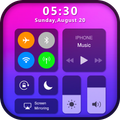
控制中心IOS 11隨著3D觸摸效果
Control Center IOS 11 With 3D Touch Effect
To Open Control Center
- Swipe up, swipe down, swipe right or swipe left from the edge of screen.
To Close Control Center
- Swipe up, swipe down, swipe right, swipe left or tap the top of the screen, or press the Back, Home, Recent button.
Control Center--iOS 11(iOS11 & Android Panel)is totally free.It's small,smooth and easy to use. Use all the functions just with 1 single touch like iPhone.Freely use these functions:
- Airplane Mode:Via Control Center--iOS 11(iOS11 & Android Panel),you can use Airplane Mode to instantly turn off Bluetooth,Wi-Fi and cellular connections on your android device
- Wi-Fi:Turn on Wi-Fi to browse the web,music and more on control center- IOS11 & Android Pane
- Bluetooth:Connect to headphones,car kits and other Bluetooth-enabled devices.
- Screen Timeout:Customize your own Control Center--iOS11 screen timeout style ,Set Screen Timeout as 15S~30m then the screen will keep work until timeout to save battery
- Do Not Disturb:Silence calls, alerts and notifications that you receive while your device is locked
- Portrait Orientation Lock:Via Control Center--iOS 11(&Android Panel),Keep your screen from rotating when device moved
- Adjust brightness:Adjust the brightness of your display from any screen.
- Flashlight: Freely use the flashlight on the Control Center--iOS 11 ( &Android Panel)panel.The LED flash on your camera doubles as a flashlight,get extra light when you need
- Alarms and Timer:Via Control Center-iOS 11(& Android Panel),Set an alarm, timer or check the time in another country or region.You also can put your alarmy on it.So you can have alarmy's service.Long press to change.
- Calculator:Tap numbers and functions in Calculator, just like a standard calculator.
- Camera:Never miss a moment to take a picture with quick access to your camera
- Control audio/Music Player: From ControlCenter--iOS 11 you can use this function so you can quickly play, pause and control volume of your favorite songs
-- QUICK SETTINGS
- Control panel for Internet Settings
- Quick settings for Airplane Mode
- Quick settings disturb
- Quick settings for Wifi
- Quick settings for Bluetooth
- Quick settings access modem settings
- Quick settings for network
- Quick settings portrait
-- Home Bar Gesture (VIP version)
- Select action for swipe gesture (e.g. swipe to go to home, swipe to back...)
- Select action for click gesture
- Select action for double click gesture
- Select action for long click gesture
- Actions include: show control center, go to home, go back, open recent app, quick setting, notification center, power popup, capture screenshot.
-- Customize
- You can change color of bar with your favorite color, totally free
- Change position of the bar (left, right, bottom)
- Change size of bar (width, height)
- Change opacity of bar
- Add or remove apps or controls on the Control Center


感謝您的評分和反饋!
您已經評分了。












