









Derecelendirme ve geri bildiriminiz için teşekkürler!
Zaten derecelendirdin.

Fast offline video & audio converter. Convert MP4, MP3, MOV, WebM, 4K & more.
VideoClarify: Offline Converter is your ultimate, privacy-focused media converter for Android. Convert, compress, and re-format your video and audio files directly on your device — 100% offline, without uploading your personal files to external servers or cloud services.
Whether you need to convert heavy 4K videos to smooth 1080p MP4s, extract high-quality MP3 audio from a music video, or change video formats for better device compatibility, VideoClarify handles it all fast and efficiently.
KEY FEATURES:
• 100% Local & Offline Processing
Your privacy comes first. All media processing runs directly on your device using powerful FFmpeg tech. No cloud uploads, no server processing, and zero data consumption for file conversion.
• Fair & Flexible Access
Enjoy a daily free conversion every 24 hours. Need to process multiple files? Simply unlock 12 hours of unlimited offline conversions by watching a single short video. Work offline seamlessly wherever you are — on a plane, traveling, or with poor connection.
• Wide Range of Supported Formats
Convert seamlessly between popular video and audio formats:
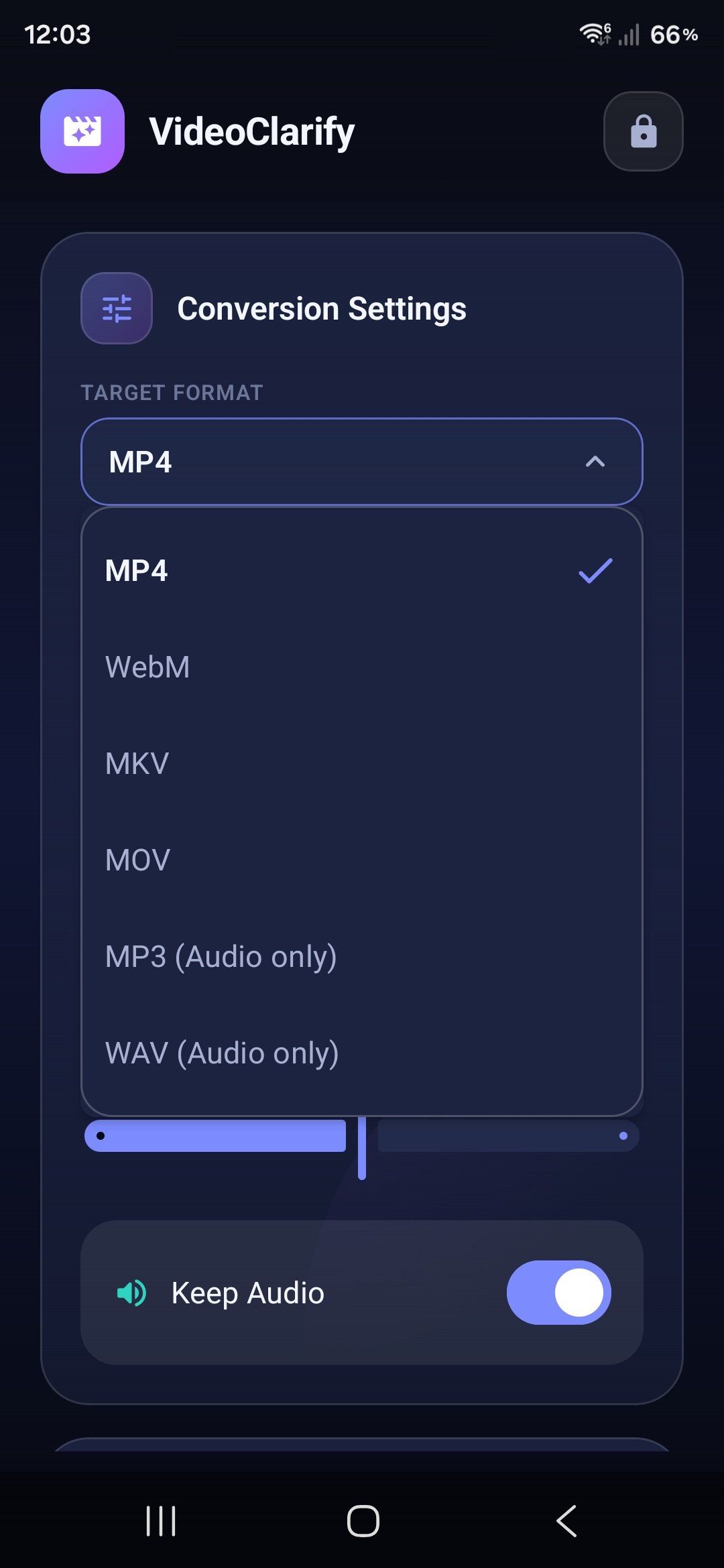
- Video: MP4 (H.264), MOV, WebM, MKV
- Audio: MP3, WAV (Audio Extraction)
• Custom Resolution & Frame Rate Control
Adjust video outputs to fit your needs:
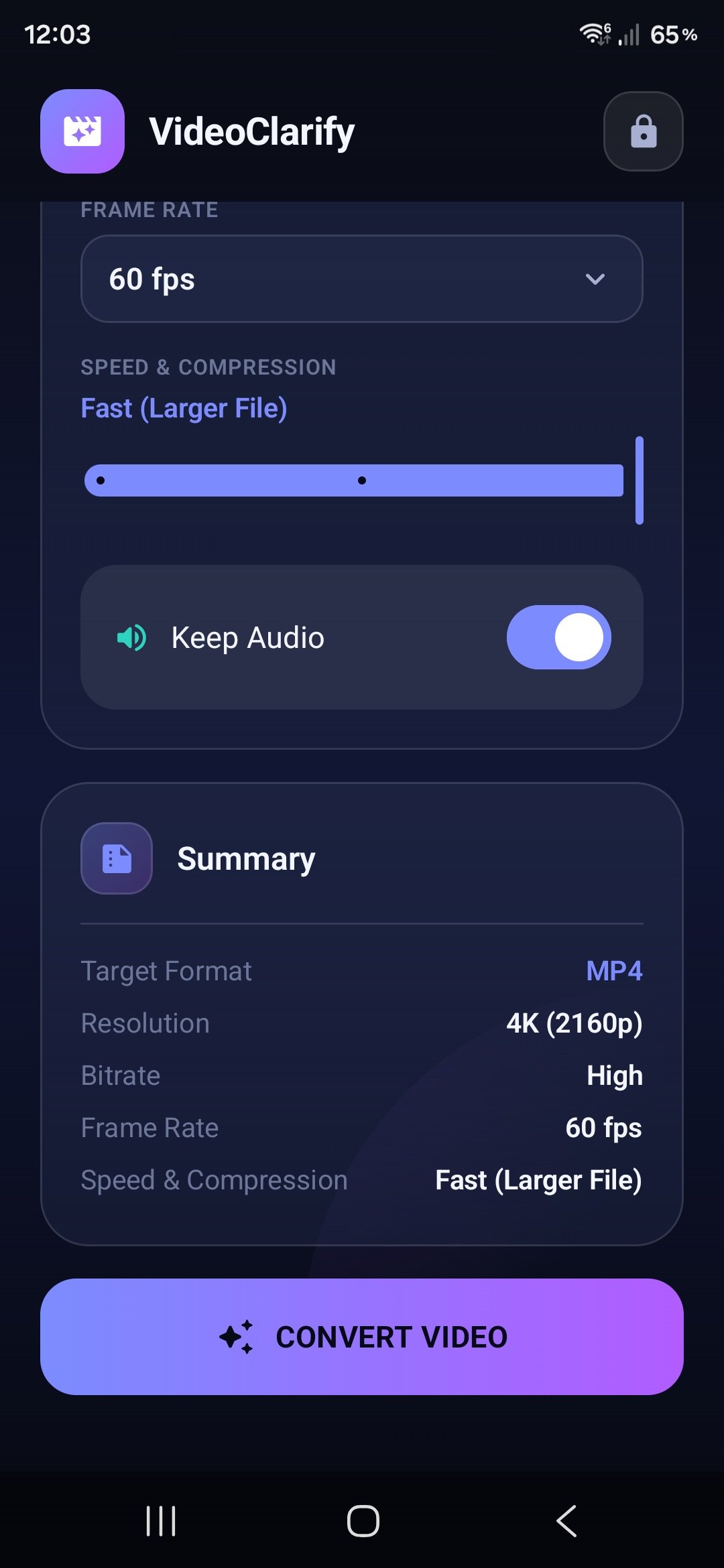
- Resolutions: 4K (2160p), Full HD (1080p), HD (720p), SD (480p), or Original Size
- Frame Rates: 60 fps, 30 fps, 24 fps, or Original Frame Rate
• Advanced Quality & Bitrate Settings
Fine-tune output files with High, Medium, or Low bitrate options to balance file size and visual quality.
• Smart Portrait & 4K Optimization
Automatic video orientation handling ensures your vertical (portrait) videos stay perfectly scaled without stretching or awkward cropping. Enhanced hardware-compatible 4K processing ensures playback across Android devices.
• Background Notifications
Start a conversion and let VideoClarify do the work while you use other apps. Real-time notifications keep you updated on progress.
• Clean & Simple File Management
Converted videos are saved directly to your device’s Movies folder, while audio files go straight to your Music directory. Easily find and share your converted media anytime.
WHY CHOOSE VIDEOCLARIFY?
Many video converter apps require constant internet access, harvest personal media data, or lock basic features behind expensive subscriptions. VideoClarify offers a transparent, honest, and user-friendly experience:
- No forced subscriptions or hidden paywalls.
- No file uploads — your videos never leave your phone.
- Full control over audio track retention.
- Lightweight, fast, and easy to use.
Download VideoClarify: Offline Converter today and take full control of your media files with maximum privacy and speed!




XAPK/APK dosyalarını Android'e yüklemek için tek tıkla!
Derecelendirme ve geri bildiriminiz için teşekkürler!
Zaten derecelendirdin.