Güvenli ve Hızlı APK İndirmeleri APKPure'de
APKPure, virüssüz Remote Control Widget for PC APK indirmelerini sağlamak için imza doğrulaması kullanır.

Windows XP, 7, Wi-Fi veya 3G üzerinden 8.1 Kontrol uzaktan PC
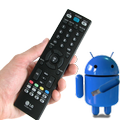
This remote control application allows to control your PC via 3G or Wi-Fi network.
Windows XP(with .net framework), 7, 8, 8.1 compatible
There is a lot of such software, but conception of this one is to be quite and fast to deploy. It's very usable, when using PC as a media player.
INSTALLATION:
To start using application install PC application here: http://ant1plash.tk
It's pretty quiet and doesn't load your system.
FUNCTIONALITY:
- Media control (Play, pause, next/previous track)
- Turn off PC
- Turn on PC (via Wake-On-Lan)
- Turn off screen
- Easy settings via QR codes
- Wireless Mouse
- Windows Start Menu
- Explorer
- Zoom (Magnifier)
- Quiet autoupdate
- Profiles (allows to control multiple PCs)
SETTINGS DESCRIPTION
PCs: list of configured computers.
Scan QR code: - quick auto configuration. Use that if you are using a router.
IP addess: Local or public IP address of your computer. Domain name can be used also.
Port: Port, specified in windows program
Password: Password, which allows to control your PC
Use 3g network: Check, if you want to connect via 3g network.
Use Wi-Fi network:Check, if you want to conntect via Wi-Fi.
Connect on Wi-Fi SSID: Connect to pc when you unlock your device. That allows to minimize delay on using this application, because it don't need to connect. It won't consume your battery. It's recommended to use that parameter.
F.A.Q.
Question:
I've specified all the settings correctly, but it doen't work
Answer:
If you are sure, that settings are specified correctly, check your firewall or antivirus software, it can block the application.
Question:
Why this software works with delays when I'm using 3g network?
Answer:
The problem is that in some cases 3G connection has huge delays.
Question:
I can't configure it properly, it doesn't work!
Answer:
Read F.A.Q. on our website.
Question:
I've got a question or an advice.
Answer:
Post your comment, we will reply.
Question:
It doesn't switch tracks on my media player
Answer:
This software works using simulation pressing media keys. If it doesn't work with your media player - configure it to use media keys.



XAPK/APK dosyalarını Android'e yüklemek için tek tıkla!

Derecelendirme ve geri bildiriminiz için teşekkürler!
Zaten derecelendirdin.