Safe & Fast APK Downloads on APKPure
APKPure uses signature verification to ensure virus-free TLS Tunnel DNSTT Plugin APK downloads for you.


10.0
1 Reviews
12.3 MB
File Size
Everyone
Android 5.0+
Android OS
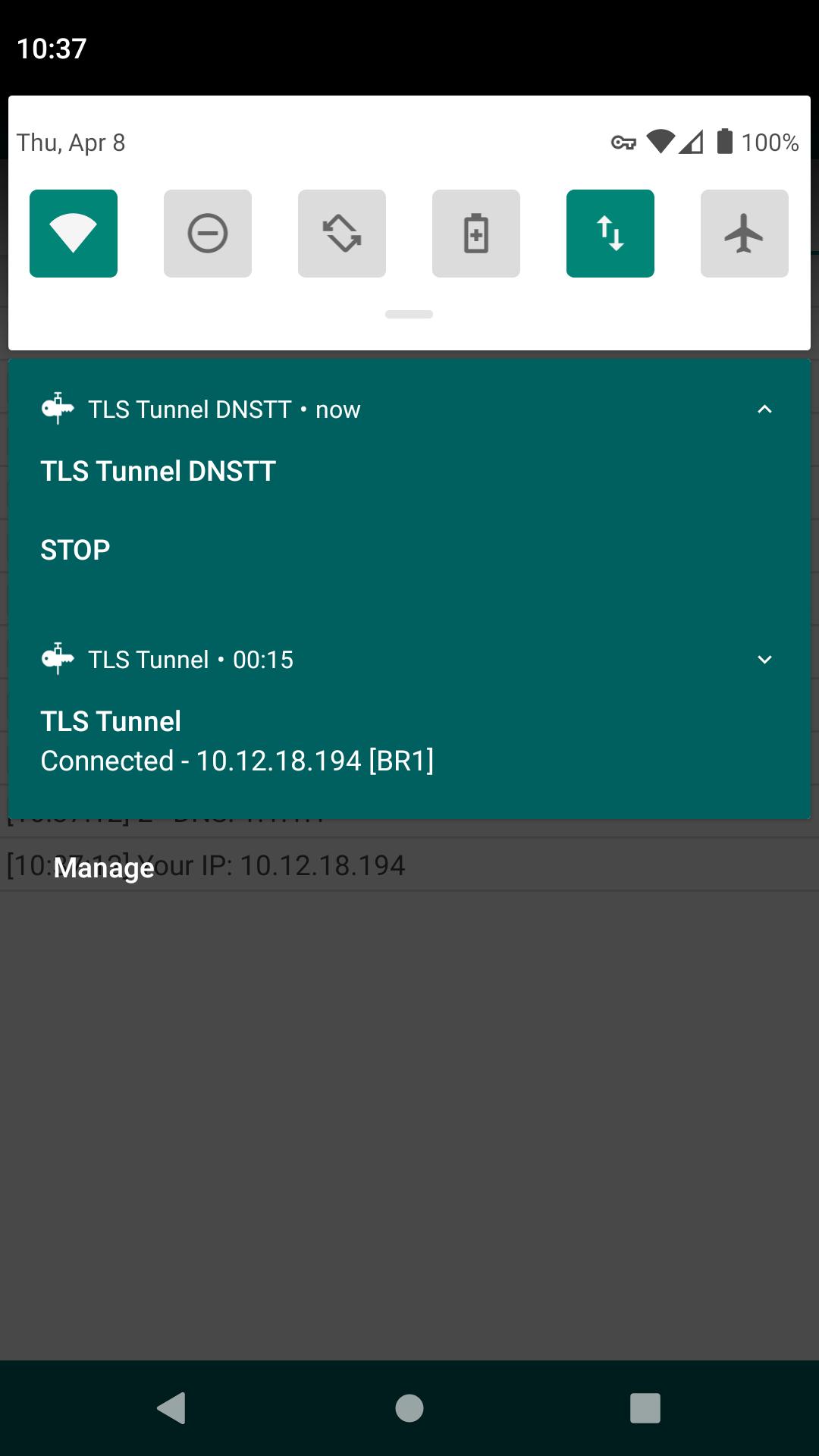
TLS Tunnel DNSTT is an official DNS Tunnel add-on for TLS Tunnel on Android.
Developed by EduardoTLS, TLS Tunnel DNSTT adds DNS tunneling to TLS Tunnel, giving users a practical alternative in restricted networks. It encapsulates traffic inside DNS queries, which can help when traditional ports or protocols are blocked. The plugin is lightweight and has no separate interface, so the DNS Tunnel option appears inside the main app after installation. Users who need an extra path can download TLS Tunnel DNSTT to extend connectivity. Below are the key benefits once the add-on is installed.
DNS tunneling transports data inside DNS queries so basic connectivity can continue even when ports are blocked. In practice, this is useful on school, office, or regional networks that filter common VPN protocols. TLS Tunnel DNSTT enables this pathway within the main app, offering a fallback when standard methods fail. Speeds are usually lower and stability can vary because DNS is not designed for high throughput. For most users, it works best for lightweight tasks such as messaging, quick checks, or loading simple pages.
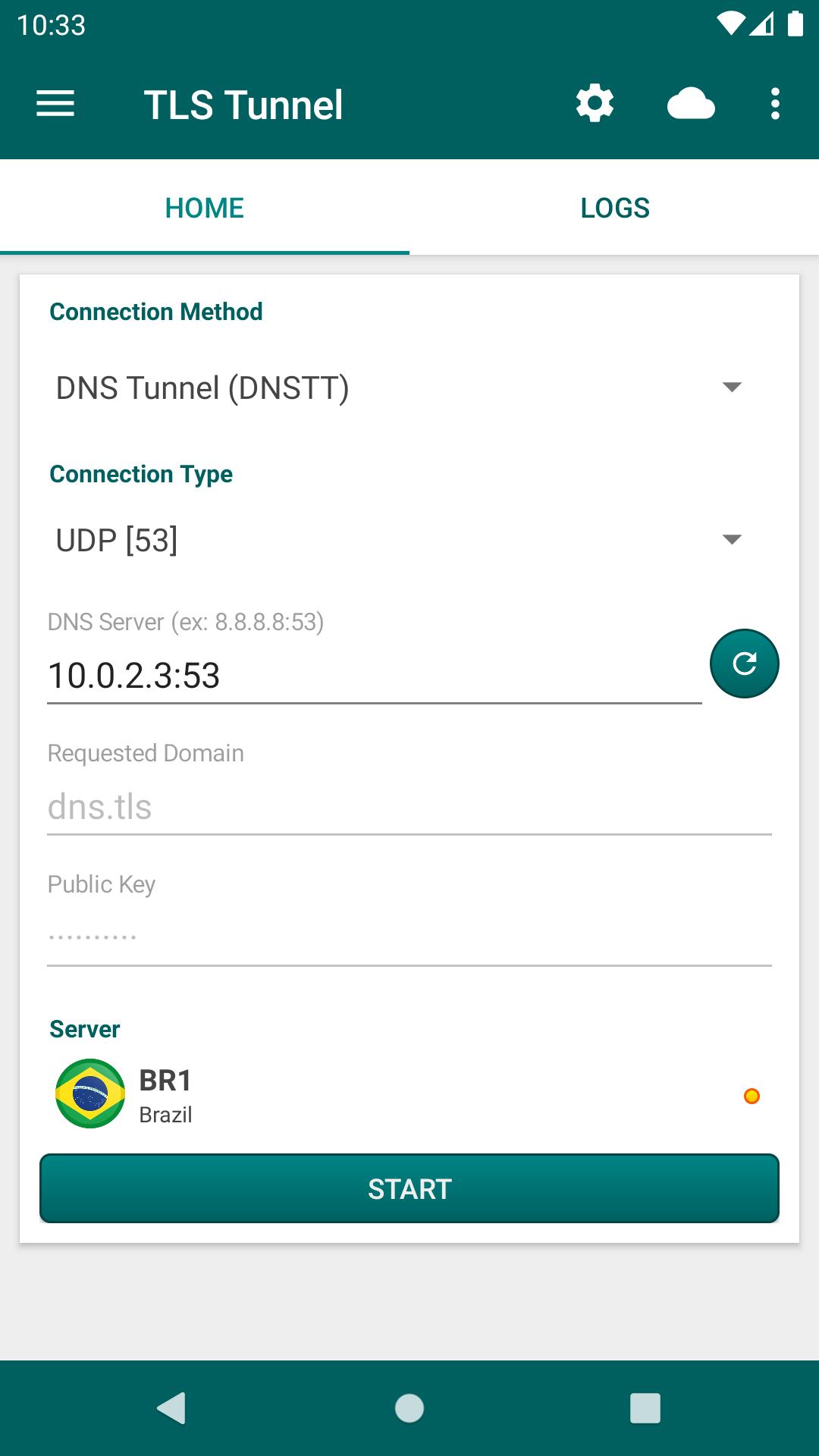
This plugin adds the DNS Tunnel option directly into the protocol selection of the main app, without a separate setup screen. After installing it, you open TLS Tunnel, choose DNS Tunnel, and enter the required DNS host or domain if prompted. The option remains part of the same workflow you already use, so switching between methods feels familiar. TLS Tunnel DNSTT depends on the main app and cannot run on its own, which keeps configuration straightforward but requires TLS Tunnel to be installed first.
The plugin is small, free, and built for Android 5.0 or later, making it accessible on most devices. It does not add heavy processes or menus, so power usage and storage impact remain modest. The add-on follows the language set in TLS Tunnel, so you see DNS Tunnel labels in your preferred language without extra steps. TLS Tunnel DNSTT has a slower update cadence, and the latest build dates back to 2022, which means features change less frequently. For reliability, pairing it with a stable TLS Tunnel version is a sensible approach.
DNS Tunnel performance depends on the DNS servers you use and the policies of the network you are on. If connections fail or drop, trying a different DNS server or domain often helps. It is also wise to double-check entries for typos and ensure the network allows outbound DNS queries. TLS Tunnel DNSTT gives you an alternative route, but it will not match the speed of regular transports, especially for streaming or large downloads. When stability matters, select well-known DNS hosts and reconnect to verify the route before relying on it for longer sessions.
You can get the TLS Tunnel DNSTT APK from APKPure and install it like any other Android app. Download times usually take under a minute, depending on your connection speed. The file size may vary depending on the APK version, so ensure sufficient storage before downloading. After installation, open TLS Tunnel and check that the DNS Tunnel option appears in the connection methods. For best results, keep the main app updated and match settings with your current network.
If the DNS route fails on first try, switch to another DNS server and reconnect. When ready, test simple tasks first, then scale up gradually. This helps confirm stability as you start using the TLS Tunnel DNSTT latest version in everyday situations.





One-click to install XAPK/APK files on Android!

Thanks for your rating and feedback!
You have already rated.






