Package Name:com.moon.theodolite
Show More

21.1 MB
File Size
Everyone
Android 7.0+
Android OS
Survey compass, sighting compass & clinometer camera: bearing, elevation, UTM
Survey compass, sighting compass, clinometer, angle finder and GPS in one: aim your phone camera at a target and read its bearing, elevation angle and GPS position on one live screen. It is built for quick outdoor checks such as sighting a ridge, a mast or a tree, logging where you stood, and working out a height from two angles.
▶ LIVE CAMERA HUD
• Azimuth ribbon across the top with the bearing in degrees and a 16-point direction (N, NNE, NE…)
• Crosshair reticle with a small bubble that shows when the phone is level
• Pitch gauge on the side with the elevation angle, percent grade and 1:n slope
• Switch between magnetic north and true north (true north appears once your location gives the local declination)
▶ YOUR POSITION IN THREE FORMATS
• Latitude and longitude in degrees, minutes and seconds
• UTM zone, easting and northing
• MGRS grid reference
While there is no GPS fix the panel shows a dash instead of a number, so a coordinate on screen always comes from a real GPS fix, never from a placeholder.
▶ A–B ANGLE AND HEIGHT
Mark point A, mark point B, and read the horizontal angle and vertical angle between the two sightings. Enter the horizontal distance to the object and the app estimates its height from the base and top angles. If you have a slope distance instead, switch to slope mode to get the horizontal distance and the rise.
▶ READING LOG
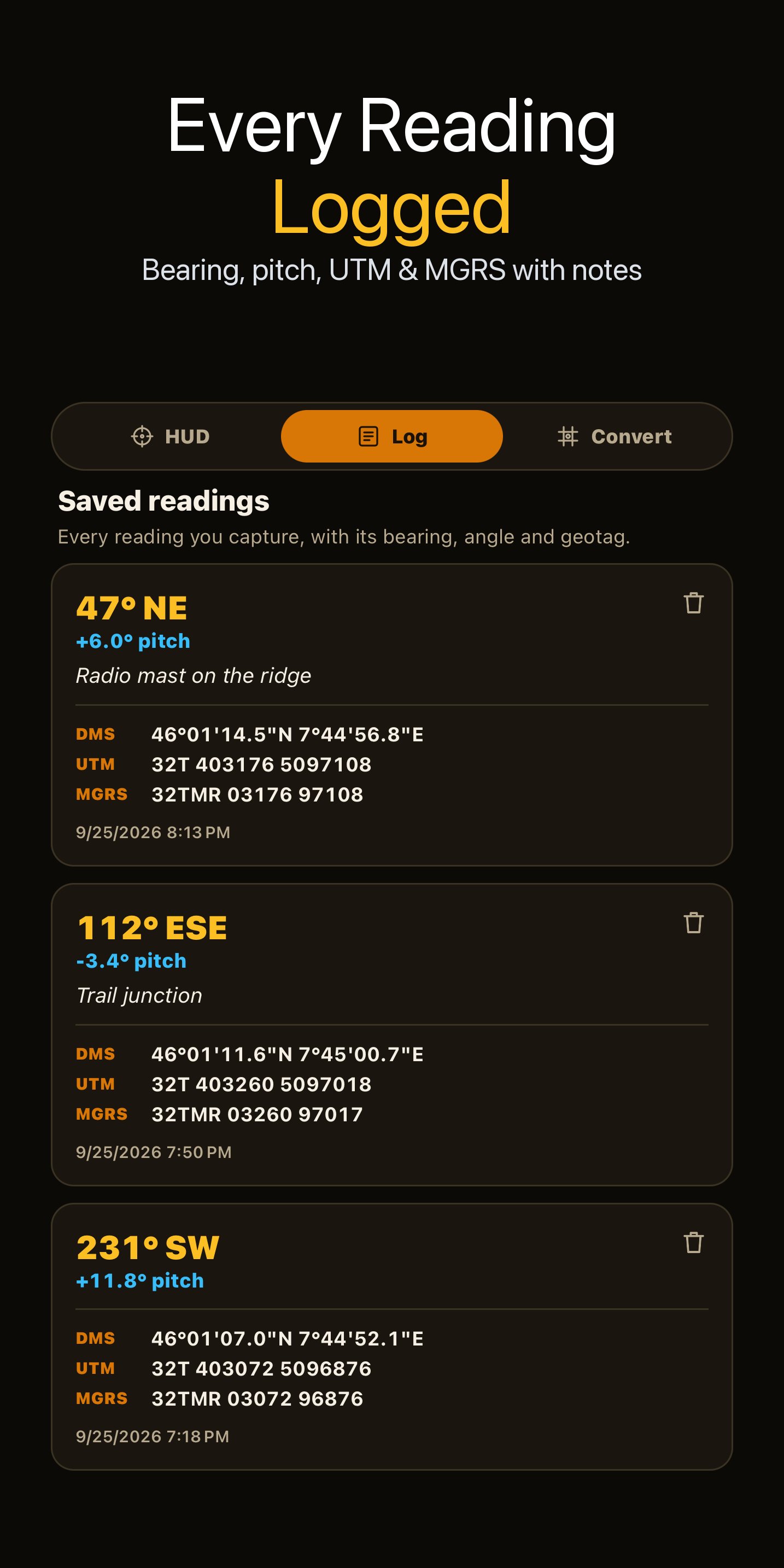
Save a reading with its bearing, pitch, coordinates and an optional note. Up to 200 readings stay on your phone. A reading saved without a GPS fix is marked as having no position rather than being given a made-up one.
▶ COORDINATE CONVERTER
Type any latitude and longitude, or pull in your current GPS fix, and read it as decimal degrees, DMS, UTM and MGRS at once. Add a second point to get the great-circle bearing and distance between them.
▶ SHARE
Send an A–B result as plain text to a message, a note or a work order.
HONEST LIMITS
Bearing and angle come from your phone's compass and motion sensors, and position comes from GPS. Nearby metal, cars and power lines disturb a compass; move away from them and hold the phone steady for a better reading. The app does not measure distance by itself: for a height estimate you enter the distance. This is a field aid for planning and estimating, not survey-grade instrumentation, so confirm critical measurements with proper equipment.




One-click to install XAPK/APK files on Android!

Thanks for your rating and feedback!
You have already rated.