Package Name:com.skinforge.skinmaker
Show More

Minecraft PE skin maker & 3D skin editor. Browse, create and import HD skins.
SkinForge is a free skin maker, 3D skin editor and skin browser for Minecraft Pocket Edition (MCPE) and Bedrock. Browse thousands of Minecraft skins, design your own HD skin pixel by pixel, and import any skin into Minecraft in one tap.
BROWSE MINECRAFT SKINS
• Skin of the day, popular creators, builders, classics and fresh community uploads
• Find cool, cute, funny and anime skins for boys and girls
• Search by skin name, keyword or player username and see every match at once
• Preview each skin in 3D: spin it, make it walk, check classic or slim arms
• Save favorites to your library and use them offline
• Hide the skins you do not want to see
3D SKIN EDITOR & SKIN CREATOR
• Start from a blank skin, a template or any skin you find
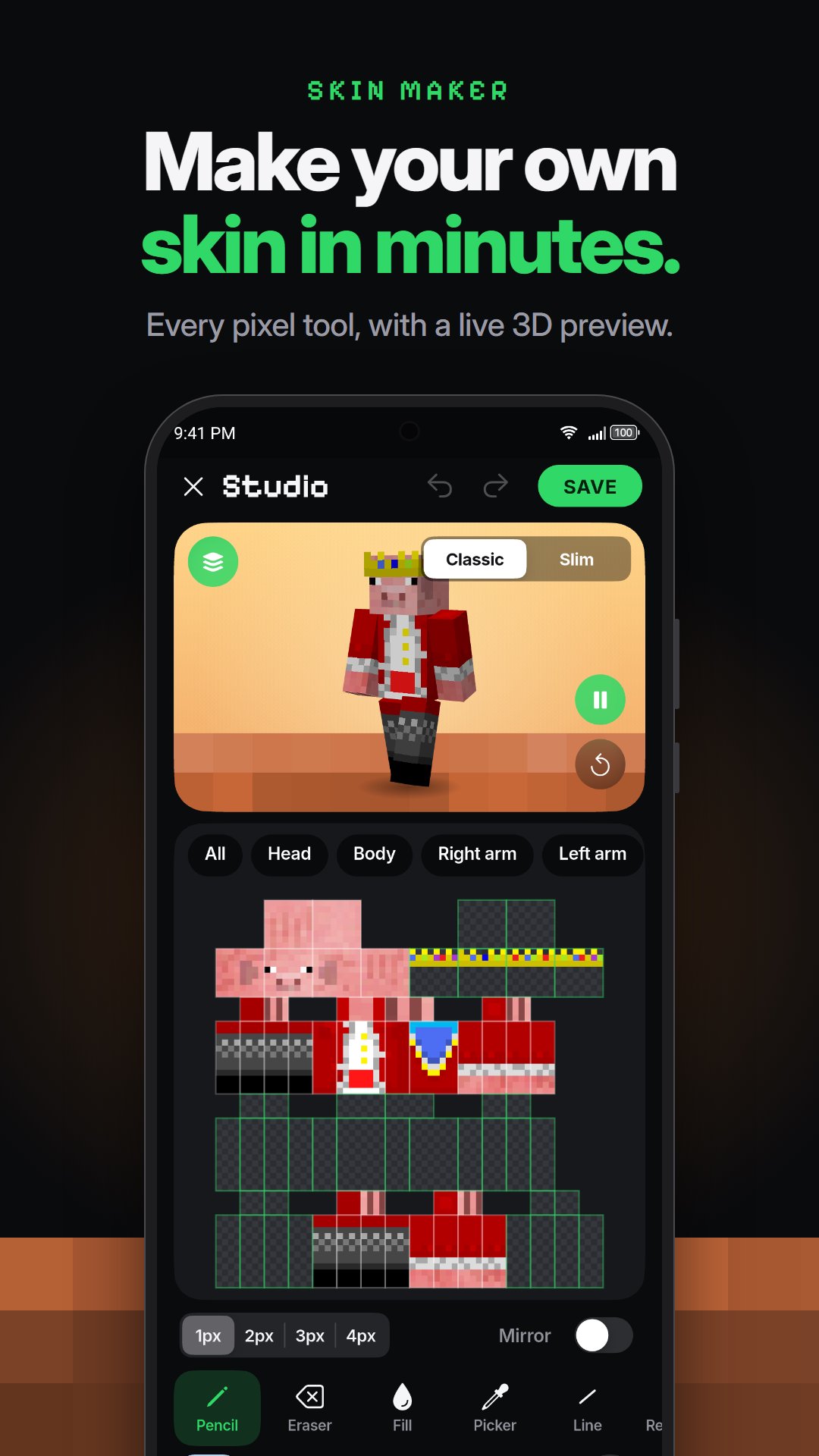
• Pencil, eraser, fill, eyedropper, line, rectangle, ellipse, shade and color replace tools
• Mirror painting, undo and redo, color picker with hex codes
• Paint the whole skin map or one body part at a time
• Live 3D preview while you draw, with an outer layer toggle
• Save, rename, download or share the skin you made
IMPORT SKINS TO MINECRAFT (MCPE & BEDROCK)
• One tap sends a skin to Minecraft as a skin pack, no extra tools needed
• Select several skins and import them together as a collection
• Import your own PNG skin files (64x64, old 64x32 and HD), or add a skin by link or username
• Download skins or share them with friends
HOW TO USE A SKIN
1. Open a skin and tap Import to Minecraft.
2. In Minecraft open Dressing Room, then Classic Skins.
3. Pick the skin under Owned and tap Equip.
FREE TO USE
SkinForge is free with ads. A one-time Remove ads purchase hides every ad.
SkinForge is an unofficial app. It is not affiliated with, endorsed or sponsored by Mojang AB or Microsoft. Minecraft is a trademark of Mojang AB.





One-click to install XAPK/APK files on Android!

Thanks for your rating and feedback!
You have already rated.