Safe & Fast APK Downloads on APKPure
APKPure uses signature verification to ensure virus-free SanDisk Memory Zone APK downloads for you.

9.5
19 Reviews
46.4 MB
File Size
Everyone
Android 7.0+
Android OS
Manage your phone memory and back up your files to a SanDisk® Drive or microSD.
SanDisk® Memory Zone™ is a file management app for SanDisk Dual Drives, SanDisk Solid State Drives, microSD™ cards*, and certain cloud providers**. The app lets you organize your files, clean up your memory, and back up your files. The app comes with a user-friendly interface and is a simple and convenient tool to help manage your files and content.
FREE UP SPACE
Easily offload or back up content to your compatible SanDisk Dual Drive, SanDisk Solid State Drive, or microSD card*.
ADD EXTERNAL STORAGE SOURCE(S)
Add and manage external storage locations such as a compatible SanDisk Dual Drive, SanDisk Solid State Drive, or microSD card*. The app also supports popular cloud services**.
VIEW AND ACCESS FILES
Easily view and access the content stored on your SanDisk Dual Drive, SanDisk Solid State Drive, or microSD card* from the home page of the SanDisk Memory Zone app.
STORAGE MANAGER
Quickly organize and manage your content with the delete, rename, share, copy, or move operations.
EASILY FIND PHOTOS
Save time looking for files with the intuitive user interface. Search for photos by keyword or utilizing geotagging or timeline searches.
CLEAN APP CLUTTER
Clean your unwanted content in one-click with the “Delete Junk Files” tool. SanDisk Memory Zone can also clean up certain chat apps** to free up more storage instantly. Additionally, erase and uninstall your unused apps with the “Manage Apps” tool.
EASILY MOVE CONTENT
SanDisk Memory Zone allows you to easily move content between your different external and internal storage locations*.
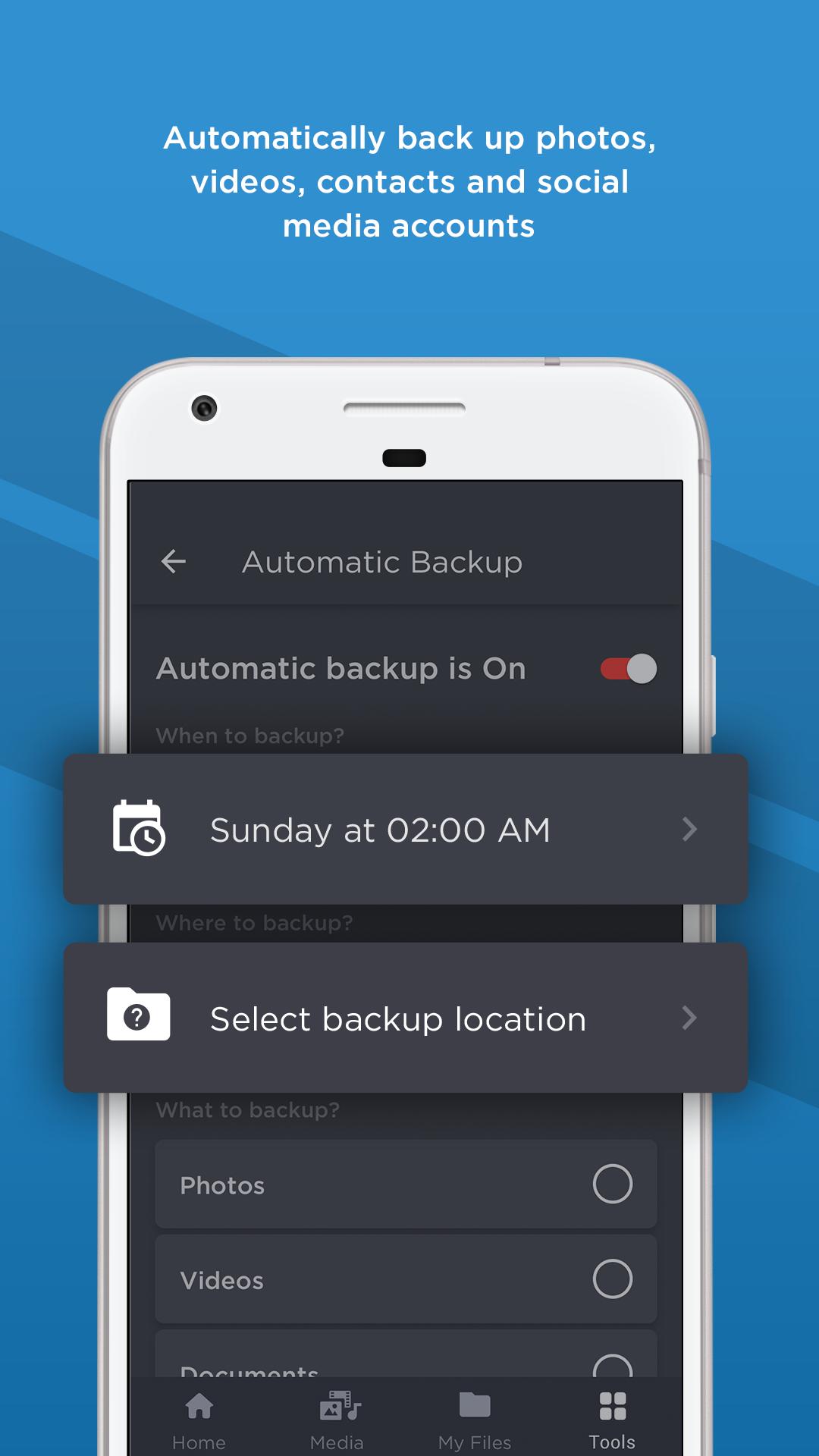
AUTOMATICALLY BACK UP
Use SanDisk Memory Zone app to automatically back up your photos, videos, and/or contacts.
*SanDisk Dual Drive, Solid State Drives, and microSD cards not included with SanDisk Memory Zone. See SanDisk Memory Zone Product Compatibility for a list of compatible SanDisk drives and microSD cards.
**Cloud services provider compatibility subject to change.
For more information on SanDisk’s Vulnerability Disclosure Policy please visit
https://www.westerndigital.com/support/product-security/vulnerability-disclosure-policy
SanDisk, the SanDisk logo, Memory Zone, and the Squirrel logo are registered trademarks or trademarks of SanDisk Corporation or its affiliates in the US and/or other countries. The microSD mark is a trademark of SD-3C, LLC. All other marks are the property of their respective users.
Product specifications subject to change without notice. Pictures shown may vary from actual products.
©2024 SanDisk Corporation or its affiliates. All rights reserved.
SanDisk Technologies, Inc. is the seller of record and licensee in the Americas of SanDisk® products.




One-click to install XAPK/APK files on Android!

Thanks for your rating and feedback!
You have already rated.