Безопасная и Быстрая Загрузка APK на APKPure
APKPure позволяет легко и безопасно загружать Military Compass Pro APK с проверкой подписи.

Армия Уровень выживания Компас, GPS, Map Marker, планировщик маршрута и МЕСТО Sharer
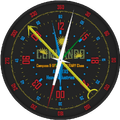
This software is the same class of Tactical navigation software. It can send to or receive location files from that software family. Military Compass Pro has many properties and will be developed in its own way. People or outdoor gamers can use it for location based tasks. Any other people who wants to mark their fishing points, water resources, any other important points can also use it. Military Compass Pro is designed for easy navigation. You can use it without internet connection but with internet more features are available. There are two location marker mode. First is like “I was here mode” and you can use it completely offline. Second mode need internet connection for location and routing planning but it is not need internet connection after planning phase, again you can navigate offline. Due to fact that locations can be exported and shared easily, you can use it outdoor group events, location based games or any outdoor organization.
Property schema cab be seen here ( http://mekanik.net/tactical-navigation-system-pro/)
Features.
- Analog Clock 24, Navigation Type Clock
- GPS
- Compass
- Map
- Military Navigation
- Offline Navigation
- Location Based Sun Phases (Rise, Noon, Set)
- Magnetic Navigation Needle (Shows Target)
- Distance Value to target in meters and feet
- Accuracy
- Current Location and Target Latitudes and Longitudes
- Local Time and UTC Time
- Day/Month/Day of Year/Week of Year
- Backup and Load Locations
- Export, Import and Share Your Locations
- SMS Your Current Location to any person (via Latitude and Longitude pair or URL)
- I was here mode Location Marker (No need to internet connection)
- Pre-Location Marker for Route Planning
- Manual Location insert available by Latitude and Longitude
- Location Picking
- Unlimited number of locations
USAGE
*I was here mode. (Enter by “Mark Here/Next” Button)
**Mark Your Current Location: (I was here mode)
Select “Mark Here/Next”>>>Select Name Area>>>Write Your Location Name>>>Press “OK” for Submit Your Location Name (This is important!) >>> Click “Mark Here”………….. That’s All…
**Load Your Marked Location
Select “Mark Here/Next”>>>Click “Load Target” Button. If you have marked your location before, You will see “Target Loaded Go to Main Screen” Alert. If you have no data, you will see “Empty Location Data, Mark First” Alert. Always verify your marking process by the way of Tip2.
*Location Planner mode. (Enter by “Pre-Marker/Next” Button)
Select “Pre-Marker/Next” Select Name Area>>>Write Your Location Name>>>Press “OK” for Submit Your Location Name (This is important!) >>> Select your Location on Map by tapping>>>Save Picked Location by Pressing “Save Picked” Button.
** Find and Save Any Location by Using Latitude and Longitude Data
Select “Pre-Marker/Next” Select Name Area>>> Write Your Location by Using Latitude and Longitude Data into “Insert Latitude” and “Insert Longitude” boxes respectively. Data insert format is ex. 34.4567. >>> Click “Find Location Button” >>> Save Picked Location by Pressing “Save Picked” Button.
** SMS Your Location.
>>> Use Blue “SMS” button. You can send your location many ways but here it is very easy way. You can edit your SMS message and receiver. Two different SMS options available.
** Backup and Load
This options can be used for protecting your personal data against database corruption. You can use this buttons periodically. Remember “Load” button write your own backed up data on your existing one.
** Export and Import
You can use this buttons similar reasons of usage of Load and Backup Buttons. But it is more than this. You can share all your data with your friends, and you can import your friend’s data. This is very useful for military games, military games, orienteering, sailing, fishing, trekking and similar.



Один клик для установки XAPK/APK файлов на Android!

Спасибо за оценки и отзывы!
Вы уже оценили.