Package Name:com.ringside.launcher
Show More

Less searching, more doing. Your apps in a ring, right at your fingertip
Ringside replaces your home screen with something built for one thumb.
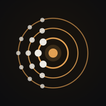
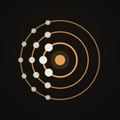
Your apps sit on concentric half-circles anchored to the edge of the screen. Drag a circle and it spins; let go and it settles on the nearest app. The apps you use most stay within reach of the thumb already holding the phone - no grid, no pages to swipe through.
BUILT FOR FOLDABLES
Ringside knows which screen you are looking at. The cover screen and the inner panel each keep their own geometry, theme and arrangement, and your apps stay exactly where you put them when the phone opens or closes. Turn it sideways and the layout follows.
ANIMATIONS
Fold or unfold the phone and the screen you are leaving dims while the one you are opening onto is revealed, in step with the hinge. Apply a theme and the new look sweeps out from the centre button in the shape of your circles. Lock the screen with a gesture and the circles close in around it as the display goes dark. The theme and lock animations are free; the fold animation is part of Ringside Pro.
FIFTEEN THEMES
Each theme is a whole home screen - wallpaper, circle material, centre button, clock face, panels and sound, designed to fit together. Rings of glass, wool, neon, carved stone, carbon, torn paper or flowering vine. Six themes are free; the other nine come with Ringside Pro.
MAKE IT YOURS
• Three circles free, up to six with Ringside Pro - each with its own radius, spacing and icon size
• A clock, weather, calendar, search bar, dock and a canvas you can draw on - move, resize and restyle each one
• Home-screen widgets, placed and sized for each posture
• Support for icon packs in Nova and ADW format, themed icons, or each app's own artwork
• Your own wallpaper, framed with the real launcher drawn over it so nothing important ends up behind an icon
• Gestures you choose: open the apps menu, the drawer, or turn the screen off
• Available in ten languages
THE APPS MENU
Every installed app on a curved grid you can pinch to resize. Slide your thumb along the edge and the alphabet fans out beside it, so any letter is one gesture away, however many apps you have.
RINGSIDE PRO
One optional in-app purchase. No subscription, no account. Pro adds nine more themes with the materials, lamps, panels and clock faces they are made of, three more circles, the fold animation on foldable phones, and a shared canvas that two phones can draw on together.
Everything else is free: every geometry setting, widgets, icon packs, gestures, the wallpaper editor, the canvas, the theme and lock animations, and six complete themes.
PRIVACY
No accounts, no ads, no analytics SDK and no advertising ID. Only two optional features send anything off your phone, and both are off until you turn them on:
• Weather sends your approximate location to Open-Meteo to get a forecast
• The shared canvas relays your drawing to the other phone you are drawing with
Everything else - your layout, your settings and the events on your calendar card - is used on your phone and stays there.
ACCESSIBILITY SERVICE
Ringside uses Android's AccessibilityService API for one feature only: turning the screen off when you use a gesture you set to "Turn screen off", such as a double tap on the home screen. Android gives apps no other way to do this. It is optional and off until you agree to it in the app and switch on "Ringside screen lock" in Android's Accessibility settings. The service collects, reads, stores and shares no data: it cannot see what is on your screen, what you type or what you tap.



One-click to install XAPK/APK files on Android!

Thanks for your rating and feedback!
You have already rated.