Package Name:com.watch_go.remotecamwatch
Show More

17.2 MB
File Size
Everyone
Android 8.0+
Android OS
Control your phone camera from Wear OS. Low-latency preview & privacy mode.
Take the perfect shot, right from your wrist!
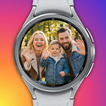
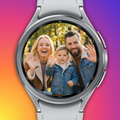
Remote Camera Watch turns your Wear OS smartwatch into a powerful remote controller and live viewfinder for your phone's camera. With our exclusive Low Latency Technology, you get the smoothest real-time preview on your wrist with minimal delay.
⌚ Wear OS Camera Tile
Add the Remote Camera Watch tile to your watch for one-tap access to camera controls on both your watch and paired phone.
✨ New in this version:
- Controls-Only Mode: Turn off the watch preview to show capture buttons instantly — saving battery and cutting lag when you don't need the live view.
- Recording-Safe Controls: During video recording, non-zoom buttons hide so you'll never accidentally cut a take.
- Steadier Connection: Fixed the connection-dialog flicker when your watch is linked but the app isn't running.
🔒 Privacy & Cover Screen Mode
Shoot discreetly! Set a custom image on your phone screen (or keep it black) while the camera is active. See the live preview only on your watch and capture natural, unposed moments.
⚡ Instant Auto-Connect
No complex setup. Just launch the app and it connects to your phone automatically. Simple and fast.
📸 Powerful Remote Control:
- Real-Time Live Preview: See exactly what your phone sees on your watch, optimized for speed and low latency.
- Remote Shutter: Switch between Photo and Video modes and capture with a single tap.
- Camera Settings: Choose the settings that fit your shot.
• Timer: Instant, 3s, 5s, 10s.
• Aspect Ratio: 4:3, 16:9, 1:1.
• Camera Switch: Front (Selfie) ↔ Rear (High Quality).
- Smart Tools:
• Mirror Mode: Flip the preview for natural selfies.
• Leveler: Keep your horizon straight every time.
• Interval & Burst: Capture 1, 3, or 5 shots automatically.
• Review Duration: Auto-review your shot on the watch.
• Haptic Feedback: Feel every tap for confident control.
🚀 Recommended For:
- Solo Travelers: Set up your phone and take stunning full-body shots.
- Group Photos: Get everyone in the frame without rushing.
- Vlogging: Monitor your rear-camera recording in real time.
- Candid Photography: Use Cover Screen mode for natural, unposed shots.
Download Remote Camera Watch now and upgrade your photography!



One-click to install XAPK/APK files on Android!

Thanks for your rating and feedback!
You have already rated.