Package Name:com.coco.shade
Show More

Protect your screen from prying eyes. 6 privacy filters with one-tap toggle.
Your screen, your eyes only.
Shade instantly covers your screen with a privacy filter so no one around you can peek at what you're doing — on the subway, in a café, or at the office.
━━━━━━━━━━━━━━━━━━━━━━
🛡️ 6 PRIVACY MODES
• Dark Filter — Dim your screen beyond the system limit. Perfect for OLED screens where black pixels turn completely off.
• Stripe Pattern — Vertical, horizontal, or diagonal lines that block side-angle viewing. Customize color, spacing, thickness, and angle.
• Noise — Random noise overlay that makes your screen unreadable from a distance.
• Gradient — Gradual darkening from one edge. Read comfortably while blocking the person next to you.
• Pixelate — Pixelation effect that obscures content for anyone not directly in front of the screen.
• Blur — Soft blur overlay for gentle privacy protection.
━━━━━━━━━━━━━━━━━━━━━━
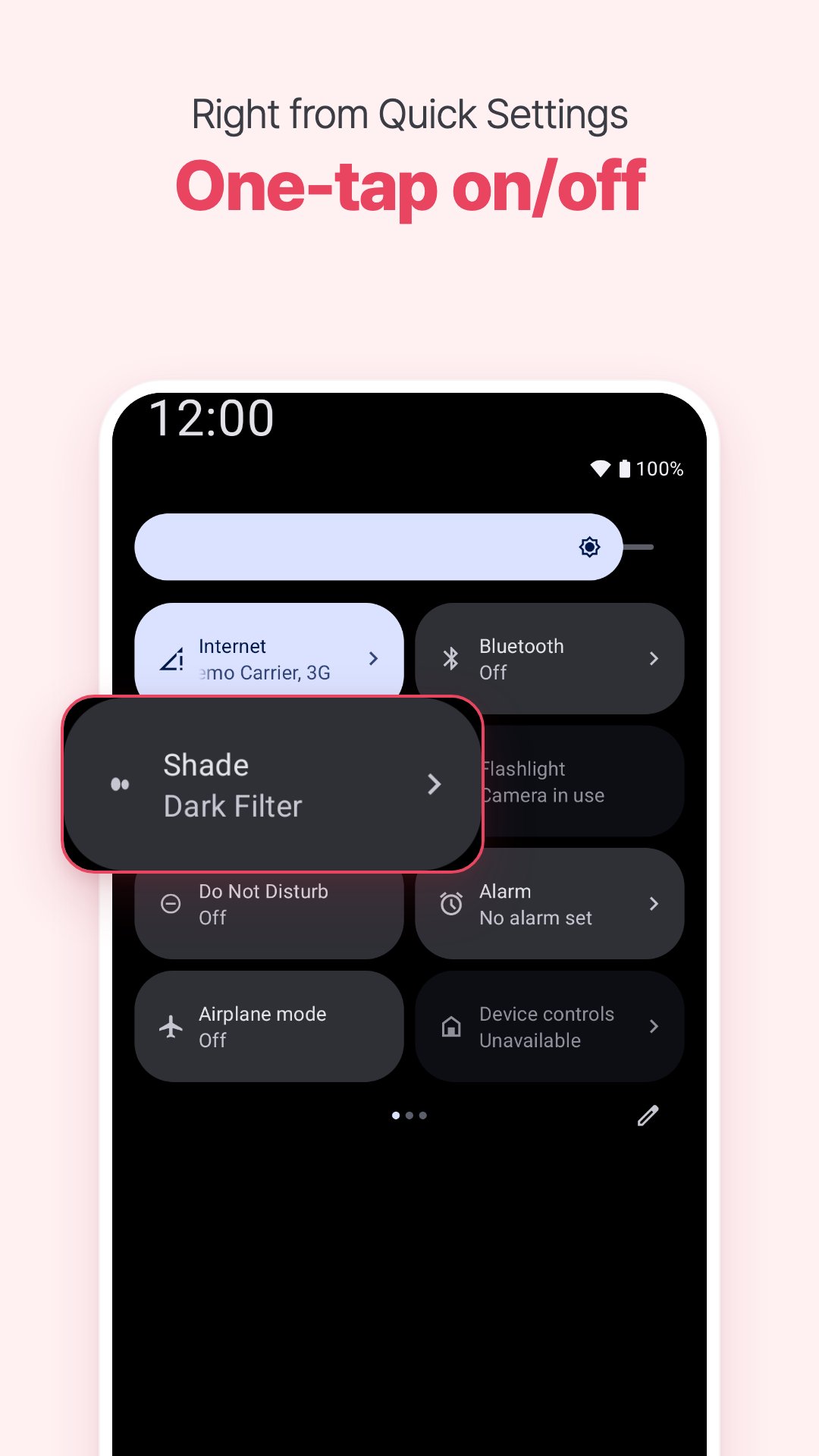
⚡ INSTANT TOGGLE
Turn privacy on or off in a single tap:
• Quick Settings tile — pull down notification bar, tap the Shade tile
• Notification control — always accessible while Shade is running
• No complicated setup. Just toggle and go.
━━━━━━━━━━━━━━━━━━━━━━
📱 AUTO-ACTIVATE BY APP (Pro)
Choose which apps trigger Shade automatically — it turns on when you open them and off when you leave.
• Select any app for auto-activation
• Choose different filter modes per app
• Never forget to protect your screen again
━━━━━━━━━━━━━━━━━━━━━━
✨ FREE vs PRO
FREE:
✓ Dark Filter with adjustable opacity
✓ Basic Stripe Pattern
✓ Quick Settings tile
✓ Notification toggle
PRO (one-time purchase):
✓ All 6 privacy modes
✓ Auto-activate for specific apps
✓ Per-app filter mode selection
✓ Full pattern customization
✓ No ads
━━━━━━━━━━━━━━━━━━━━━━
🔒 PRIVACY FIRST
Shade uses the Accessibility Service API solely to detect which app is currently in the foreground. This is necessary for the auto-activate feature — Shade automatically turns the privacy filter on or off when you switch between apps you've configured.
• The Accessibility Service is ONLY used for foreground app detection
• No keystrokes, text, or screen content is read or recorded
• No personal data is collected, stored, or transmitted
• The service can be disabled at any time in device settings
• Shade works without the Accessibility Service — you just won't have auto-activate
Your privacy is the whole point of this app.
━━━━━━━━━━━━━━━━━━━━━━
📱 PERFECT FOR
• Commuters — protect your screen on crowded subways and buses
• Remote workers — keep your screen private in cafés and co-working spaces
• Sensitive apps — auto-shield for apps you choose
• Messaging — read private conversations without worry
━━━━━━━━━━━━━━━━━━━━━━
💡 SOFTWARE-BASED PRIVACY — WORKS ON ANY ANDROID
Unlike hardware-based privacy displays found on select premium phones, Shade is a pure software solution that works on any Android device. No special screen needed — just install and protect your screen instantly.
━━━━━━━━━━━━━━━━━━━━━━
Shade is lightweight, battery-friendly, and designed with Material Design 3 for a clean, modern experience.
Stop shoulder surfers. Get Shade.




One-click to install XAPK/APK files on Android!

Thanks for your rating and feedback!
You have already rated.