Package Name:desatingenieria.pollhmi
Show More

Build HMI screens on your phone and operate PLCs via Modbus, Siemens S7, OPC UA.
Poll HMI turns your Android phone or tablet into an operator panel (HMI): design your own screens right on the phone, with no PC or programming software, and run them in real time connected to your PLCs and industrial devices.
HOW TO ENTER EDIT MODE
The app opens in run mode, with no edit buttons on screen. To edit your screens, press and hold the top-left corner for 3 seconds. If the project has users, the administrator PIN is required. Tap ▶ to return to run mode.
SCREEN EDITOR
• Labels, values, buttons, numeric inputs, LEDs, rectangles, needle or arc gauges, bars, tanks, images and industrial symbols (motor, pump, valve, fan, tank, conveyor, arrow, sensor), with spinning animation.
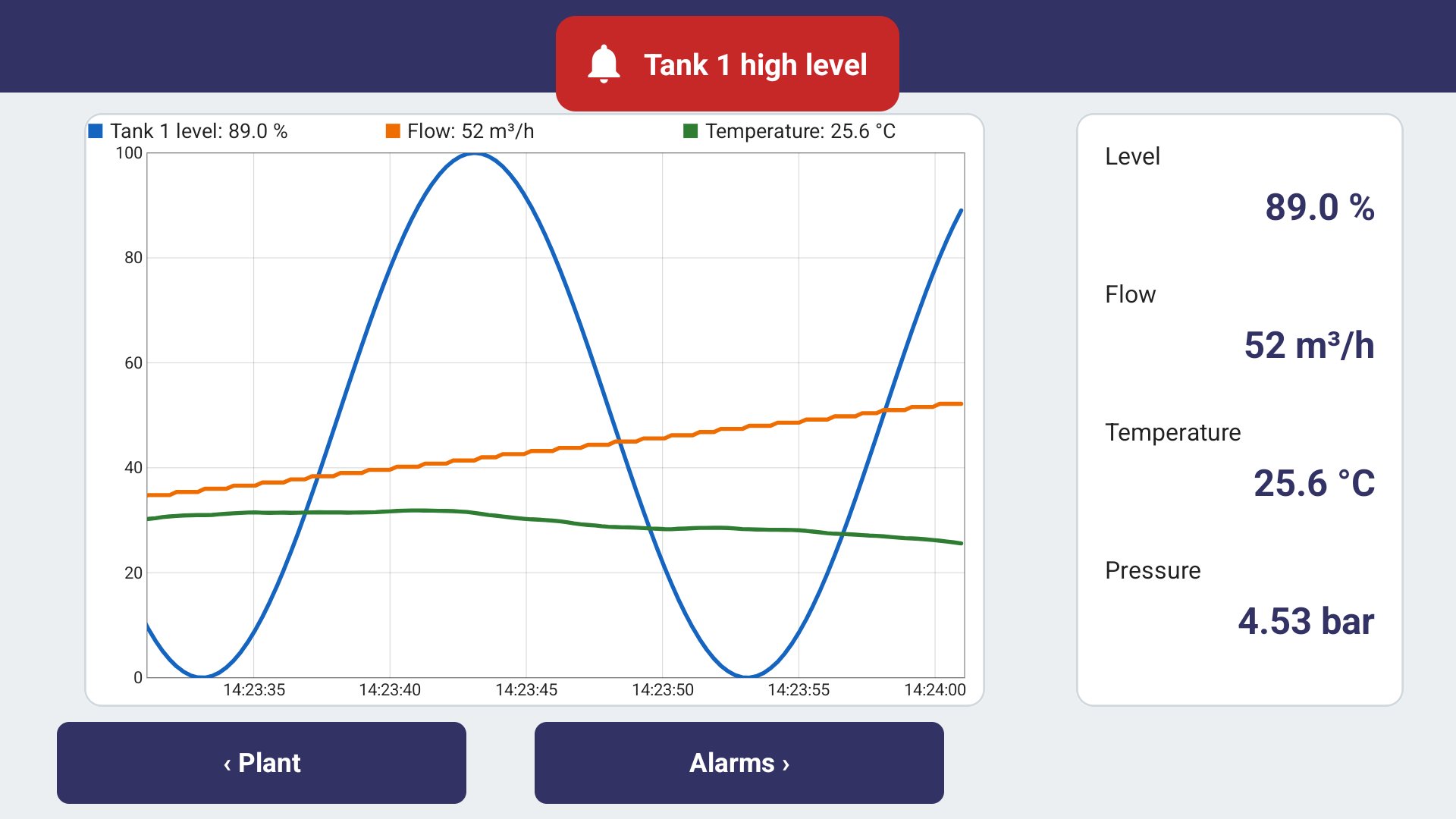
• Real-time trend charts with up to 4 pens.
• Momentary, toggle, write-value and go-to-screen buttons, with optional confirmation.
• Each project sets its orientation (landscape or portrait) and can adapt the widgets to screens with a different aspect ratio.
• Tags with scaling (gain and offset), units and decimals.
COMMUNICATION
• Modbus TCP over WiFi or mobile data.
• Modbus RTU through USB-serial adapters (OTG): FTDI, CP210x, CH340/CH341, PL2303 and CDC ACM.
• Siemens S7: S7-1200, S7-1500, S7-300, S7-400, S7-200 SMART and LOGO! (0BA7 and later).
• OPC UA (client) with node browser and None, Basic256Sha256, Aes128 and Aes256 security policies (Sign or SignAndEncrypt), anonymous or username and password access.
• Simulated device to test your screens without a PLC.
• Several devices per project, each with its own polling time.
RUN MODE
• The app opens straight into the screens of the last project, full screen; edit mode stays out of operators' sight.
• Keep-screen-on option.
PRO VERSION (one-time in-app purchase)
• Unlimited screens, trend charts and devices.
• Alarms with delay, hysteresis, acknowledgment, history, sound and vibration.
• Data logging with viewer and CSV export.
• Users with PIN and three access levels (operator, supervisor, administrator).
• Project export and import, with optional password.
• Background communication with notification, start on phone boot and kiosk mode (pin the app, brightness, hide the status bar).
• No ads.
Siemens S7 and OPC UA are unlocked with separate purchases (Pro required) or with the complete bundle. Without them, each protocol can be tried for 5 minutes per session; without Pro, the trial can be extended by 30 minutes by watching a video.
Without purchases the app includes Modbus TCP, Modbus RTU and the simulated device, up to 2 screens, 2 devices and 1 trend chart per project, and shows ads.
Modbus is a registered trademark of Schneider Electric, licensed to the Modbus Organization. SIMATIC, S7 and LOGO! are trademarks of Siemens AG. OPC UA is a trademark of the OPC Foundation. This app is not affiliated with, sponsored or certified by any of them.




One-click to install XAPK/APK files on Android!

Thanks for your rating and feedback!
You have already rated.