Package Name:com.plugstay.app
Show More

Turn your charging phone into a desk clock, timer and info dashboard.
Don't just leave your phone on the charger. Turn it into a desk display.
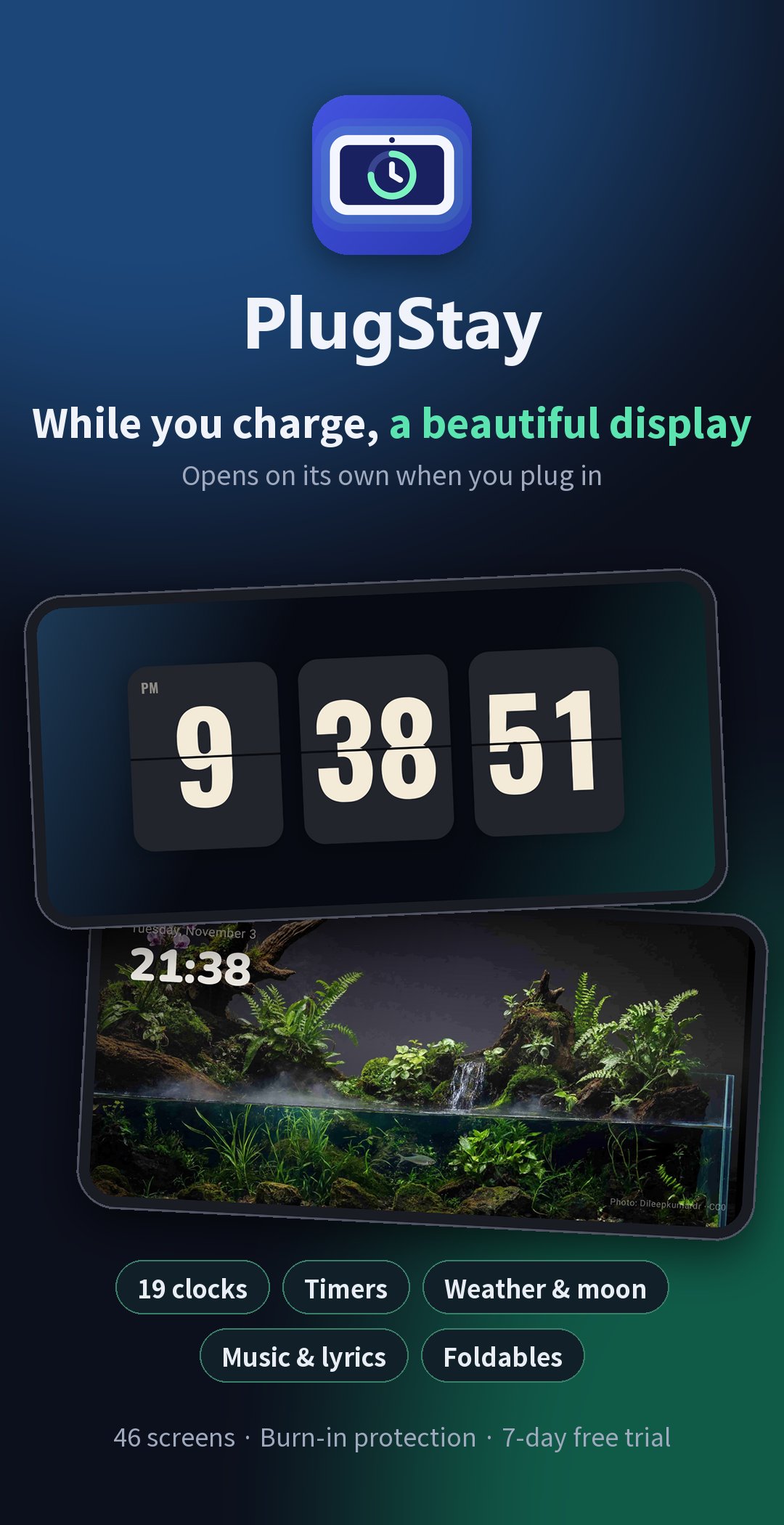
PlugStay turns your charging phone into a big clock, timer, weather display, music player and info dashboard.
■ Swipe sideways for themes, up and down for styles
• Clocks (19): Flip digital, Standby flip, Nixie, LED, Big clock, Analog minimal, World clock, Code clock, ASCII shape clock, Day progress, Sun arc and more
• Timers: Gauge, Bar, Pomodoro, Metronome, Dashboard timer, Chronograph, Lap log
• Info: Card dashboard, Connectivity & power, Schedule & alerts, Cockpit, Dot life, Today's routine, Big battery, Markets
• Weather: Current weather and air quality, Moon phase
• Player: The music now playing, with lyrics, karaoke lyrics and playback controls
• Photo: Photos you pick, or random scenery
• Relax: Fireplace, aquarium and sea videos, a tank garden, art & quotes, LED mood shapes, a ticker board
• Dual and board games: Two screens side by side, Game clock, Turn timer
■ Opens on its own when you charge
• Opens as soon as you plug in, or when you stand the phone sideways while charging.
• With "Only on the lock or home screen", it never pops up over the app you're using.
• Closes by itself when you unplug, at a set time or after a set period.
■ Easy on the eyes at night
• Night mode turns the screen a soft red or orange when it gets dark or at a set time, to cut glare.
• Choose clock colors from 18 pastel and neon shades.
• The whole screen shifts slightly over time to prevent burn-in.
■ Made for foldables
• Use one big screen, or split it into two panes that show different screens.
■ Free to use, Pro if you love it
• Try every screen free for the first 7 days.
• After the trial, 19 screens stay free.
• Pro is a one-time purchase that unlocks all 46 screens, automatic night mode, scheduled auto-close and the two-pane foldable view. It's not a subscription.
■ Privacy
• No sign-up, no ads and no analytics.
• Only your approximate location goes to the weather service, and only the song info goes to the lyrics service.
• Calendar, Bluetooth and notification info never leaves your phone.
• The Pro trial record, and problem reports (only when you send one), are stored anonymously in Firebase.



One-click to install XAPK/APK files on Android!

Thanks for your rating and feedback!
You have already rated.