
Bezpieczne i Szybkie Pobieranie APK na APKPure
APKPure używa weryfikacji podpisu, aby zapewnić bezpieczne pobieranie plików APK Edge Swipe bez wirusów dla Ciebie

Uruchom aplikacje szybciej od każdej aplikacji, przesuwając się od lewej krawędzi ekranu.
You are having more and more interested apps installed in your phone, but it takes longer and longer to find one and launch it.
You like playing Angry Birds, you install all Angry Birds series, but you cannot group all these games by the same producer in one place and see them all at once.
Your home screens are getting more crowded.
You hate constantly pressing the BACK and HOME keys to switch between apps.
Enough. Edge Swipe removes all these inconveniences, and gives you a faster, cleaner experience when launching apps.
✪Intuitive, fluid, smart
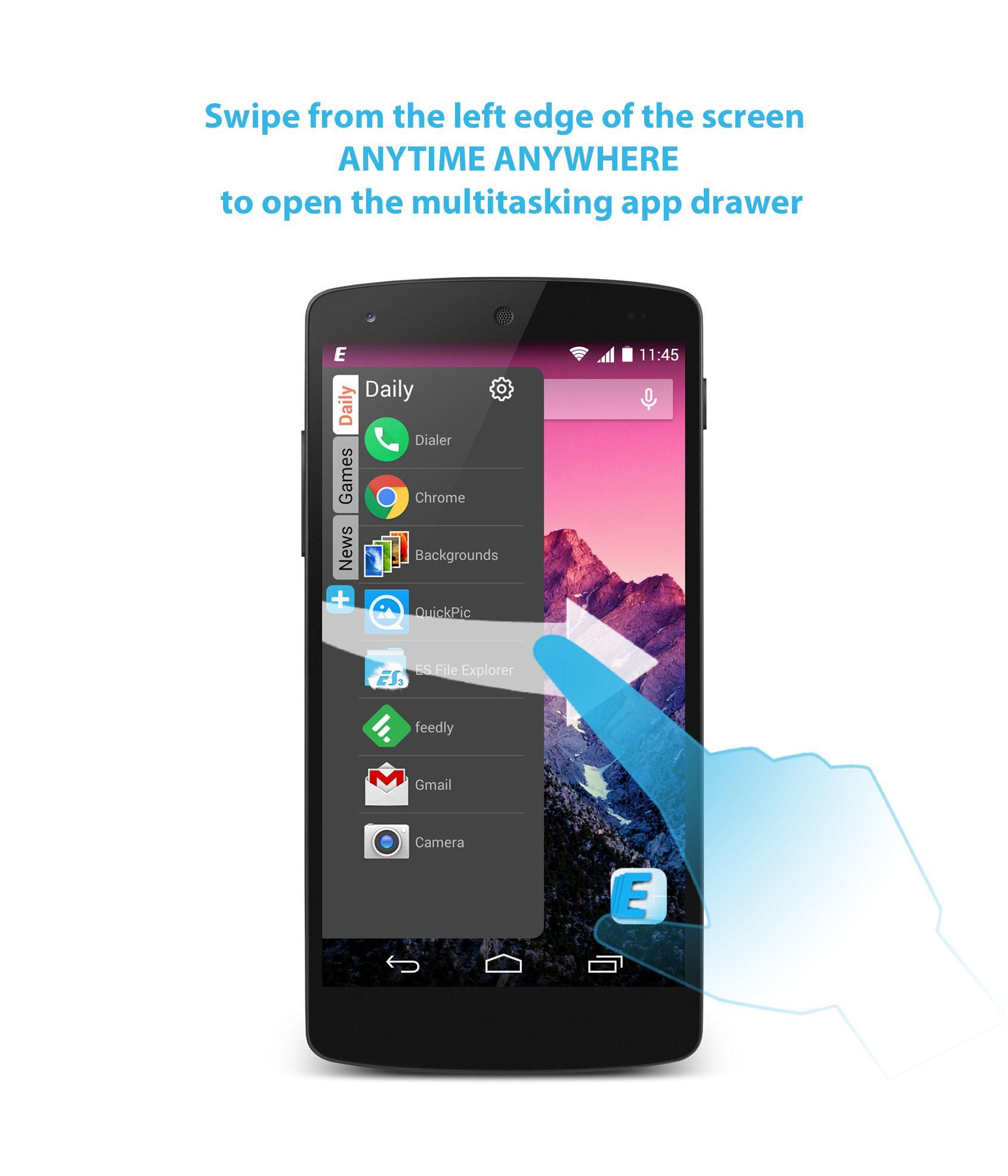
Whenever you want to switch to another app, just swipe from the left edge of your phone screen to open the multitasking app drawer, and tap the app you want to launch, then the multitasking app drawer will hide automatically. Launching your apps is that simple, fast and effective, no HOME and BACK key are pressed, no launcher is involved, no need to quit your current job.
When the multitasking app drawer is open, you can also dismiss it explicitly in one of three ways:
• Touching the content outside the multitasking app drawer
• Swiping the blank part of the multitasking app drawer to the left
• Pressing BACK key
✪Launch apps faster
All your favorite apps are always a swipe away
Organize your favorite apps into folders by relevance
Sort folder apps alphabetically or manually by importance
Arrange folders vertically in less space but with better preview
Best practice
• Folder name with 4~8 letters is preferred, e.g. news, games, sports, finance, shopping...
• Number of apps in folder less than a full list without scrolling in portrait mode is preferred.
✪More control
Add new folders
Edit folder name, order
Add apps into folders
Sort folder apps
Remove apps from folders
Delete folders
Edge Swipe acts partly like a side bar, dock bar or the Windows start menu but with unique and more features.
Download Edge Swipe now, launch apps faster, delete most home screen shortcuts, lead a cleaner and happier life.



Jedno kliknięcie, aby zainstalować pliki XAPK/APK na Androidzie!

Dziękuję za ocenę i opinie!
Już oceniłeś.





