Bezpieczne i Szybkie Pobieranie APK na APKPure
APKPure używa weryfikacji podpisu, aby zapewnić bezpieczne pobieranie plików APK BLINK for KLWP bez wirusów dla Ciebie

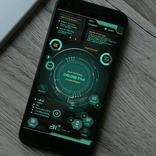
Minimalny motyw fro KLWP
How to use the wallpaper📄
✔ Install KLWP PRO from the play store
✔ Install Nova Launcher (set 2 homescreen pages in the launcher)
✔ Install BLINK for KLWP
✔ Open KLWP app and tap on the menu icon on top left, then choose BLINK for KLWP wallpaper from the installed list.
✔ At the top right corner set the number of pages to 2
✔ Tap on the save icon in the top right corner to apply the wallpaper
✔ You can check the "Global" section in KLWP to customize any part of the wallpaper (preset is unlocked)
FEATURES:
📌Nav bar support
📌location and weather information
📌rss news feeds
📌events
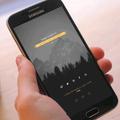
📌music player
If you have any queries kindly contact me directly through hangouts or gmail or you may also give your feedback on my Google Plus collection link below ✏
https://plus.google.com/collection/0ENuXB
KINDLY DO NOT POST YOUR QUERIES OR QUESTIONS ON THE REVIEW SECTION OF THE PLAYSTORE.. PLEASE USE THE GOOGLE PLUS LINK TO DO SO..



Jedno kliknięcie, aby zainstalować pliki XAPK/APK na Androidzie!

Dziękuję za ocenę i opinie!
Już oceniłeś.