PDF Compress Tool: Reduce PDF

PDF Compress Tool: Reduce PDF

Tweenti Corp
Dec 26, 2022
  • 9.4 MB

    File Size

  • Everyone

  • Android 4.4+

    Android OS

About PDF Compress Tool: Reduce PDF

It compresses the PDF and reduces its size.

If you are facing any kind of trouble in uploading the PDF file due to its larger size then using this app you can reduce its size by compressing it.

Steps to compress PDF:

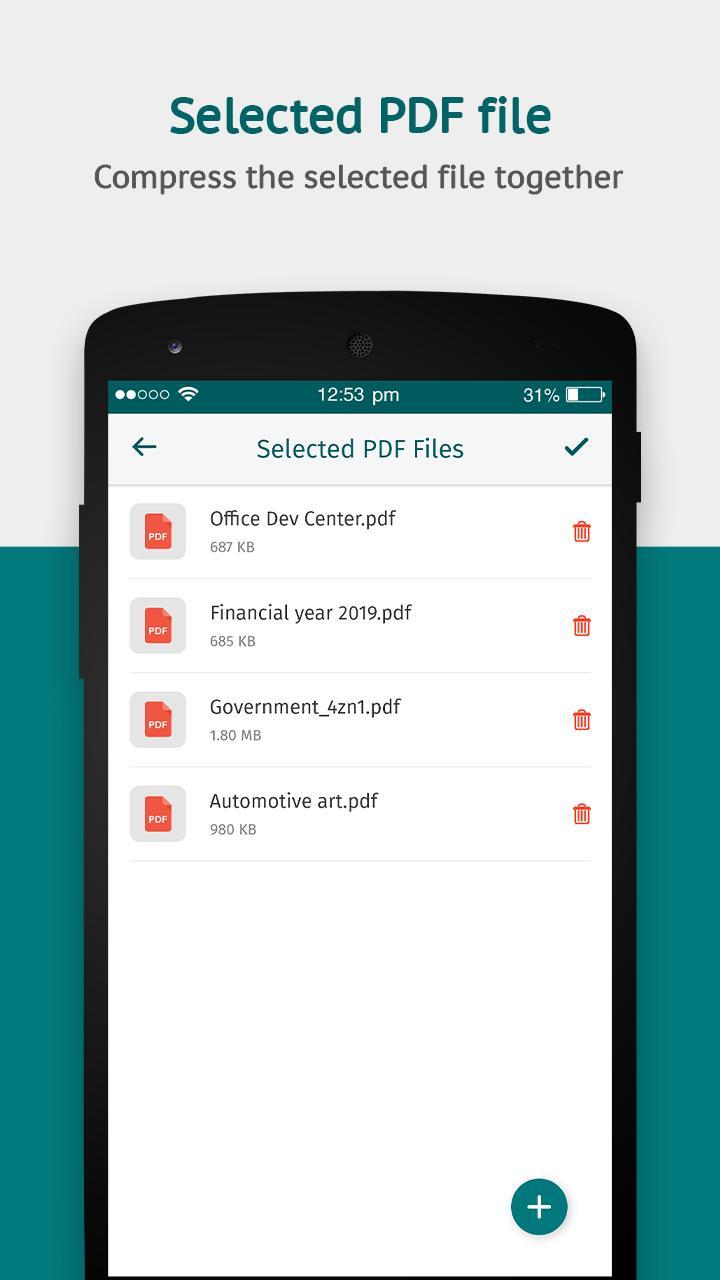
- Go to Choose PDFs option.

- Select one or multiple PDF files.

- Click on the tick mark option on the top right corner.

- Remove any PDF file if required.

- Select how much percent of PDF size you want to reduce. The higher the percentage, the more size will get reduced.

- Click on the Compress button.

- Visit My Compressed PDFs section to get all your compressed files.

So, resize your PDF file to a smaller size with the PDF Compress Tool app.

Show More

What's new in the latest 10.6

Last updated on 2022-12-26
- Bug Fixes.
Show More

Videos and Screenshots

  • PDF Compress Tool: Reduce PDF  poster
  • PDF Compress Tool: Reduce PDF  screenshot 1
  • PDF Compress Tool: Reduce PDF  screenshot 2
  • PDF Compress Tool: Reduce PDF  screenshot 3
  • PDF Compress Tool: Reduce PDF  screenshot 4
  • PDF Compress Tool: Reduce PDF  screenshot 5

PDF Compress Tool: Reduce PDF APK Information

Latest Version
10.6
Category
Productivity
Android OS
Android 4.4+
File Size
9.4 MB
Developer
Tweenti Corp
Content Rating
Everyone
Safe & Fast APK Downloads on APKPure
APKPure uses signature verification to ensure virus-free PDF Compress Tool: Reduce PDF APK downloads for you.
APKPure icon

Super Fast and Safe Downloading via APKPure App

One-click to install XAPK/APK files on Android!

Download APKPure
thank icon
We use cookies and other technologies on this website to enhance your user experience.
By clicking any link on this page you are giving your consent to our Privacy Policy and Cookies Policy.
Learn More about Policies