Safe & Fast APK Downloads on APKPure
APKPure uses signature verification to ensure virus-free One Piece Fighting Path APK downloads for you.

One Piece Fighting Path is an action RPG set in the One Piece world.
Developed by Nuverse, it blends fast real-time combat with a faithful cast of characters. Fans who download One Piece Fighting Path will find fluid battles and configurable visuals that suit different phones. The experience feels true to the anime, while still offering depth through timing and skill choices. Below are the key highlights players will notice right away.
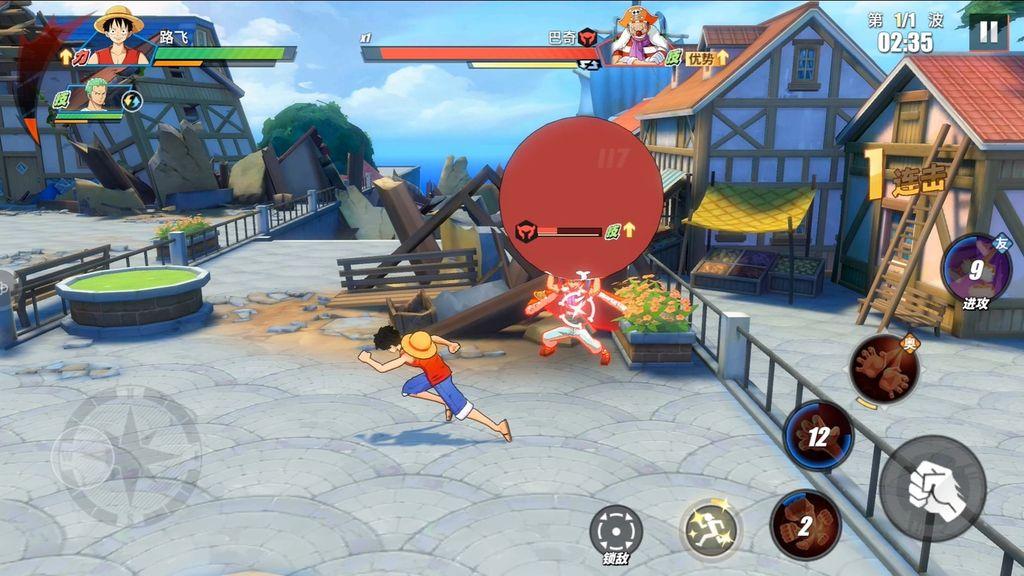
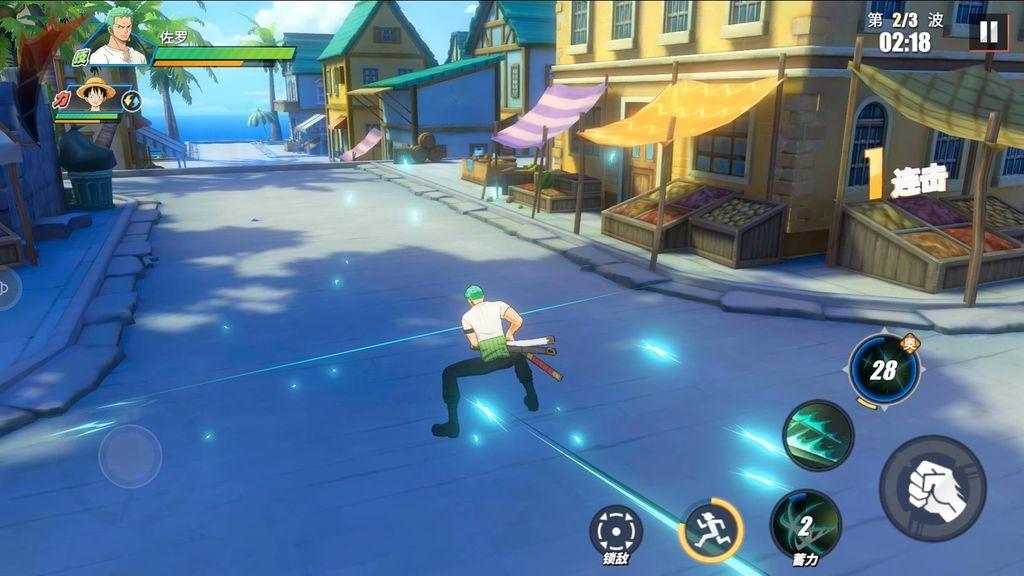
In One Piece Fighting Path, battles play out in real time with a clean HUD that keeps controls accessible. You tap out normal attacks, weave in two skills, save your ultimate for openings, and rely on dodge to avoid damage. Some fighters let you hold attacks to charge for extra impact, while certain skills respond to directional inputs for more precise control.
The depth comes from timing and positioning. Charging a normal attack can push damage during safe windows, but spending time on a hold leaves you open if enemies close in. Characters like Bounceman and Blackbeard reward players who practice directional inputs during held skills, since these add angles or range that fit their identities. Combat feels fast and fluid, and mastery leans on reading enemy patterns, maintaining spacing, and picking the right moment for skills and dodges.
The One Piece Fighting Path app features an iconic roster that captures each character’s style. Luffy’s Bounceman form emphasizes explosive movement and big impact. Shanks strikes with sharp timing and controlled reach. Blackbeard leans into directional control on certain skills, letting players adjust how attacks land mid-hold. Each fighter’s animations and skill cadence align with the source material, making matchups feel familiar to fans.
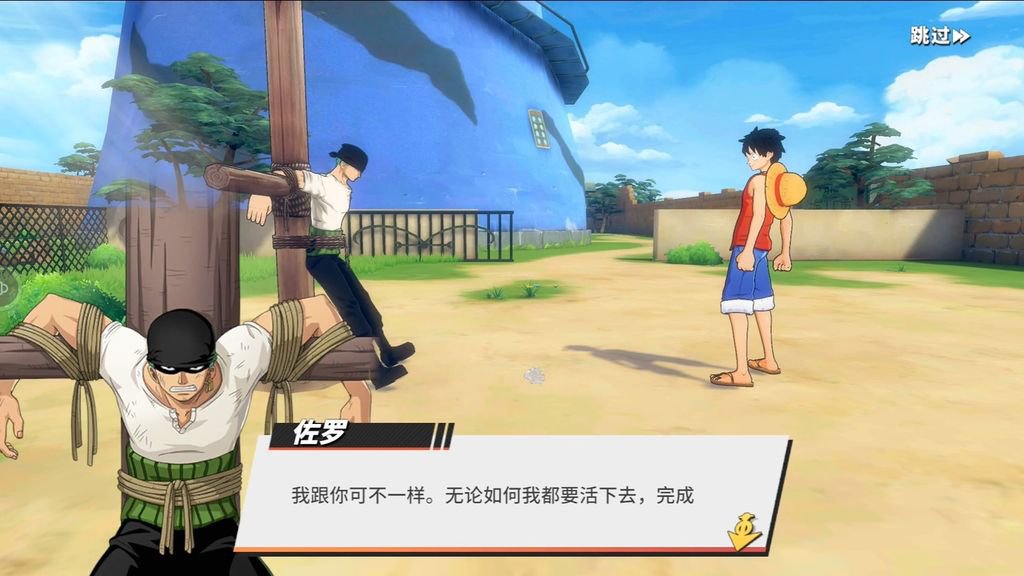
Choosing a main character happens on the character screen, and it’s easy to swap if a different style fits better. Returning players often test combos in early encounters to find comfortable routes and discover when to commit to a skill or dodge. Some content is predominantly in Chinese, so overseas users may consider on-screen translation overlays. However, these tools are not part of the game and can impact performance, so it’s wise to use them sparingly on mid-range devices.
One Piece Fighting Path gives users straightforward graphics controls to balance visual quality and performance. In Settings, you can switch to High, select 60 FPS, and enable anti-aliasing for cleaner edges. These options help the game look closer to the anime’s tone while keeping action readable during busy encounters.
Not every device holds 60 FPS comfortably, especially during effects-heavy skills or crowded scenes. If stutter appears or temperatures rise, lowering quality, disabling anti-aliasing, or turning off 60 FPS can stabilize performance without breaking immersion. On stronger phones, pushing visuals higher makes battles feel buttery smooth; on mid-range devices, a balanced setup keeps inputs responsive so dodge timings remain reliable.
Inside One Piece Fighting Path, server selection appears early so players can choose where to play. Events regularly refresh the experience, and comeback bonuses help returning users collect rewards and re-engage quickly after breaks. These touches make jumping back in feel worthwhile and keep progression moving.
Regional servers can affect access and latency for overseas players. Picking a closer server typically improves stability, especially in high-intensity battles. Language availability is wide, including English and many others, though some sections still appear mainly in Chinese depending on context. If text is unclear, overlays can assist, but they may reduce performance; users on mid-range devices often prefer lighter graphics settings instead of adding extra tools.
You can download the latest One Piece Fighting Path APK safely from APKPure. Download time depends on your connection speed, and storage requirements vary by version, so ensure sufficient space before starting. After installation, the first launch may trigger a large in-game resource download, which can take longer on slower networks.
If the download seems to stall, check your Wi‑Fi stability or switch to a stronger connection. Once setup finishes, choose a server and consider tuning graphics before entering battles. For smooth play, start with moderate settings and raise quality if performance holds steady. With the One Piece Fighting Path latest version installed, jumping into fast, skill-based combat is only a few taps away.






One-click to install XAPK/APK files on Android!

Thanks for your rating and feedback!
You have already rated.