Pakketnaam:universal.tv.remote.control.screen.casting
Meer weergeven


15.8 MB
Bestandsgrootte
Everyone
Android 7.0+
Android OS
Control Fire devices with keyboard, casting & screen mirroring
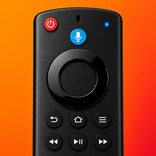
Take control of your compatible Fire streaming devices with Fire Remote TV Control. Connect over the same Wi-Fi network and enjoy a fast, responsive remote experience with navigation controls, keyboard input, playback controls, app shortcuts, screen mirroring, and media casting from your phone.
Whether you're streaming movies, watching TV shows, listening to music, or browsing your favorite apps, Fire Remote TV Control provides a simple and reliable way to manage your entertainment without searching for a physical remote.
Smart Wi-Fi Remote
Control your compatible streaming device quickly and comfortably.
• Fast Wi-Fi connection
• Responsive remote controls
• D-pad navigation
• Home, Back and Menu buttons
• Play, Pause, Forward and Rewind
• Volume and mute controls
• Power button support on compatible devices
Built-in Keyboard
Type naturally using your phone instead of navigating one character at a time.
• Search content faster
• Enter passwords easily
• Sign in to apps quickly
• Faster text input
Smooth Touchpad Navigation
Navigate menus with precision using an intuitive touchpad.
• Smooth scrolling
• Accurate navigation
• Comfortable browsing
Quick App Access
Launch your favorite streaming apps with fewer taps.
• Quick app shortcuts
• Faster navigation
• Easy entertainment access
Screen Mirroring
Mirror your phone display to supported devices connected to the same Wi-Fi network.
• Share photos
• View presentations
• Display personal videos
• Enjoy content on a larger screen
Media Casting
Cast supported media directly from your phone.
• Cast videos
• Cast photos
• Stream music
• Wireless media sharing
Designed for Everyday Use
Enjoy a clean interface built for speed, simplicity, and reliability.
• Modern design
• Easy setup
• Stable connection
• Lightweight performance
• Fast response
Compatibility
Works with supported Fire streaming devices connected to the same Wi-Fi network. Device compatibility may vary depending on hardware model, software version, available features, and network configuration.
Why Choose Fire Remote TV Control?
• Fast Wi-Fi remote connection
• Built-in keyboard
• Responsive touchpad
• Playback controls
• App shortcuts
• Screen mirroring
• Media casting
• Simple navigation
• Clean interface
• Reliable performance
Download Fire Remote TV Control today and enjoy a smarter, faster, and more convenient way to control your compatible Fire streaming devices from your phone.



Eén klik om XAPK/APK-bestanden op Android te installeren!

Bedankt voor je beoordeling en feedback!
Je hebt al beoordeeld.